Simplify complexity
Large technical applications become easier when they are broken into clear stages.
Web & WordPress · Digital Product · 2026
Digitizing the complete warranty journey for 3C3.
I designed and developed a secure self-service warranty platform covering user registration, OTP verification, administrative approval, multi-step warranty applications, technical document submission, status tracking, notifications and certificate delivery.
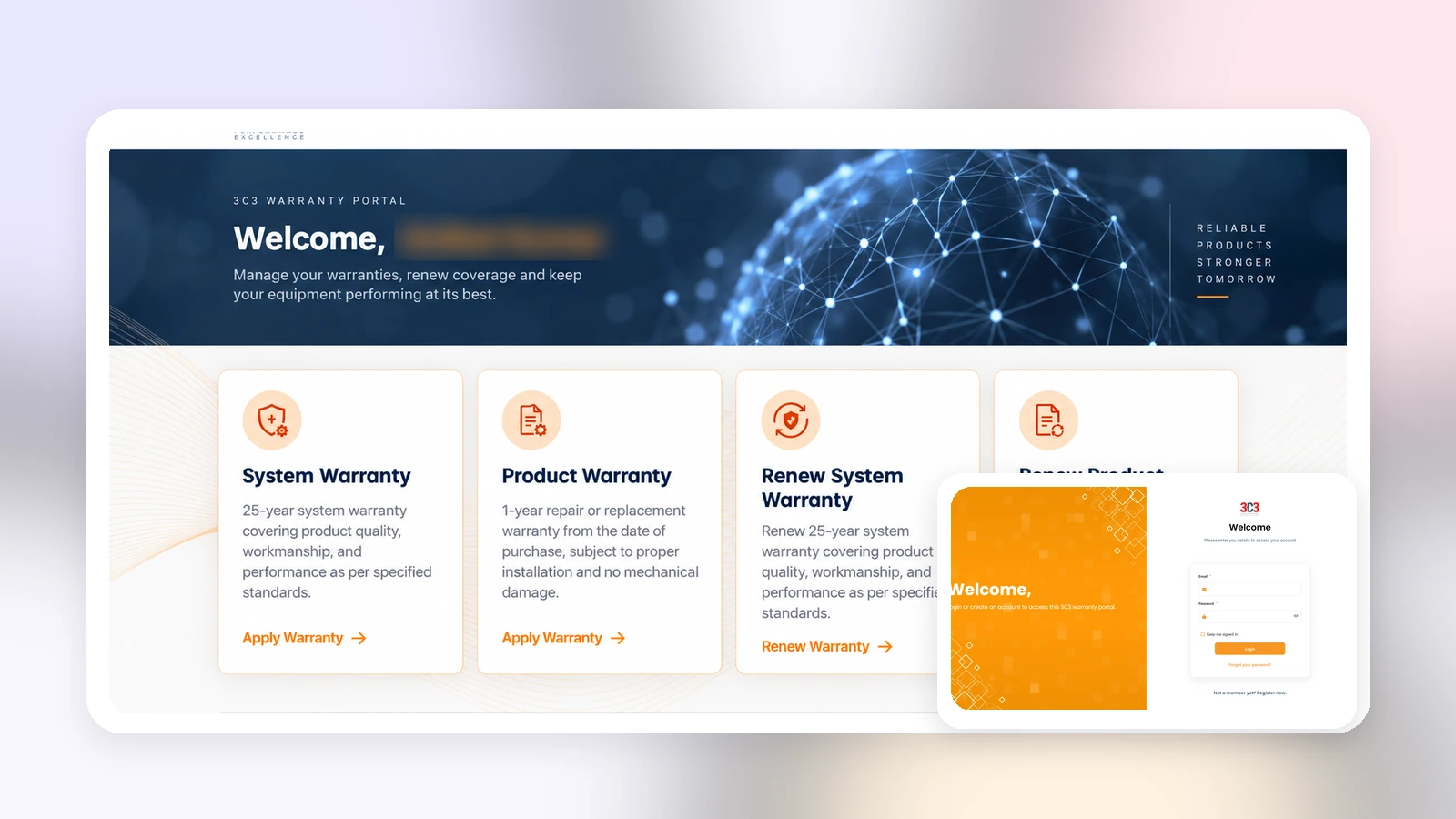
3C3's warranty process previously depended heavily on email conversations, Excel sheets, PDF documents and manual follow-ups. Application information, invoices, test reports and supporting documents moved across multiple channels, making tracking and certificate delivery time-consuming for both users and the internal team.
I designed and developed the 3C3 Warranty Portal as a centralized self-service platform where partners, distributors and customers can register, apply for warranties, upload technical documents, monitor application progress and download issued certificates from a single account.
The old process had too much manual dependency and no single place where a user or administrator could see the complete warranty lifecycle.
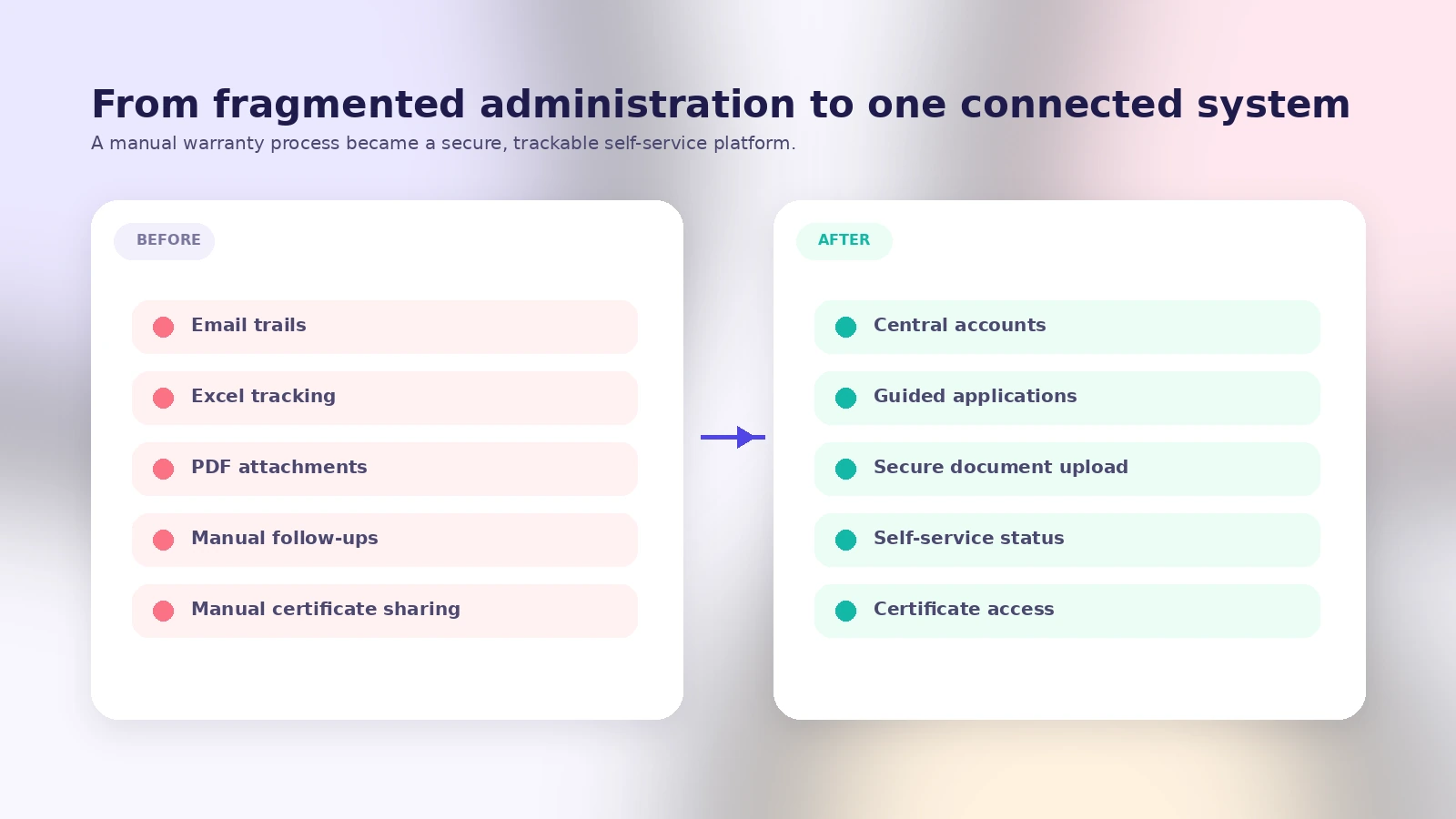
Create one connected digital workflow from account creation to certificate delivery.
I owned the complete product lifecycle across UX, interface design, WordPress implementation, custom development, workflow logic, permissions, testing and deployment.
User flows, dashboard architecture, multi-step application journeys, status models and interaction design.
Login, registration, dashboard, forms, cards, tables, application screens, status indicators and certificate experience.
Elementor implementation plus PHP, HTML, CSS and JavaScript for custom portal functionality.
Registration, OTP verification, account approval, access control and warranty lifecycle logic.
Invoices, test reports, drawings, NOC documents, certificate uploads and controlled downloads.
Workflow testing, permissions, file validation, UI fixes and production deployment.
Application review, status changes, notes, corrections, monitoring, reports and certificate management.
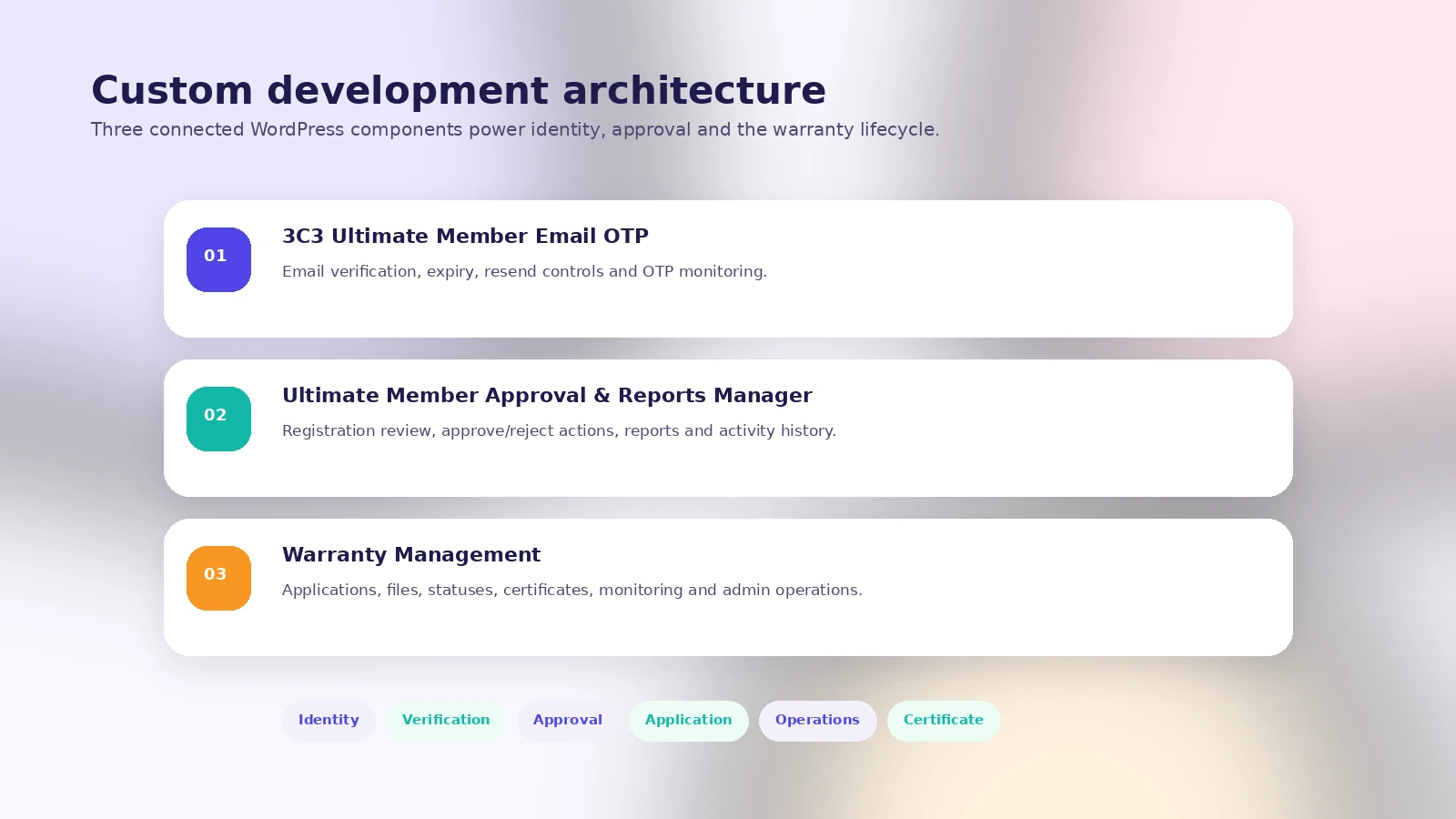
3C3 Ultimate Member Email OTP, Ultimate Member Approval & Reports Manager and Warranty Management.
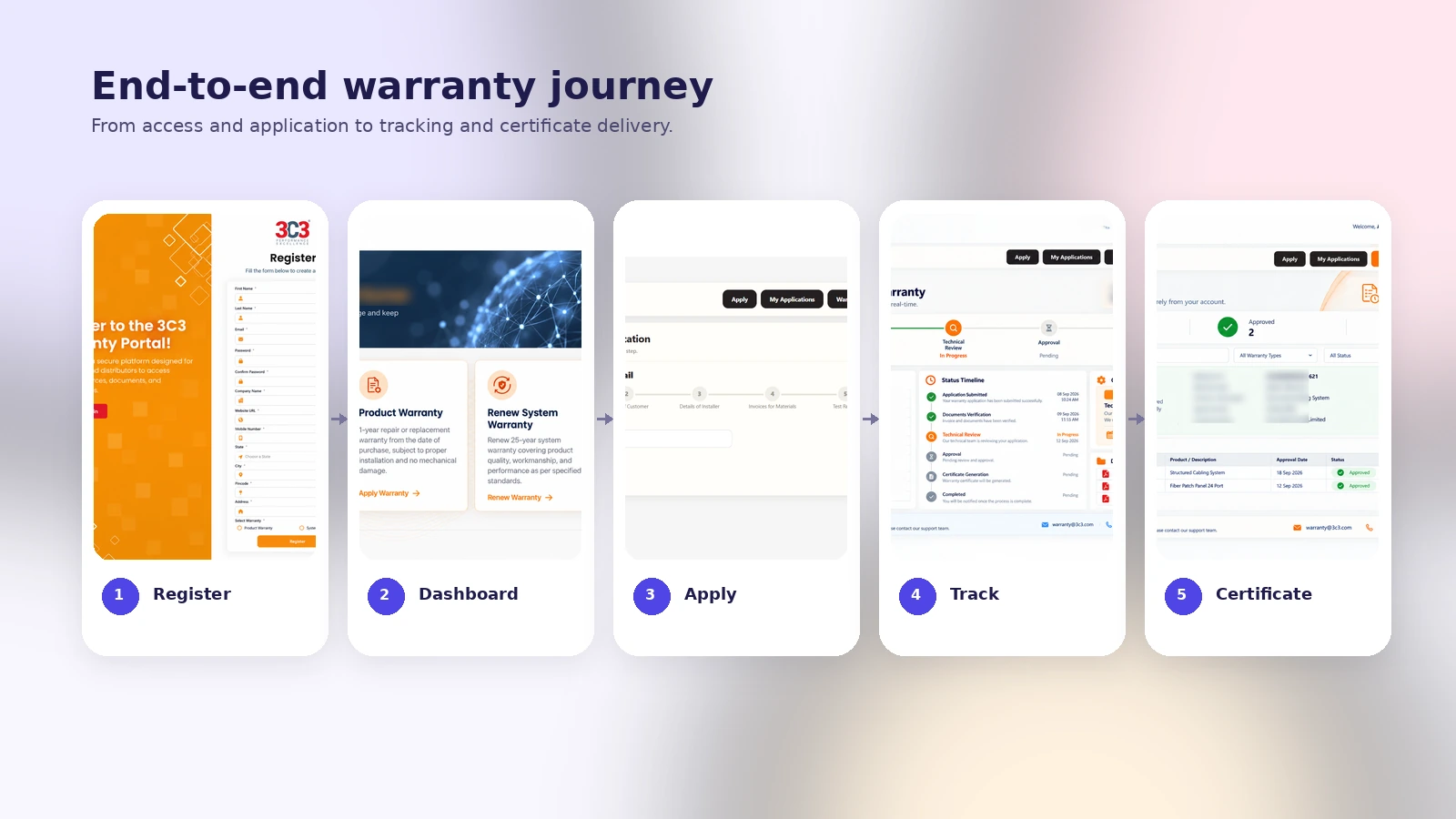
The user experience was designed as one continuous path: registration, secure access, application, tracking and certificate delivery. Each stage connects to the next without forcing users back into email-based coordination.
Because users submit company information and technical project documents, unrestricted account creation was not suitable. Registration combines account details, email verification, administrative review and approved portal access.
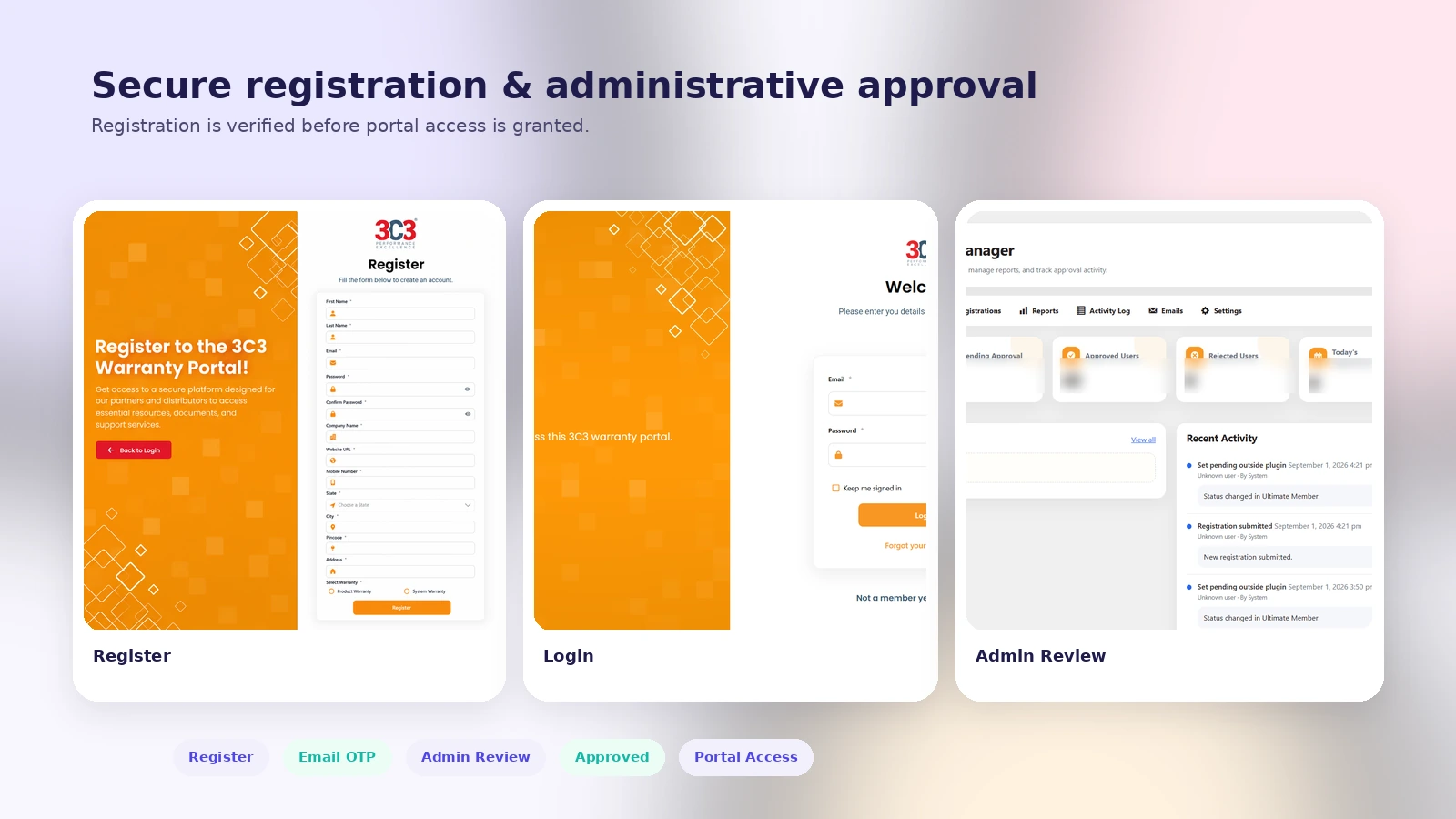
I built a custom WordPress plugin, 3C3 Ultimate Member Email OTP, to verify a user's email before the normal account-registration process continues. The system supports one-time codes, expiry, resend controls, attempt limits and monitoring while integrating with Ultimate Member.
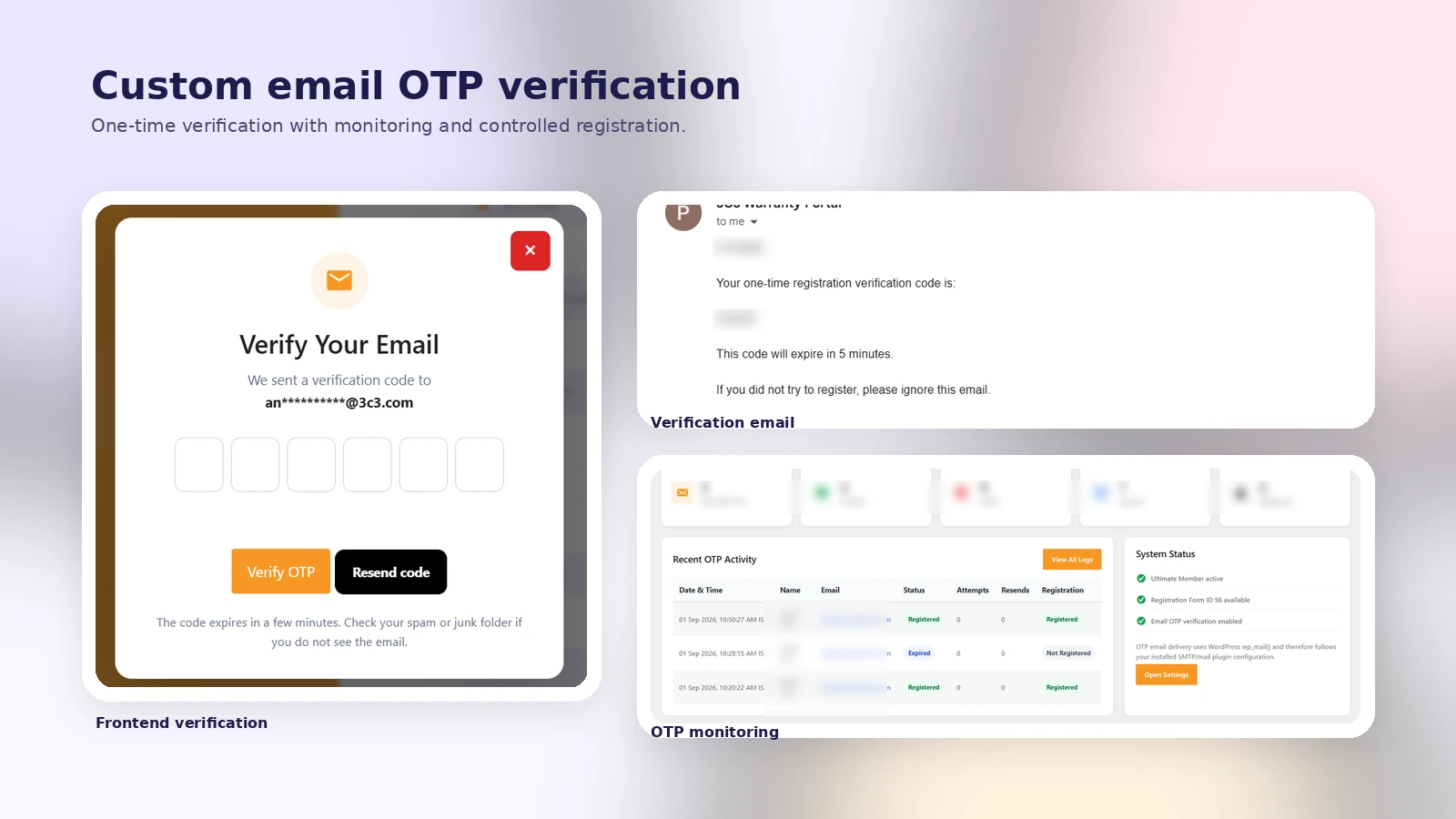
Email verification alone was not enough. I added an administrative review layer so new registrations could be inspected before portal access was granted. The approval experience includes pending users, review actions, approve/reject decisions, reports and activity history.
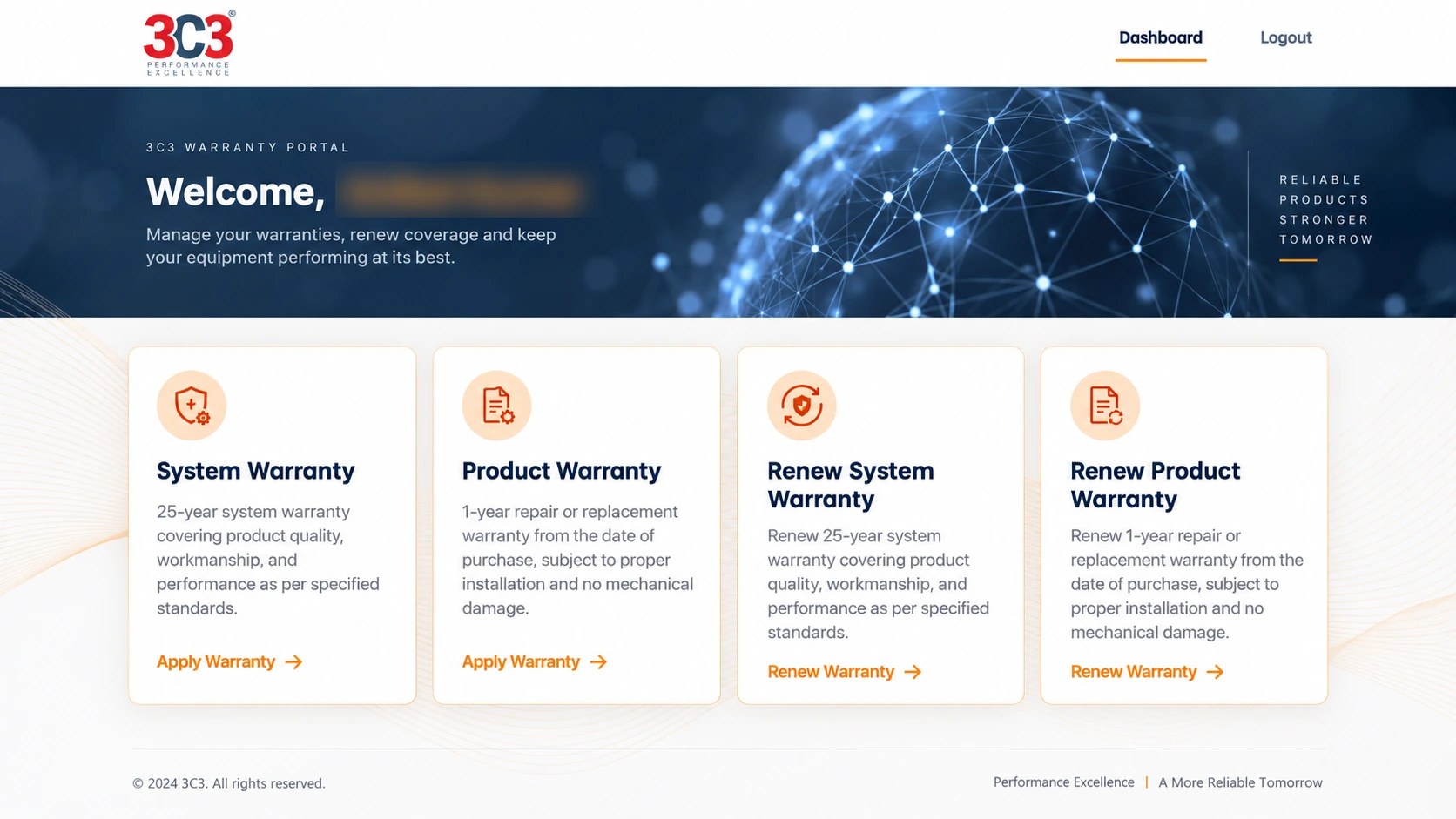
After approval and login, users land on a dashboard that turns four warranty services into clear actions: System Warranty, Product Warranty, Renew System Warranty and Renew Product Warranty.
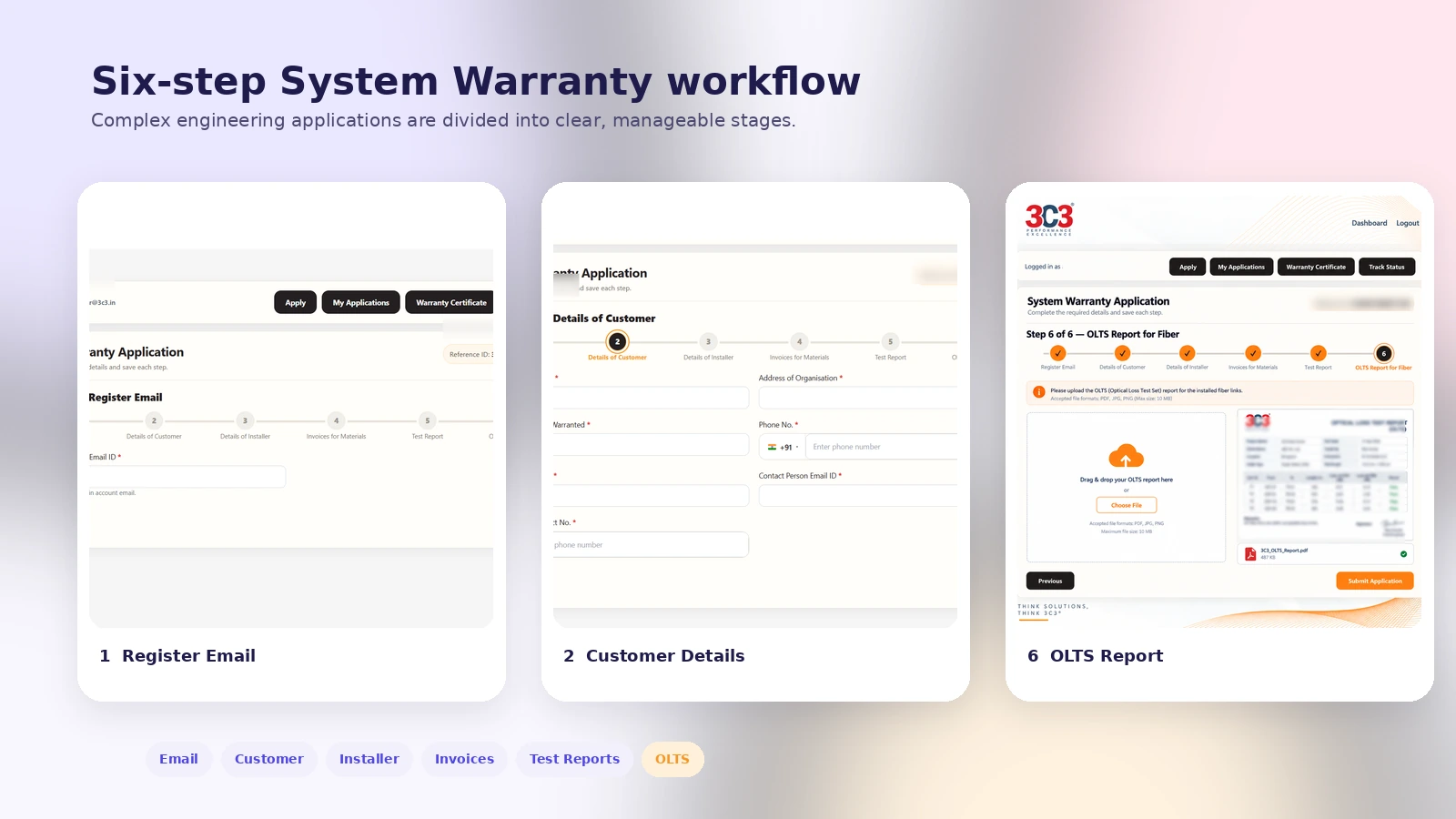
System Warranty submissions contain significantly more information than a normal web form. I divided the process into six stages so users can focus on one information group at a time and save progress along the way.
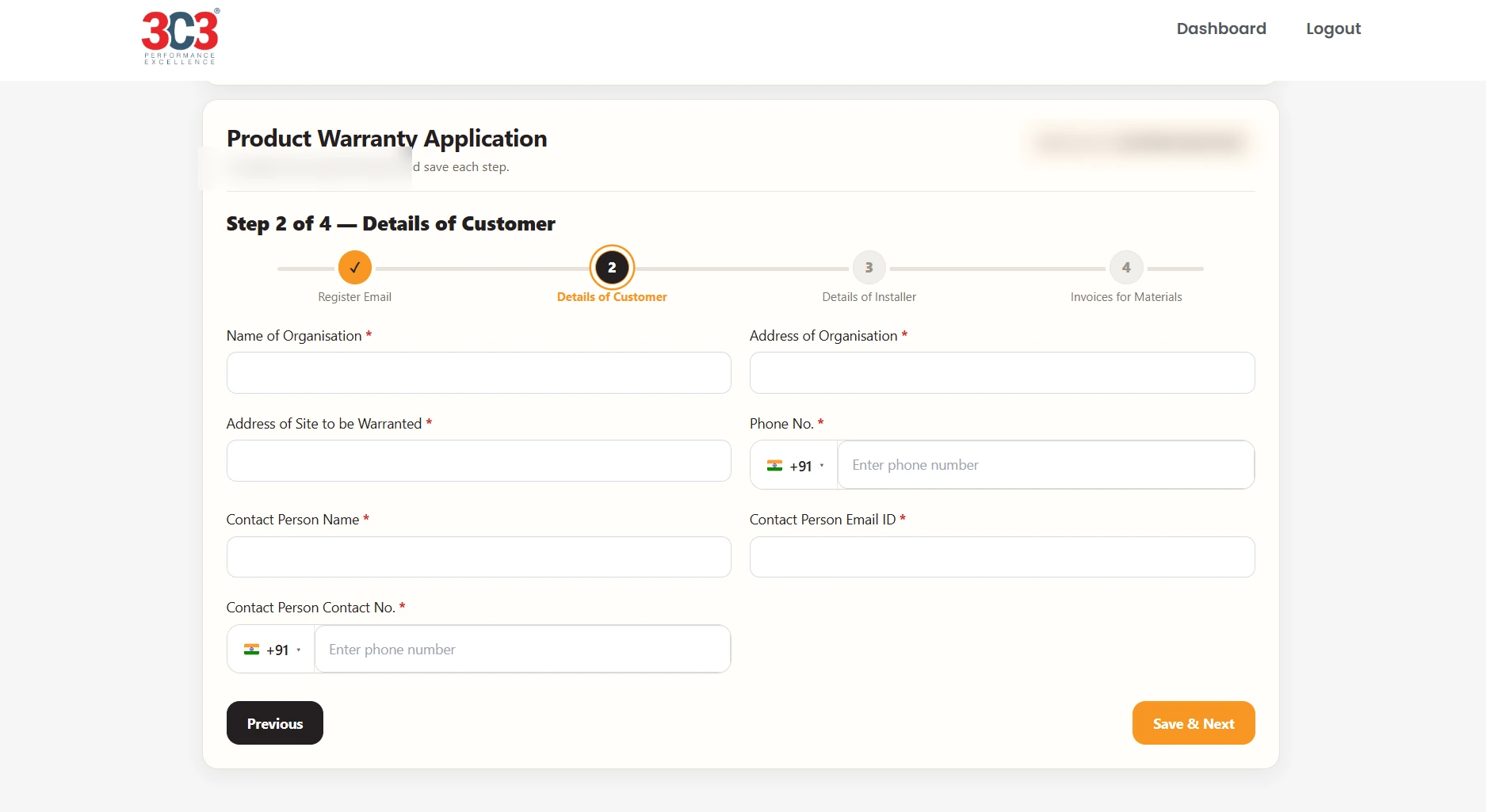
Product Warranty uses a shorter four-step flow while preserving the same interaction model. Users learn the system once and can apply the same mental model across warranty types.
Warranty submissions require more than text fields. The platform accepts business and engineering documentation with controlled file types, size limits and stage-specific upload rules.
PDF documents for purchased materials.
Copper, fiber, permanent-link and original-format test reports.
Tester information, calibration details and OLTS report files.
As-built drawings and NOC documents for applicable renewal workflows.
Technical submissions often cannot be completed in one sitting. Draft saving lets users leave the workflow, gather missing invoices or reports, return later and continue without starting again.
Every submitted warranty application receives a generated Reference ID. Users can copy and use that identifier throughout the review, tracking and certificate lifecycle.
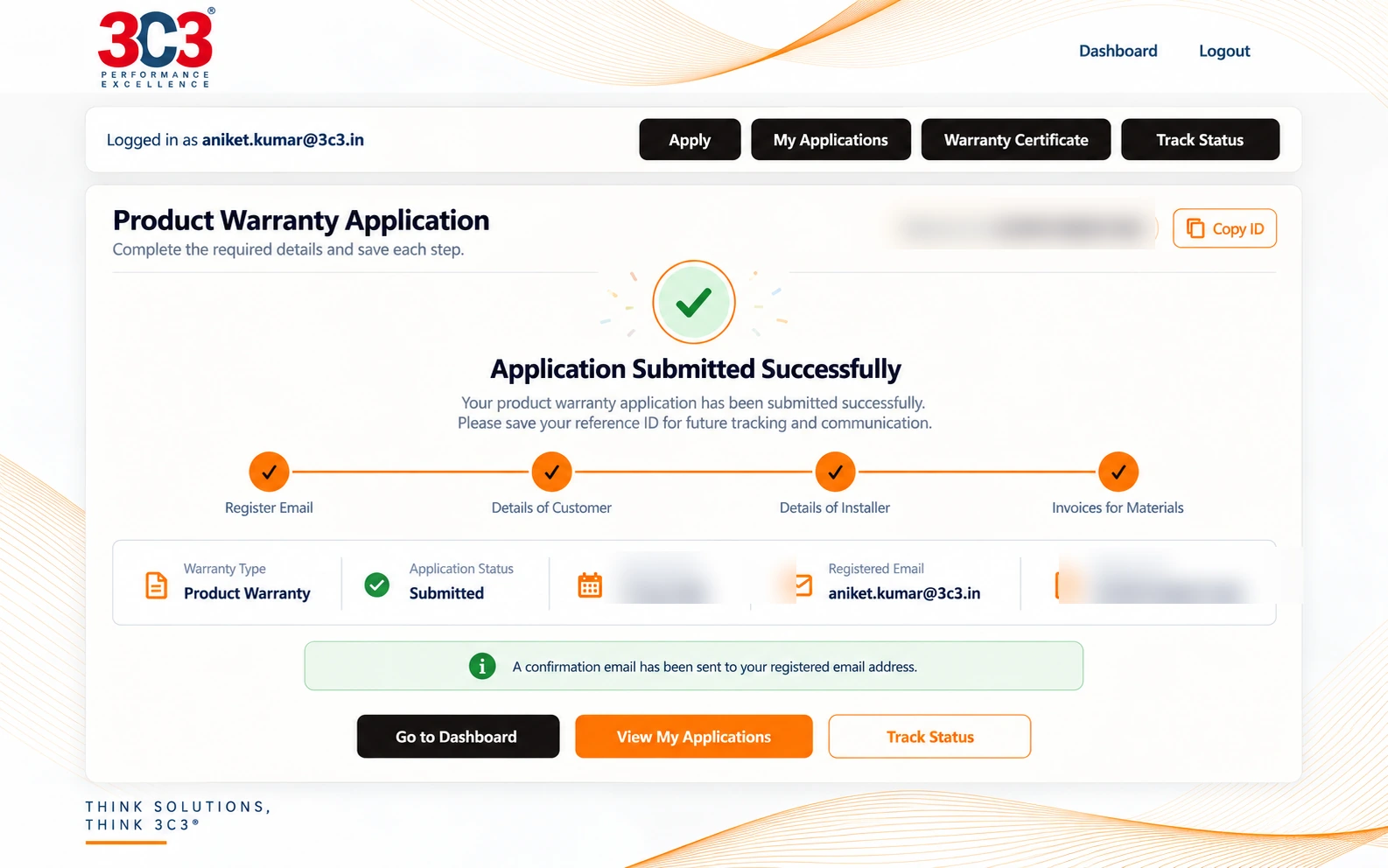
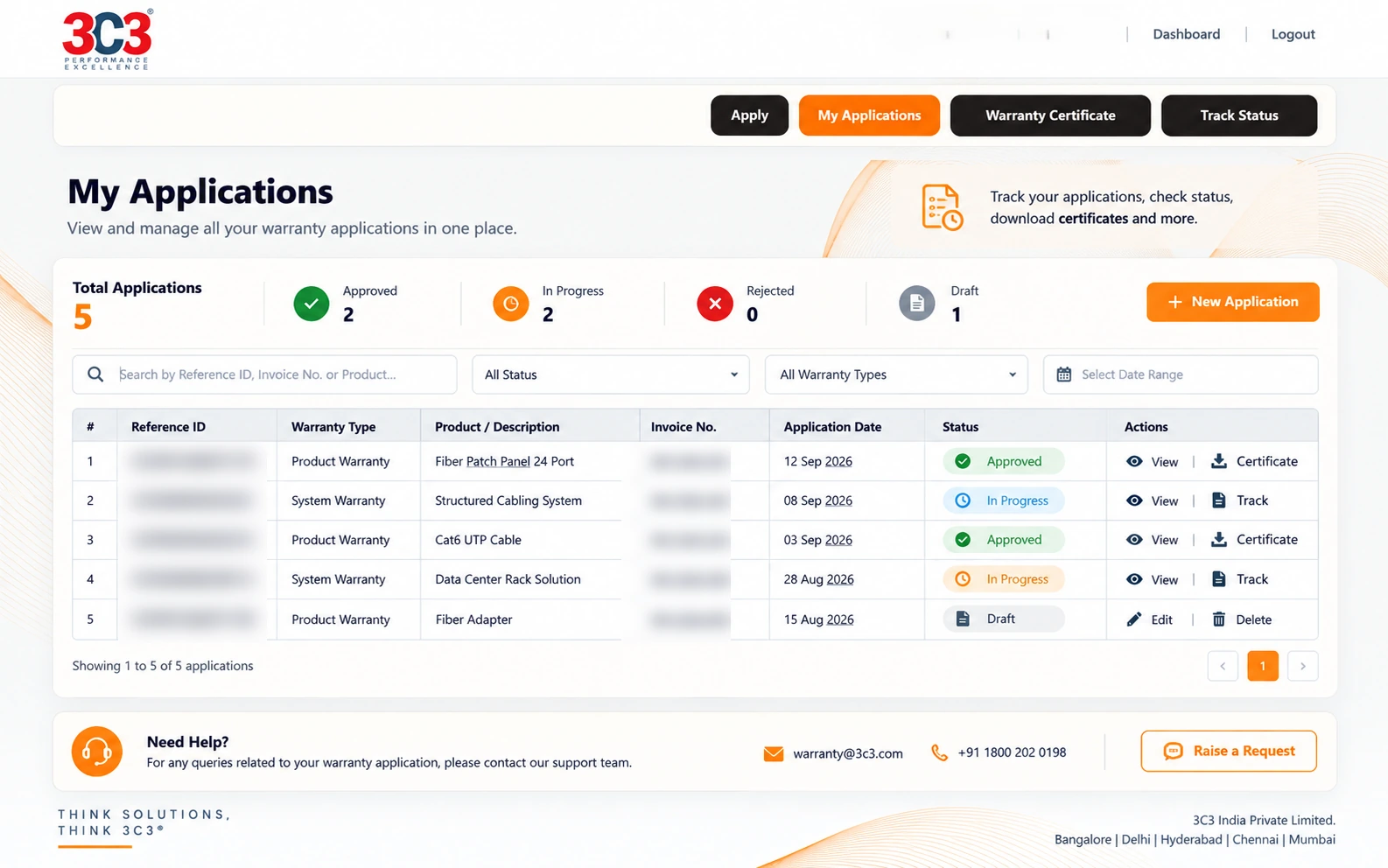
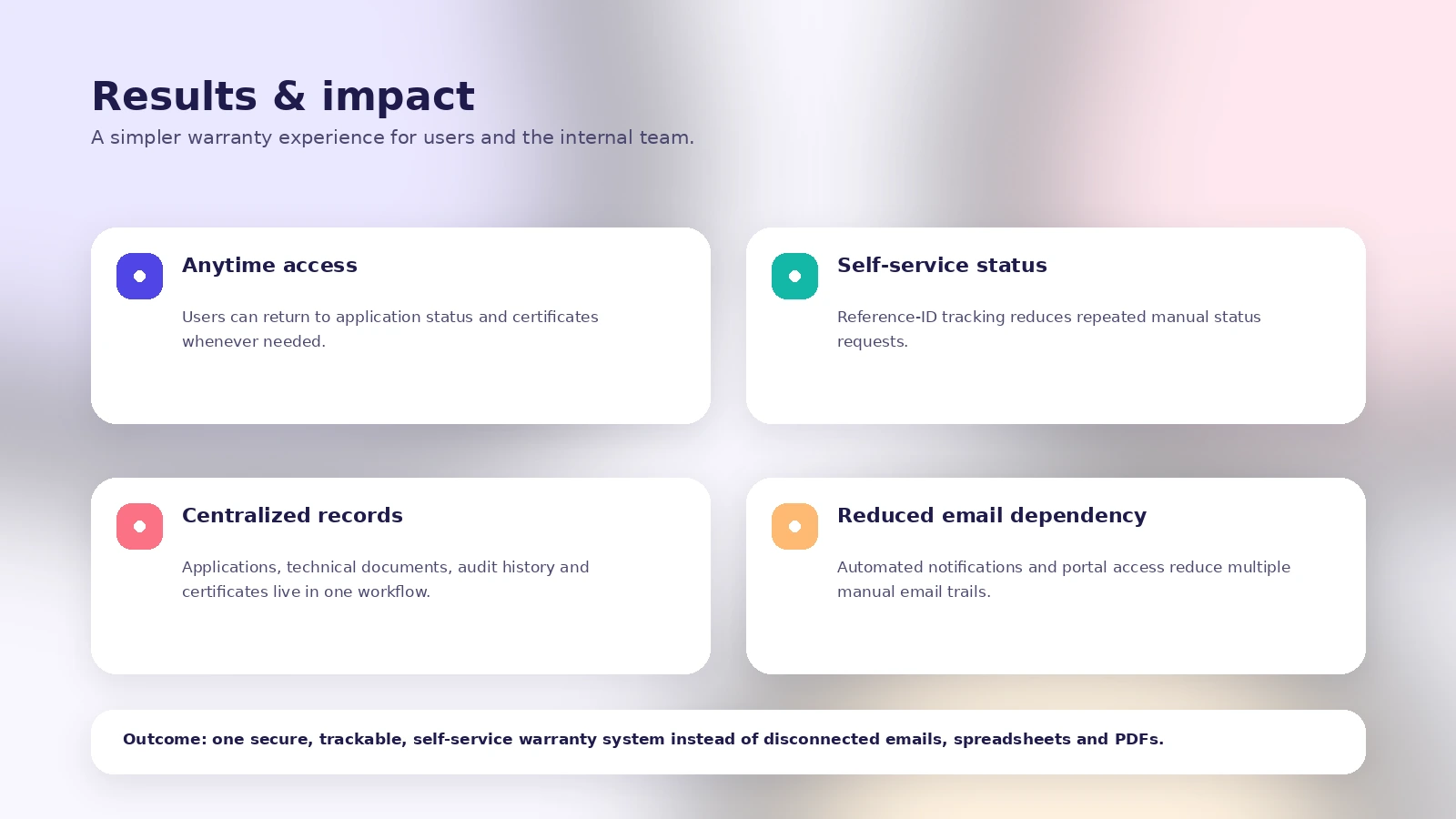
Instead of depending on old email threads, users have a dedicated account area where they can review submitted records, current status, drafts and certificate availability.
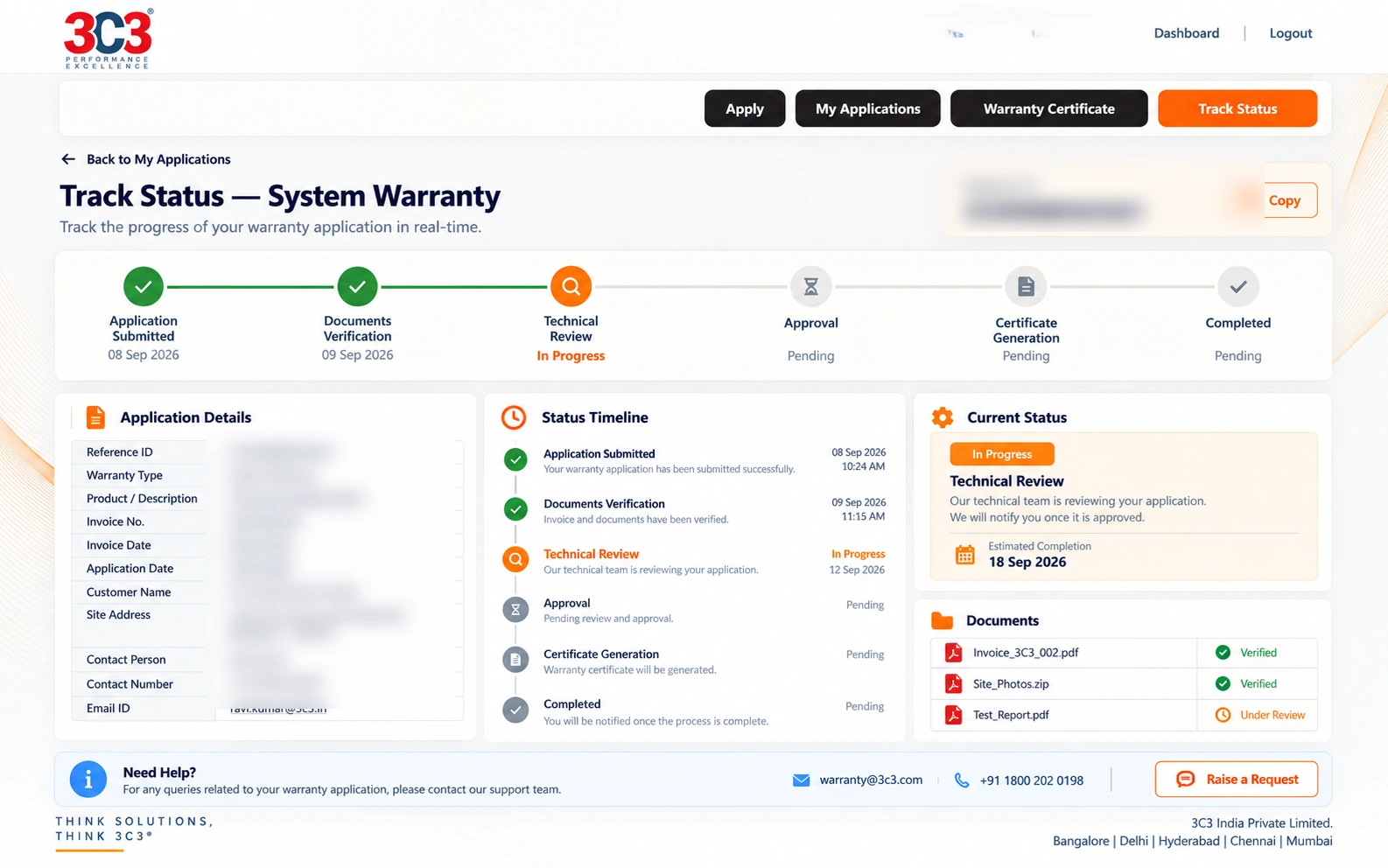
Reference-ID tracking gives users direct visibility into application progress and reduces repeated “What is my warranty status?” follow-ups.
The platform sends configurable notifications around important warranty events. Users are informed when an application changes status and when a certificate is ready, reducing the need for repeated manual status emails.
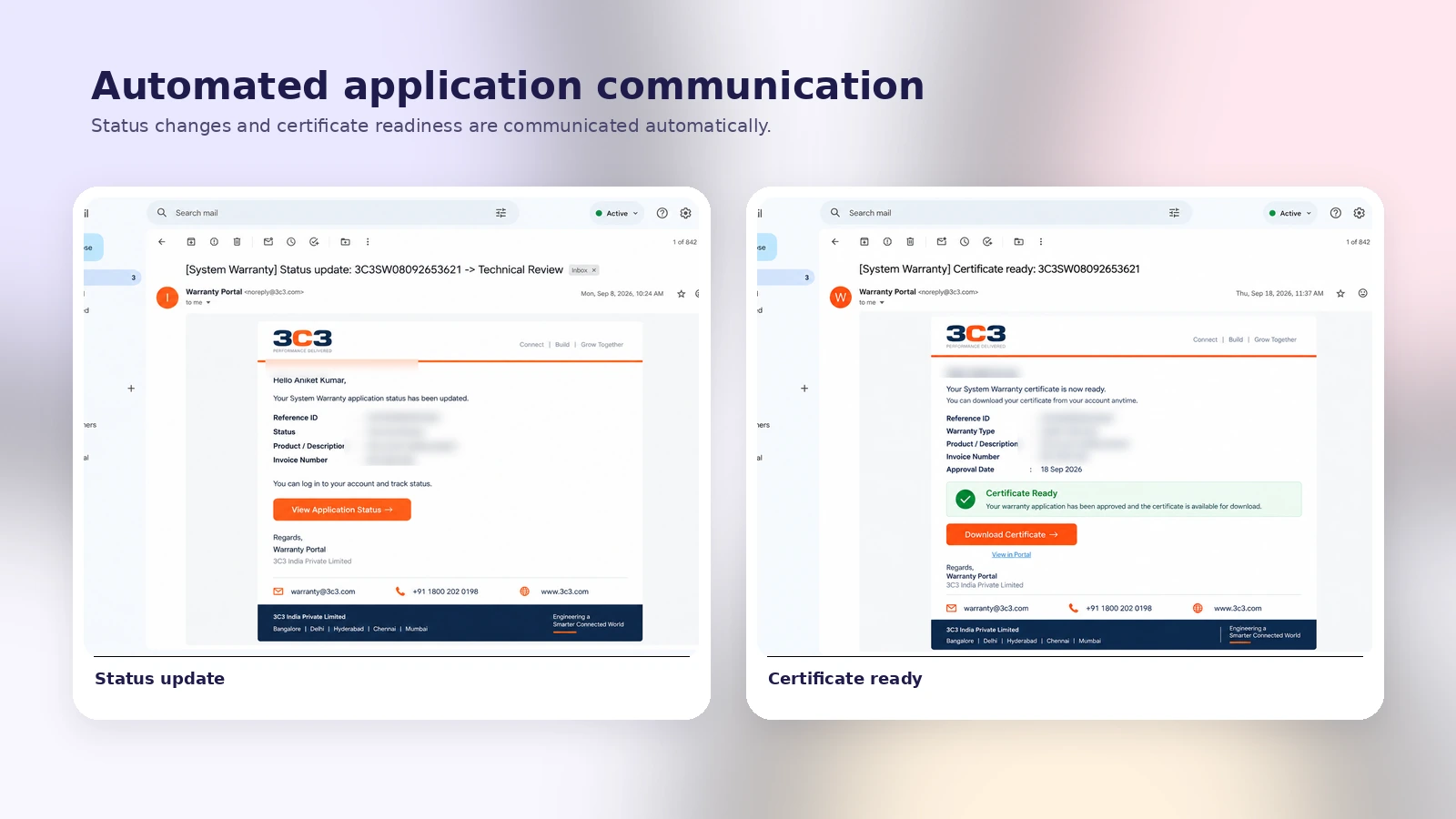
Once an application is approved and the certificate is uploaded, users can return to the portal and securely view or download the warranty certificate whenever needed.
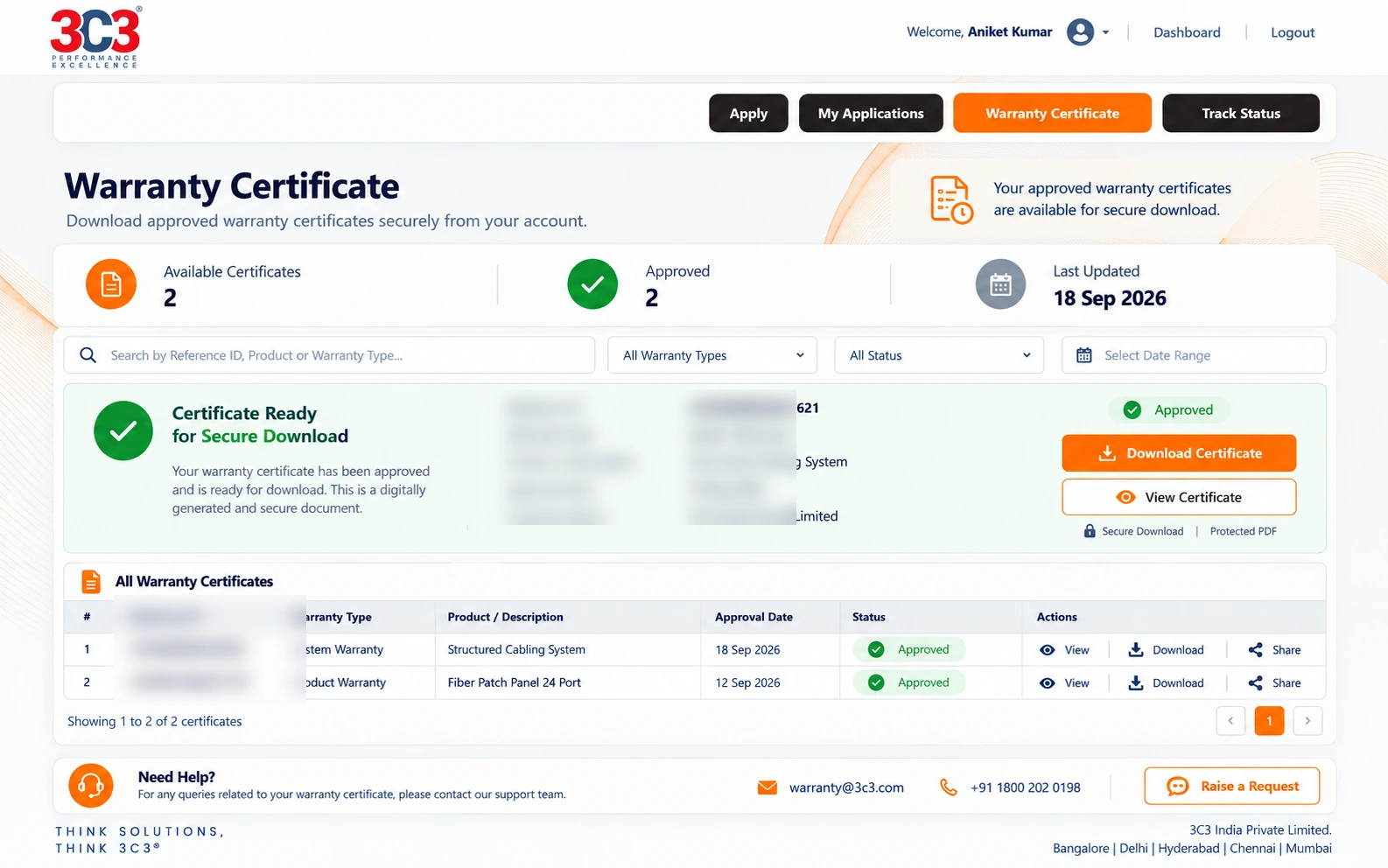
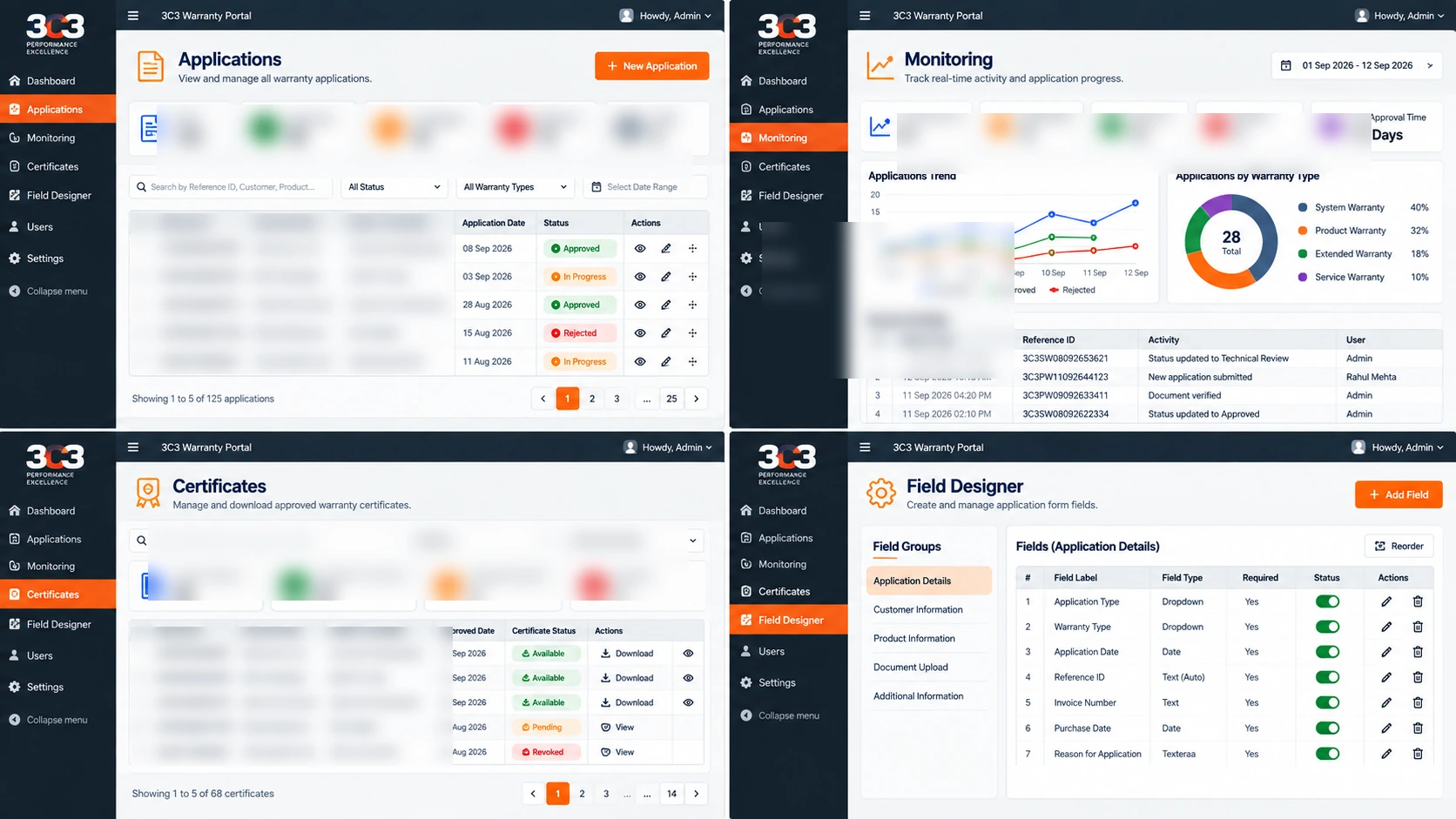
The largest custom-development component is the Warranty Management plugin, which manages the complete warranty lifecycle across external-user and administrator workflows.
Four warranty workflows with multi-step forms and draft support
Logged-in ownership checks and generated Reference IDs
Technical uploads, controlled downloads and certificate management
Statuses, admin notes, corrections, reset, trash/restore and legacy import
KPI summaries, status breakdowns and recent activity
CSV/print reporting, configurable emails and outbox logging
Three custom WordPress components work together so identity, verification, approval, application processing and certificate delivery behave as one system rather than isolated features.
Security was designed as part of the user experience, not as a separate layer added at the end.
WordPress · Elementor · Elementor Pro · Ultimate Member
PHP · HTML · CSS · JavaScript
3C3 Ultimate Member Email OTP · Ultimate Member Approval & Reports Manager · Warranty Management
Essential Addons for Elementor · LiteSpeed Cache · SmartSMTP · WPCode · Hostinger Tools
The portal simplifies the warranty experience for users while giving the internal team one connected operational workflow.
Large technical applications become easier when they are broken into clear stages.
Draft saving matters when users need time to gather invoices, reports and engineering documents.
A successful portal must work for the customer submitting the request and the administrator processing it.
Verification, approval and access control should feel secure without creating unnecessary friction.
OTP verification, approval, applications, notifications and certificates work best when designed as one platform.
(24) Closing
I designed and developed the complete 3C3 Warranty Portal—from registration and authentication to administrative approval, complex warranty applications, document management, tracking, notifications and certificate delivery. By combining product design with custom WordPress development, I transformed a manual email- and spreadsheet-based process into a centralized self-service platform for partners, distributors and customers.