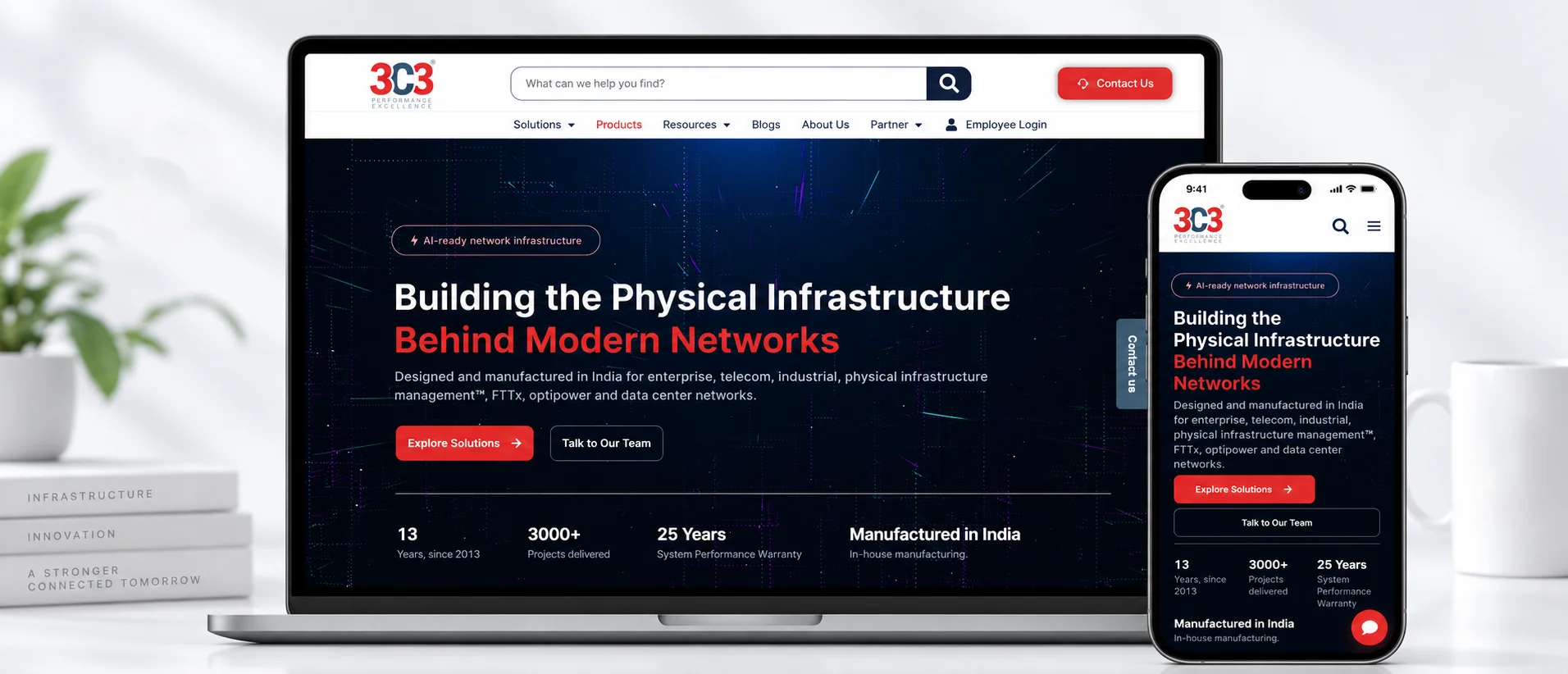
Transforming 3C3's corporate website into a scalable B2B digital platform
Designed and developed from the ground up – from product discovery and technical content to lead-generation forms, OTP authentication and custom WordPress functionality.
Data Center
& Developer
A complex technical portfolio, made navigable
3C3 operates in a highly technical B2B industry, offering structured cabling, fiber optic, copper, data center, industrial networking and passive infrastructure solutions.
The goal was to create a digital platform that could communicate this complex portfolio clearly while supporting product discovery, technical information, resource downloads, business enquiries, partner engagement and corporate communication.
I owned the project end-to-end, from UX/UI and development to product imagery, forms, integrations and custom functionality.
One website, six very different audiences
3C3 has a large product and solution portfolio targeted at customers, consultants, system integrators, partners, engineers and enterprise decision-makers. The website therefore had to simplify complex technical information while remaining useful for multiple audiences.
- Organise a large technical product catalogue
- Make products easier to search and discover
- Present detailed specifications without overwhelming users
- Create consistent layouts across different solution areas
- Provide direct access to datasheets and brochures
- Generate product-specific business enquiries
- Improve contact-form data quality
- Support blogs, events, careers and corporate content
- Remain scalable as new products are added
- Deliver a consistent experience across all devices
Rebuilt from the ground up
The website was rebuilt to create a more modern, structured and scalable B2B experience.
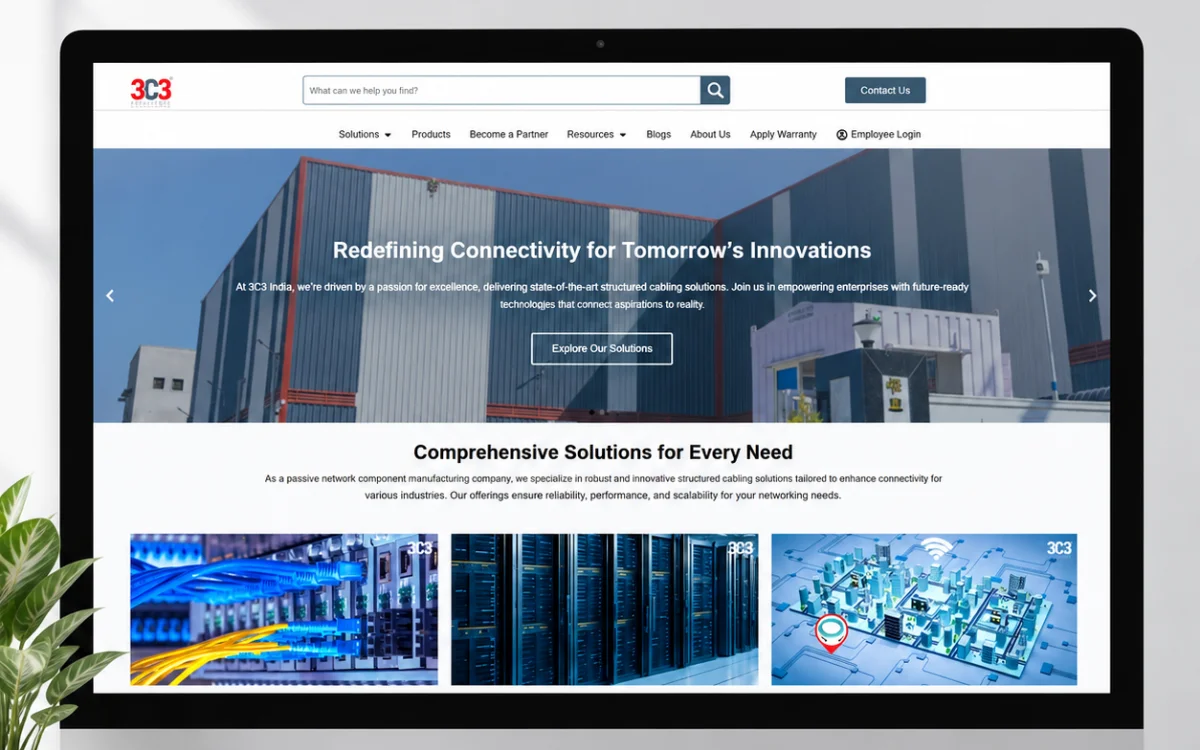
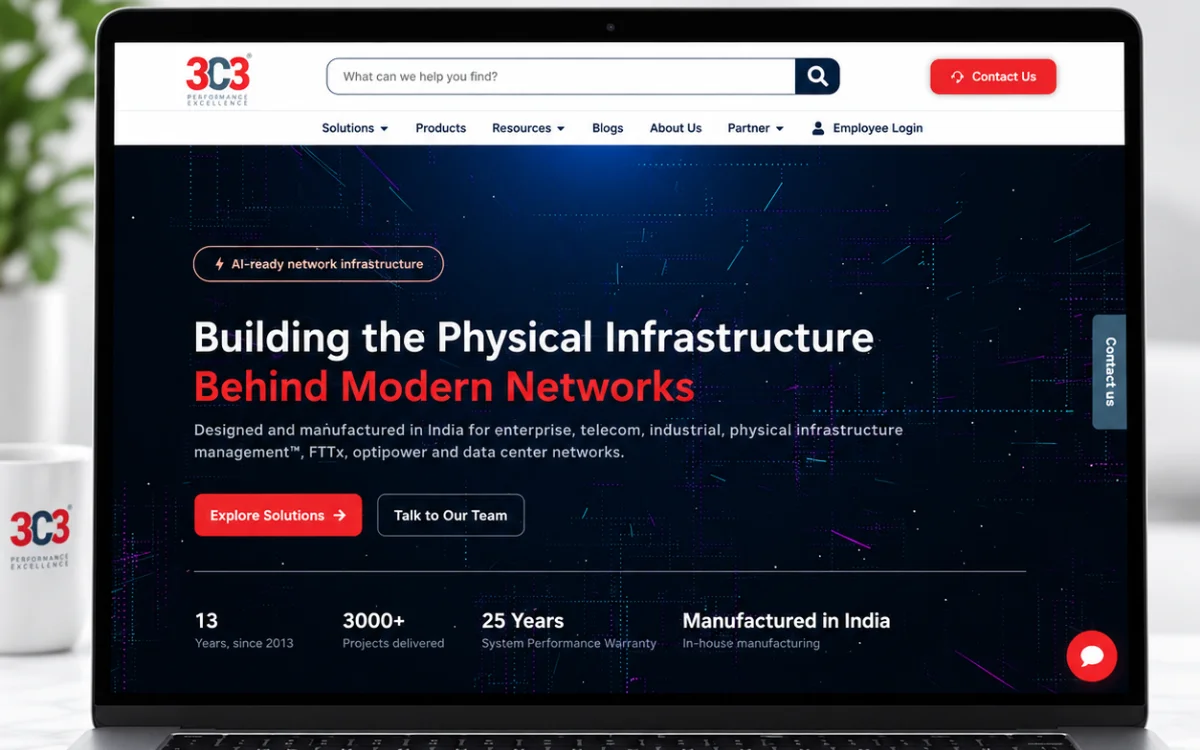
Before
- Limited visual hierarchy
- Difficult navigation through technical information
- Less structured product discovery
- Limited interactive workflows
- Inconsistent presentation across content types
After
- Modern B2B visual system
- Structured solution architecture
- Searchable product ecosystem
- Detailed technical product pages
- Integrated enquiry journeys
- Authenticated resource downloads
- Reusable design patterns
- Responsive layouts
I built the experience and the systems behind it
I was responsible for the complete website lifecycle across strategy, visual design, implementation and ongoing functional refinement. My responsibility wasn’t limited to designing pages.
UX & Strategy
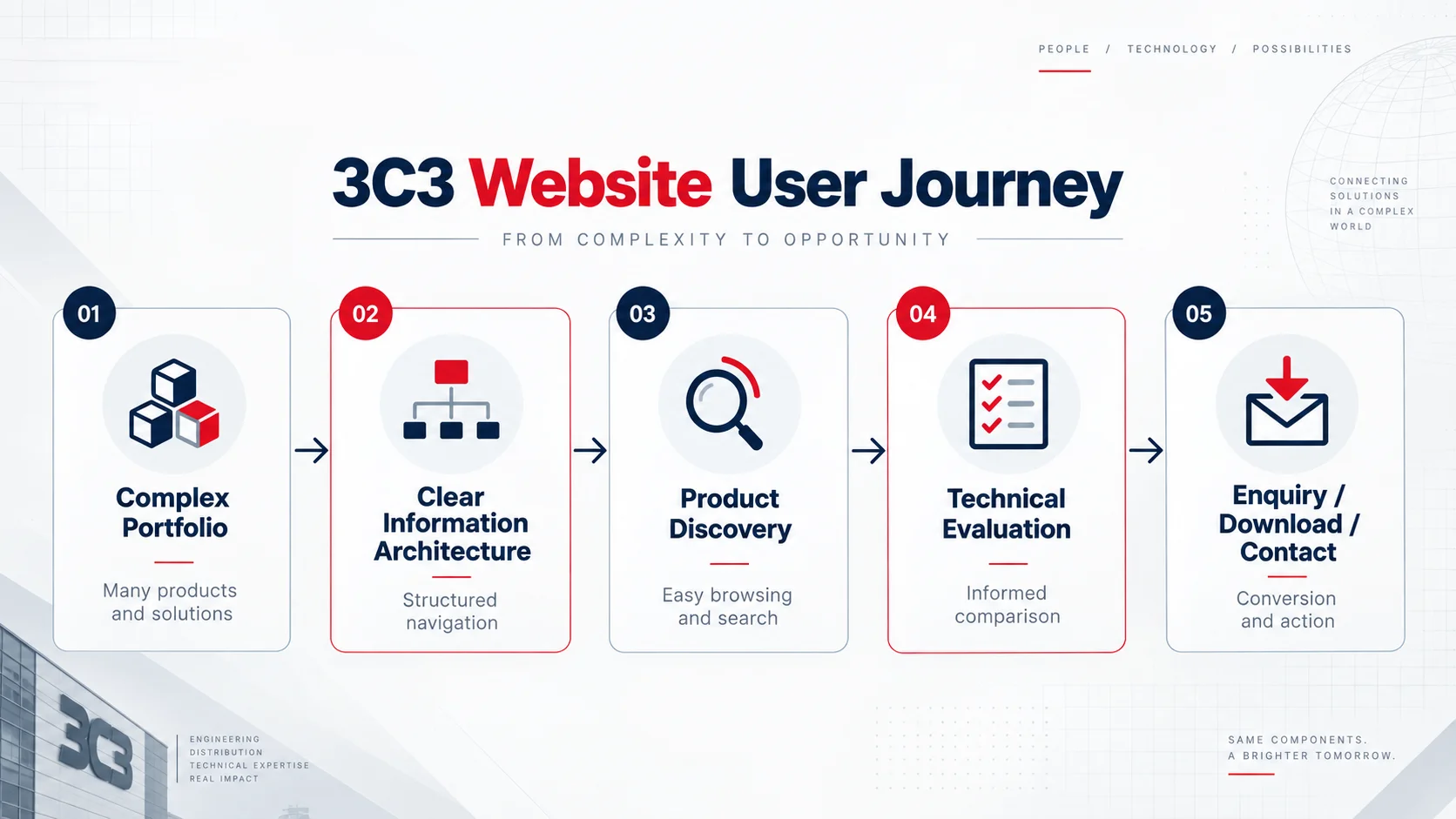
Information architecture, navigation structure, user journeys, page hierarchy and content organisation.
UI Design
Page layouts, typography, visual hierarchy, brand consistency, cards, forms, CTA sections and interaction design.
WordPress Development
Building pages, reusable structures, custom CSS, JavaScript, PHP functionality and integrations.
Product Experience
Product listing architecture, categories, search, product pages, specifications, datasheets and enquiry workflows.
Visual Assets
Creating, editing and standardising product images, page graphics, banners and supporting visual assets.
Forms & Authentication
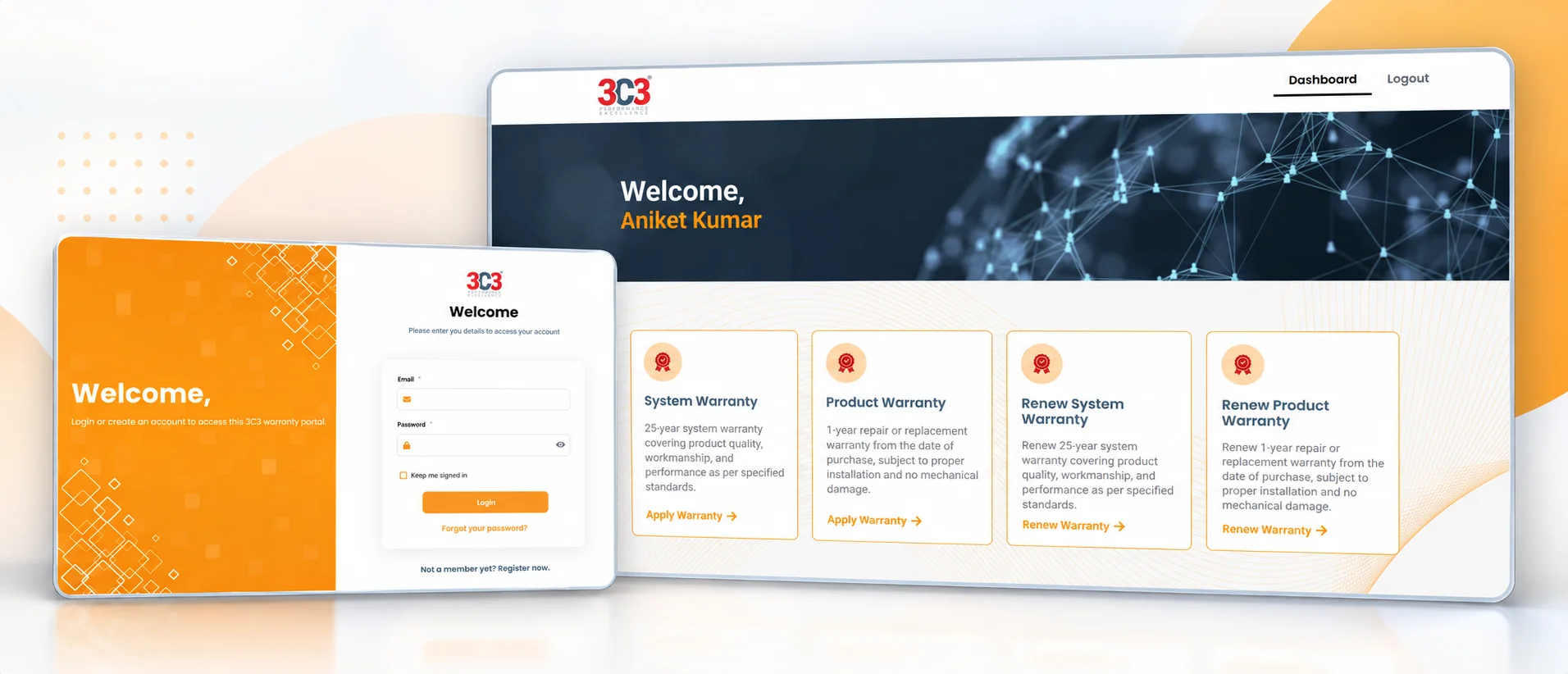
Contact, product enquiry and business forms, validation, OTP authentication and secure resource-access workflows.
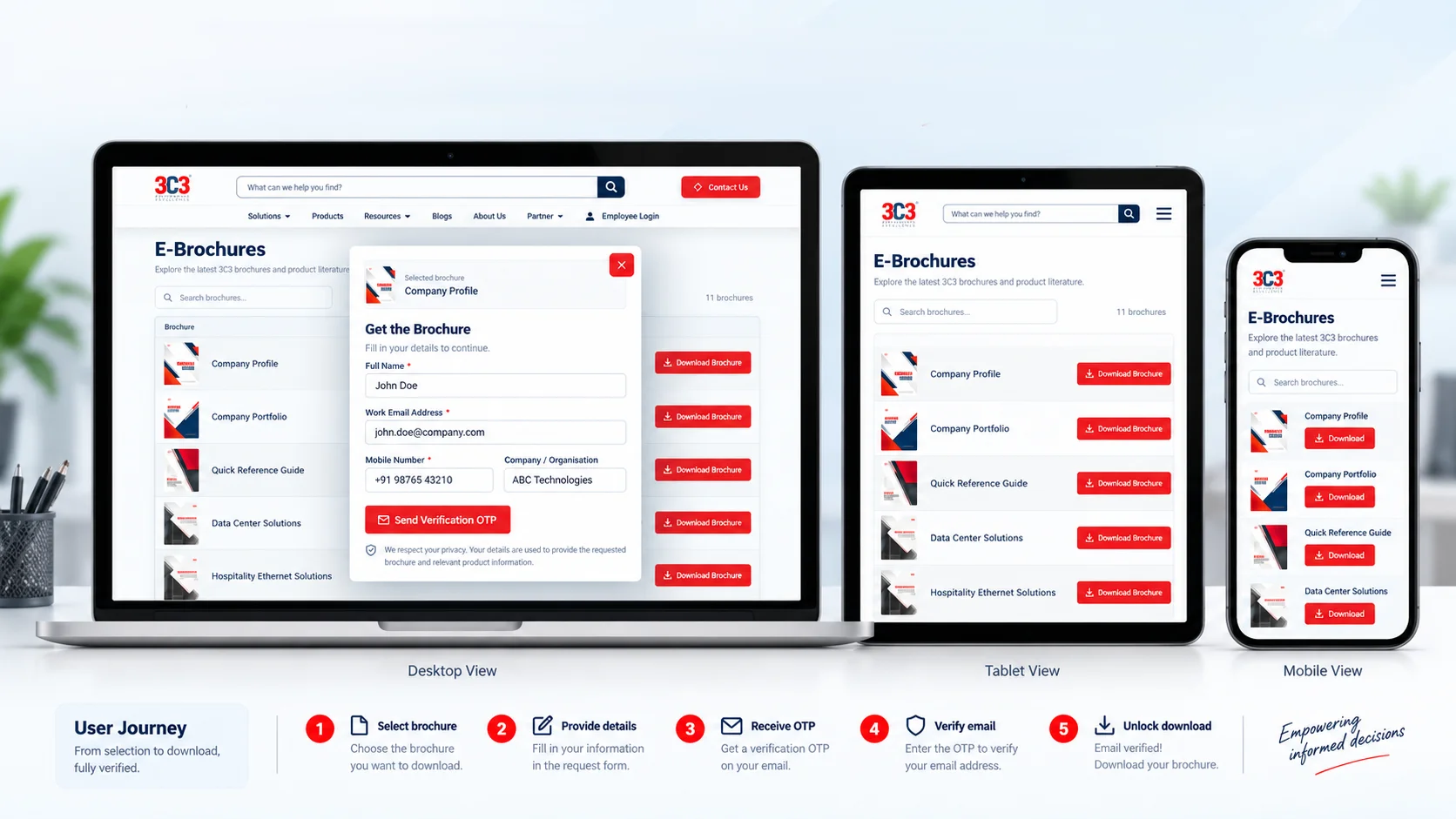
Custom Development – I developed the 3C3 Secure E-Brochure Manager, a WordPress plugin built specifically for this project.
Multiple entry points, one product ecosystem
B2B users do not always search in the same way. Some know the exact product, some know the technology, and others start with a solution requirement. The website was structured to support multiple entry points into the product ecosystem.
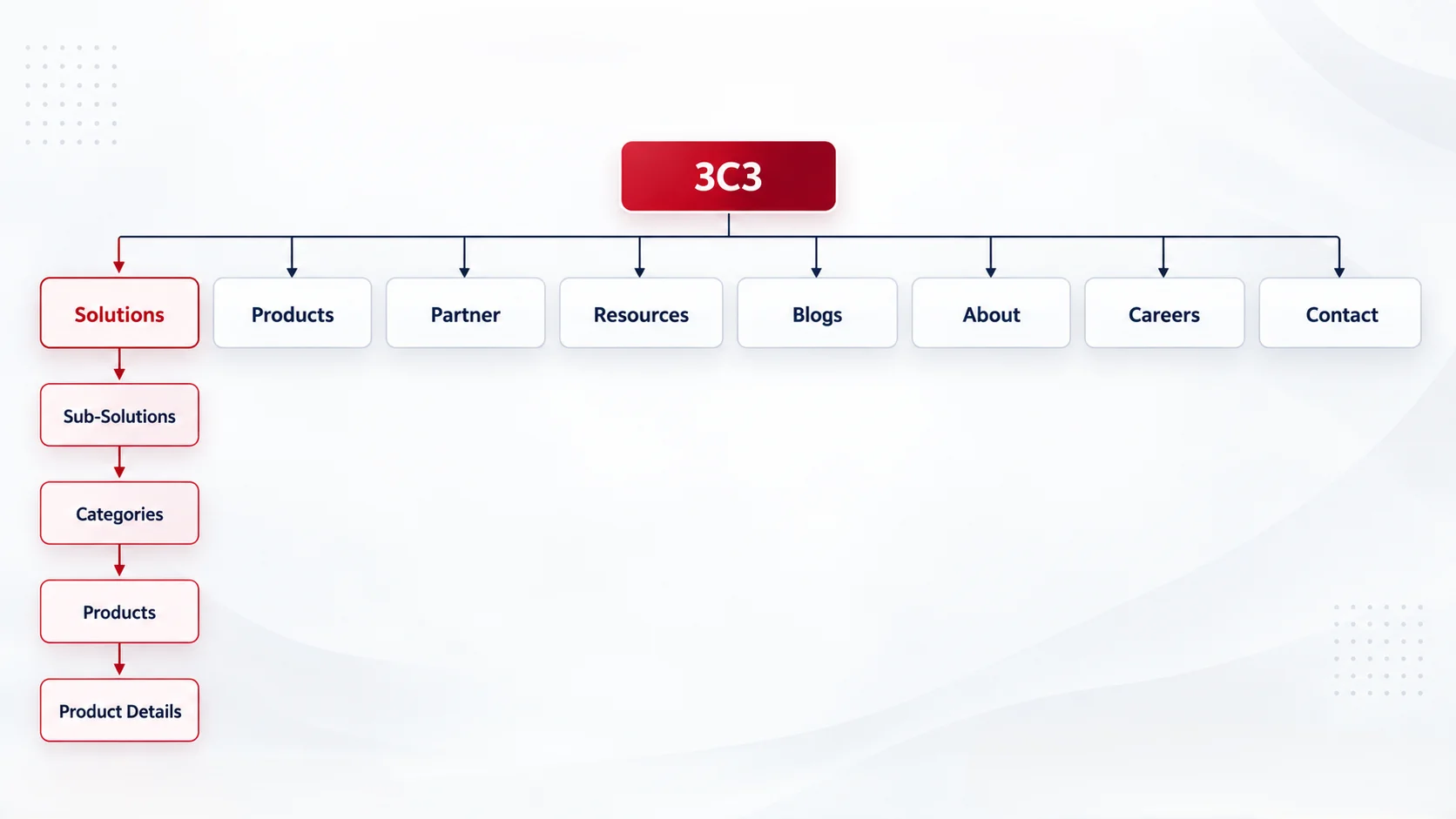
Three routes into a large catalogue
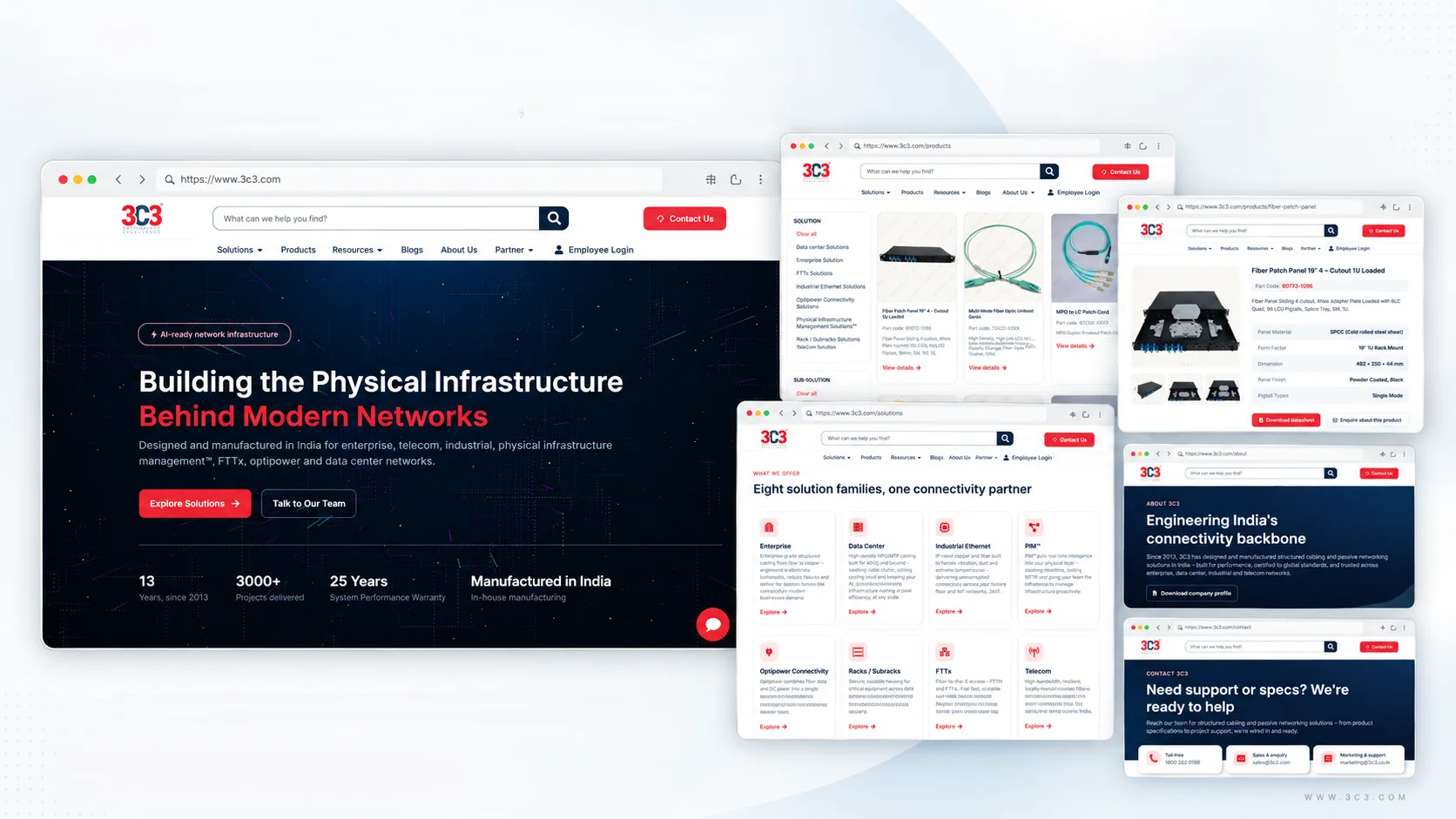
A major part of the project was structuring 3C3’s extensive product portfolio into a browsable catalogue. Users reach a product by browsing, by searching, or by starting from a solution.
Product discovery
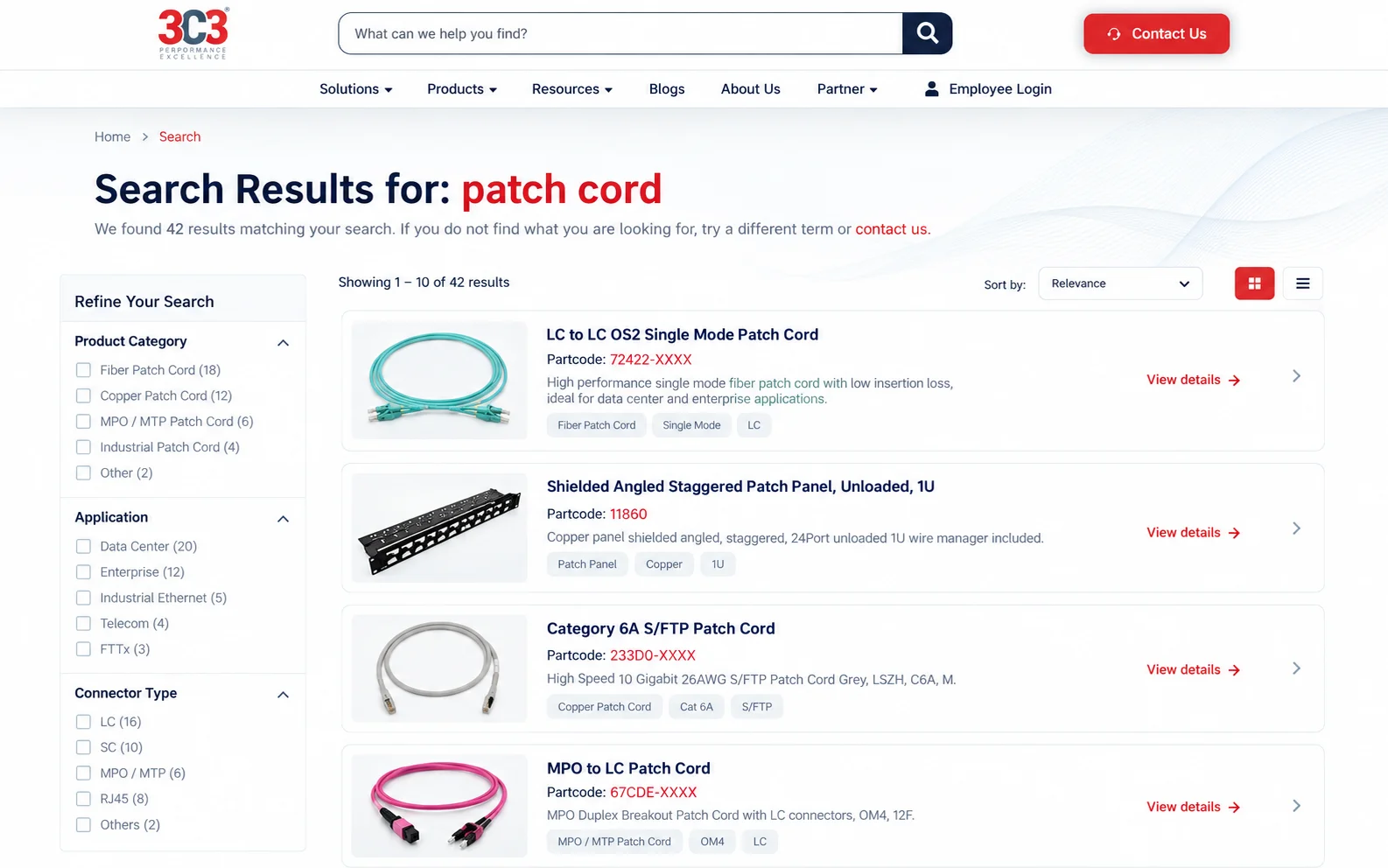
Product cards provide quick access to essential information, while structured categorisation and search help users narrow down relevant products.
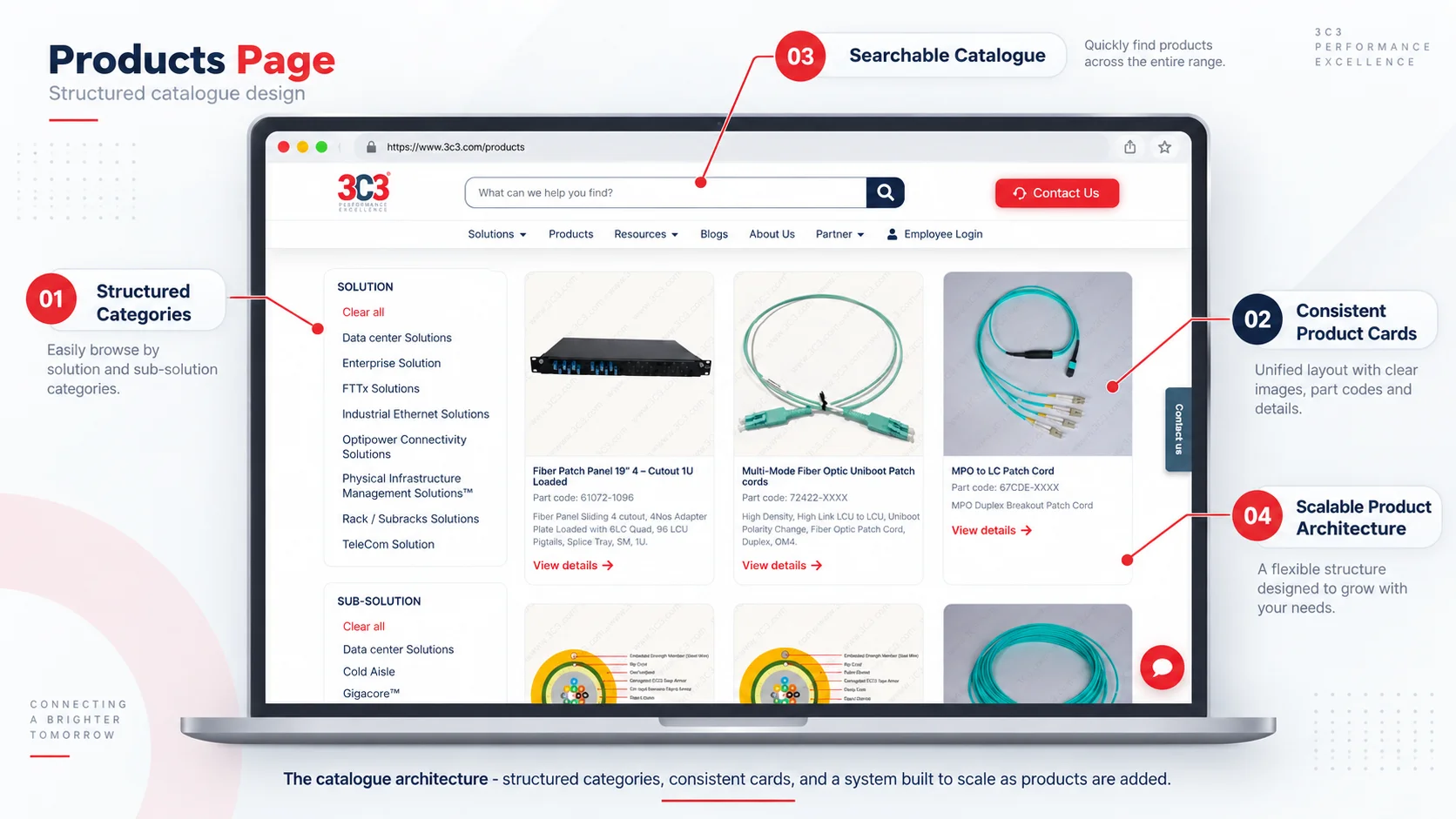
Fig. 01The catalogue architecture – structured categories, consistent cards, and a system built to scale as products are added.
Search experience
Search provides another route into the catalogue for technical users who may already know a product name, technology or part code. This reduces dependency on primary navigation and helps users reach relevant information faster.
Product detail experience
Product pages were designed to work for both technical and commercial users. I created a repeatable structure that combines product imagery, part codes, descriptions, features, specifications, datasheet access and product-specific enquiries.
Product imageProduct namePart codeDescriptionFeaturesTechnical specificationsDatasheet downloadProduct-specific enquiry
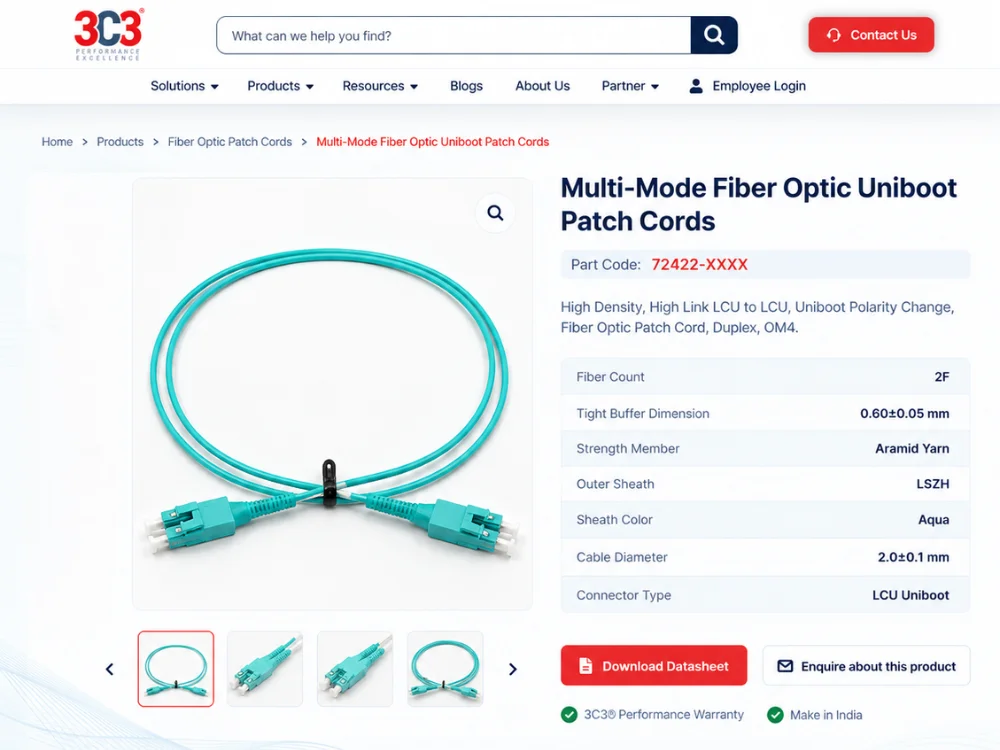
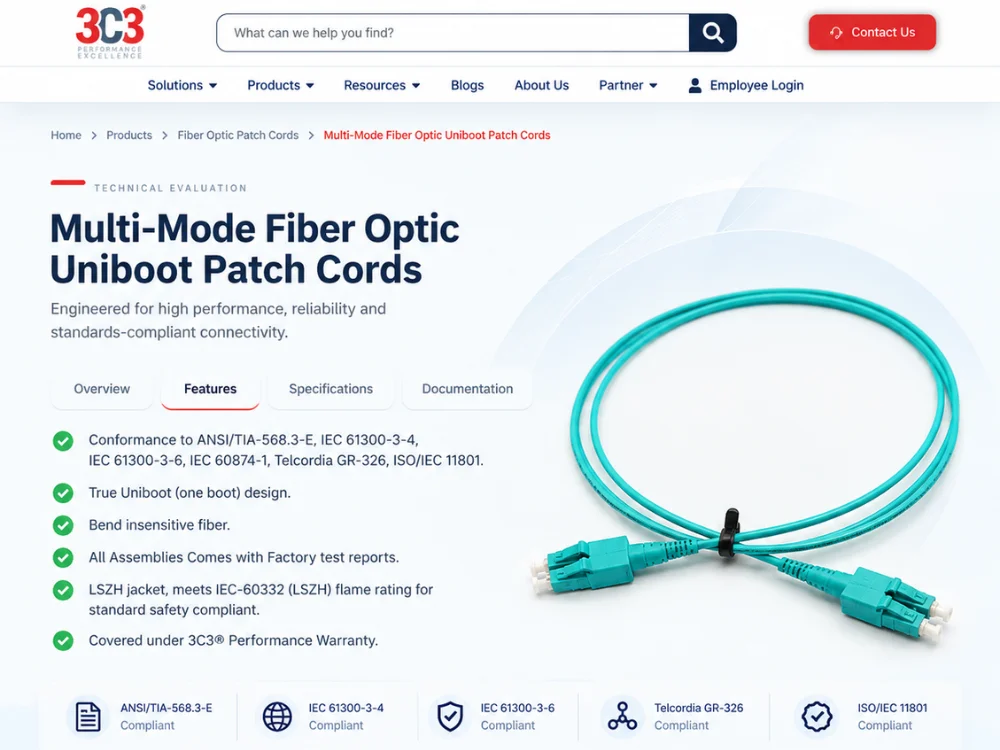
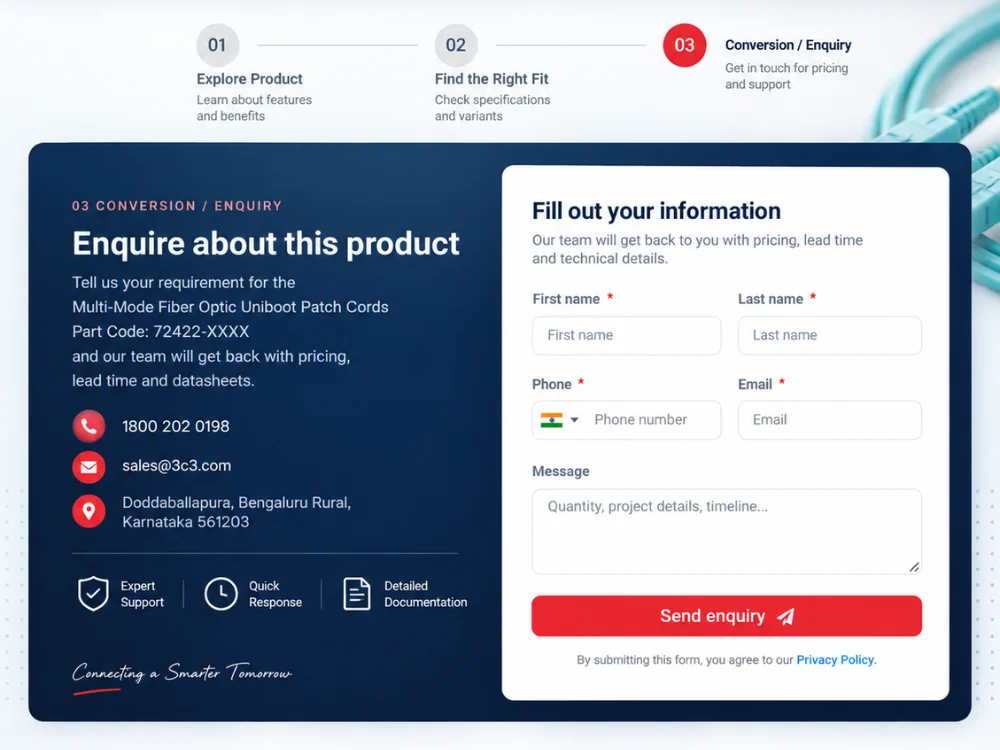
Fig. 02Three crops from the Multi-Mode Fiber Optic Uniboot Patch Cords page, showing how one template carries a user from overview to technical evaluation to enquiry.
Products vary; their presentation shouldn't
I was also responsible for preparing and standardising the product imagery used throughout the website. Products vary significantly in size, shape and material, so the imagery needed a consistent presentation system across cards and individual product pages.
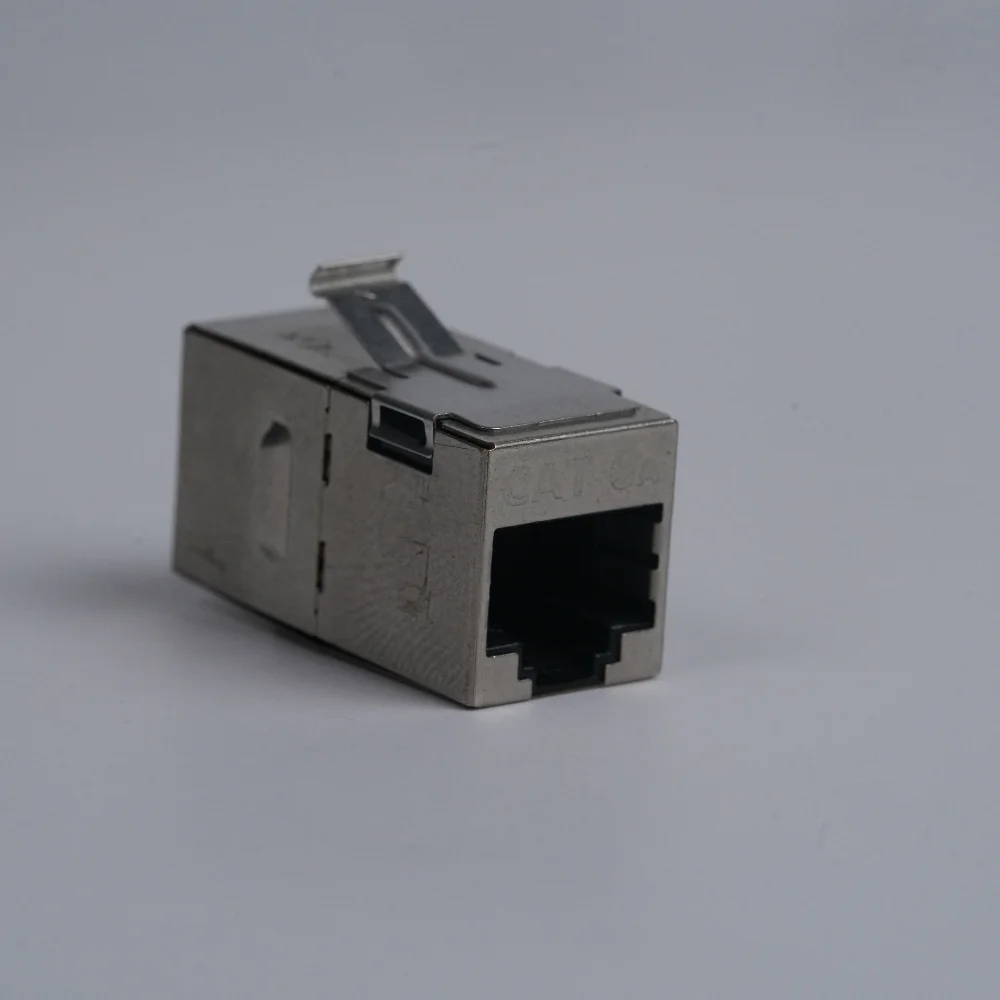
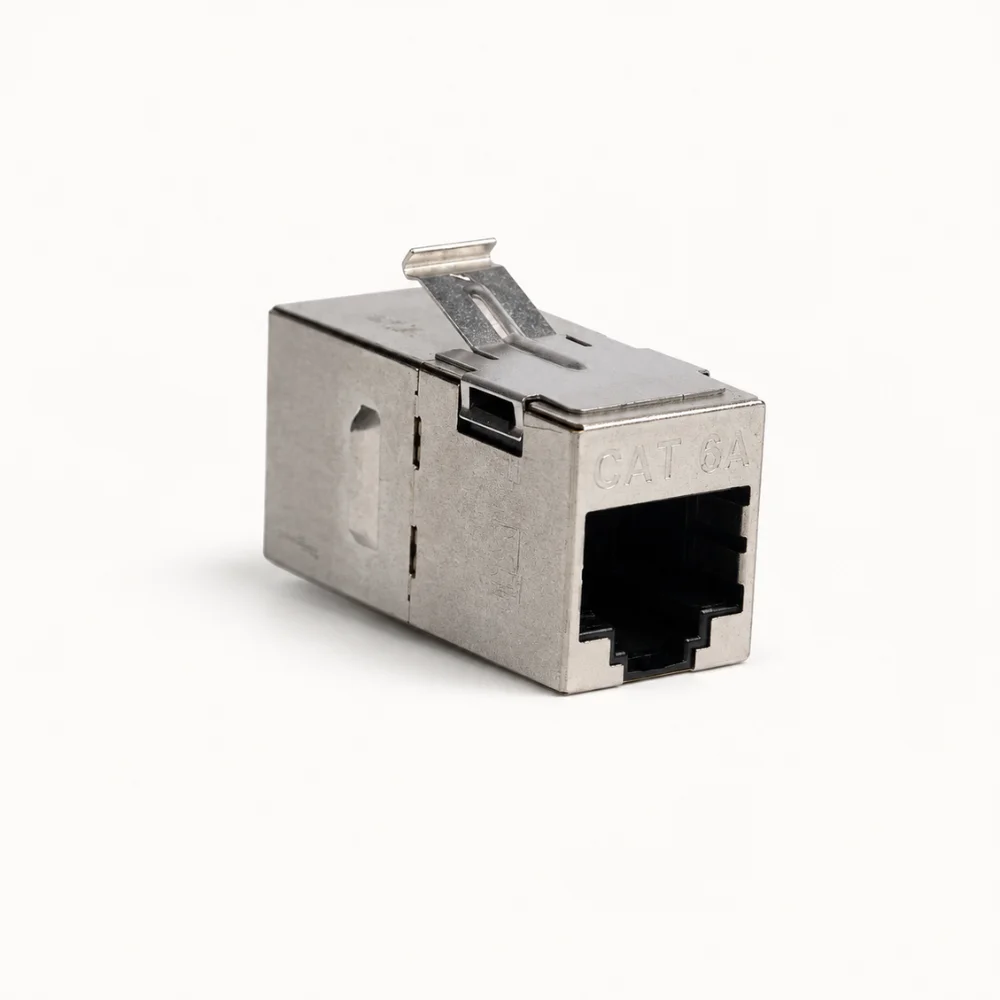
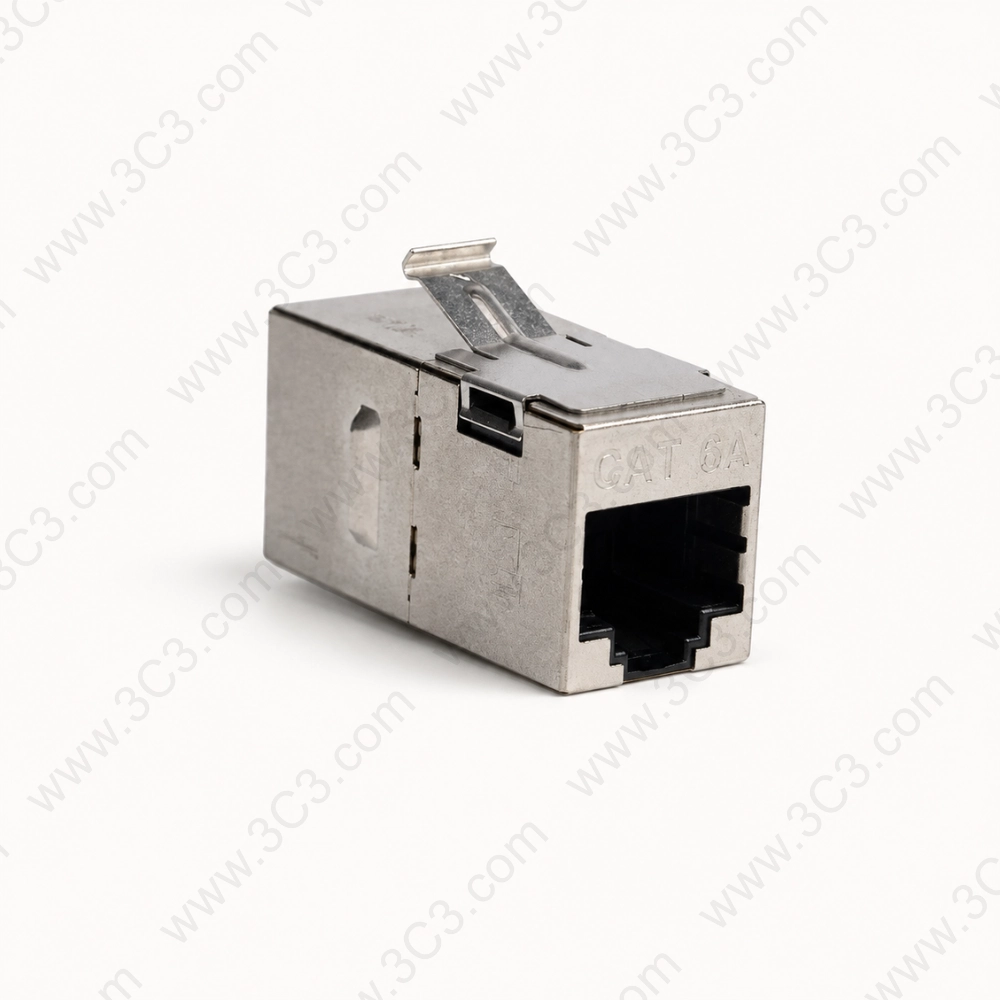
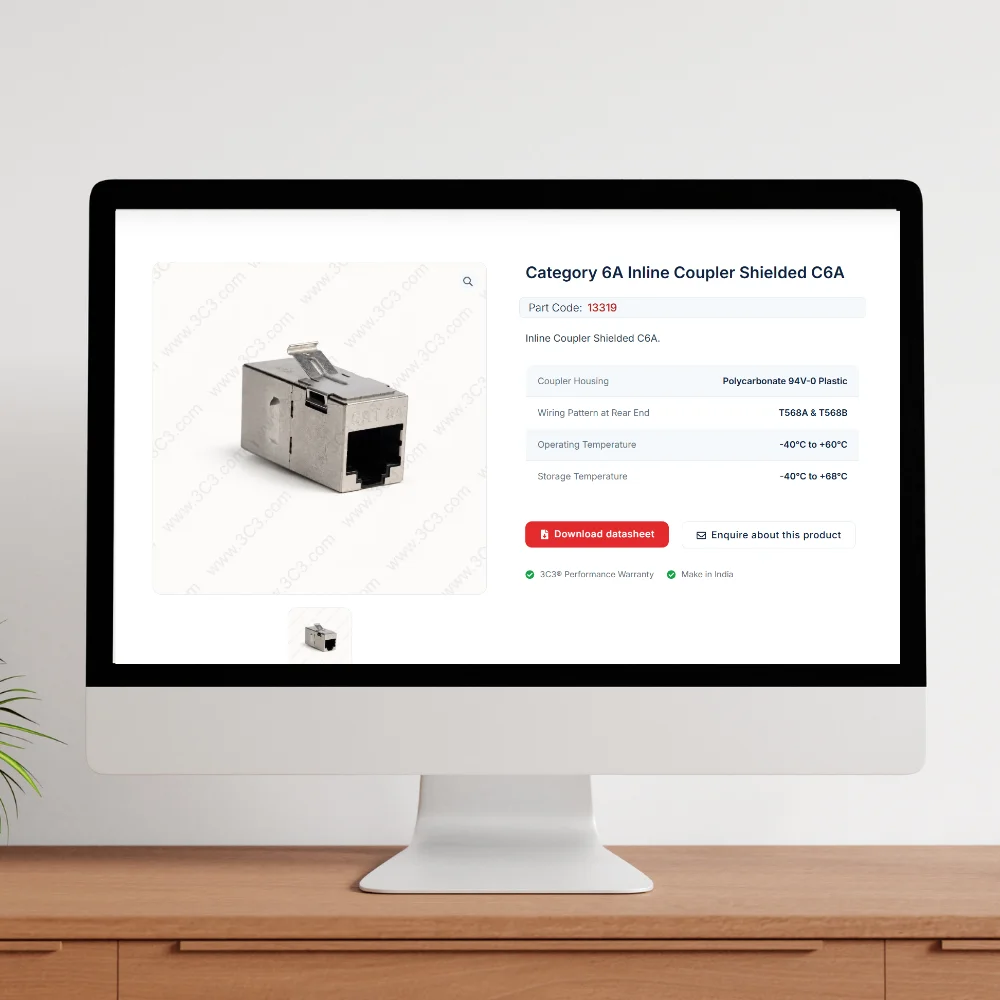
Fig. 03Raw image → processing → final asset → live page. The same pipeline runs for every product, so the catalogue stays visually consistent.
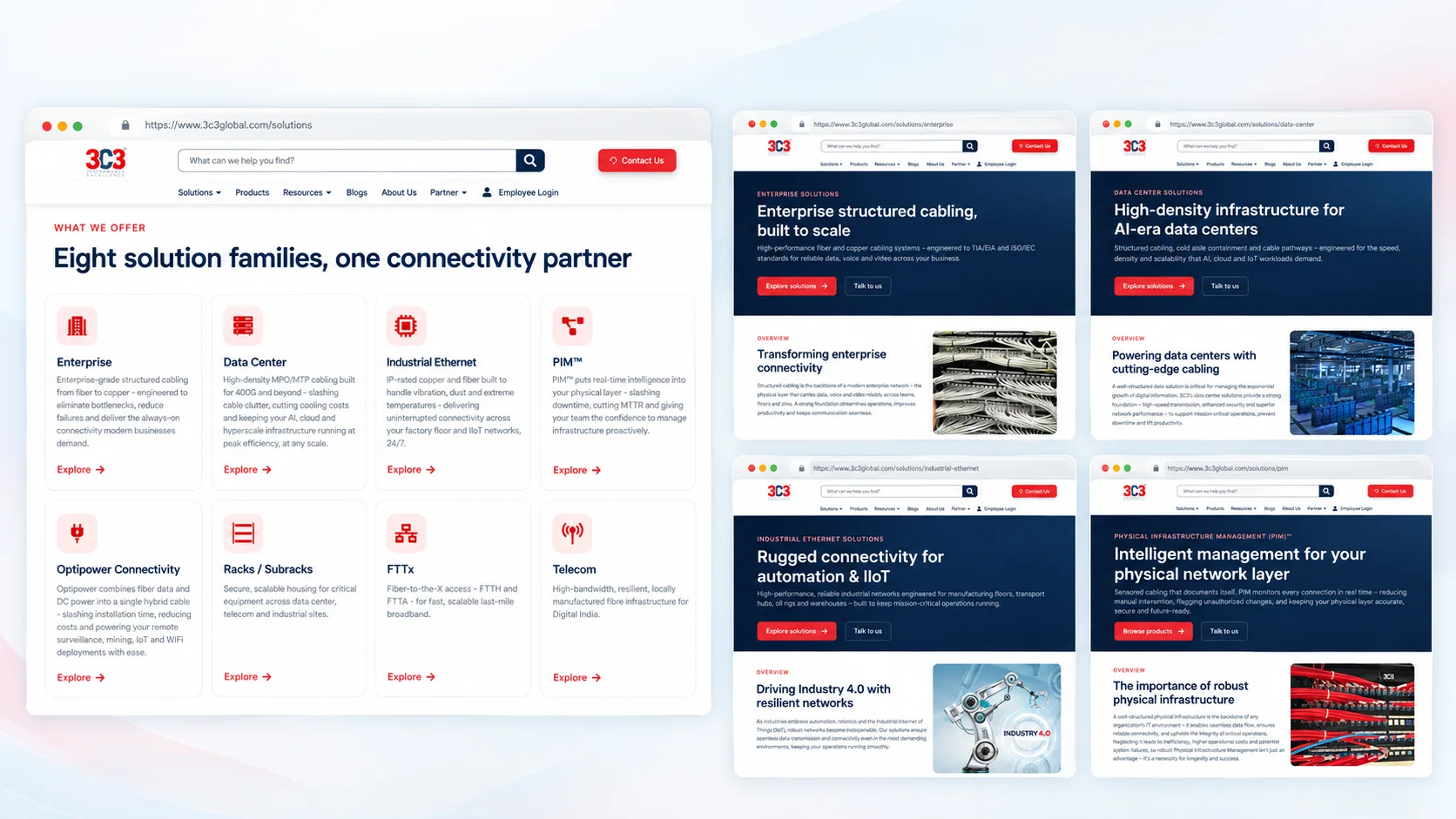
Eight solution areas, one coherent brand
3C3 operates across multiple solution areas, each requiring a different technical story. I created reusable visual and content patterns so individual solution pages could communicate their own value while still feeling like one coherent brand experience.
Enterprise SolutionsData CenterIndustrial EthernetPIMRacks & SubracksFTTxOptipowerTelecom
Conversion placed next to the content that earns it
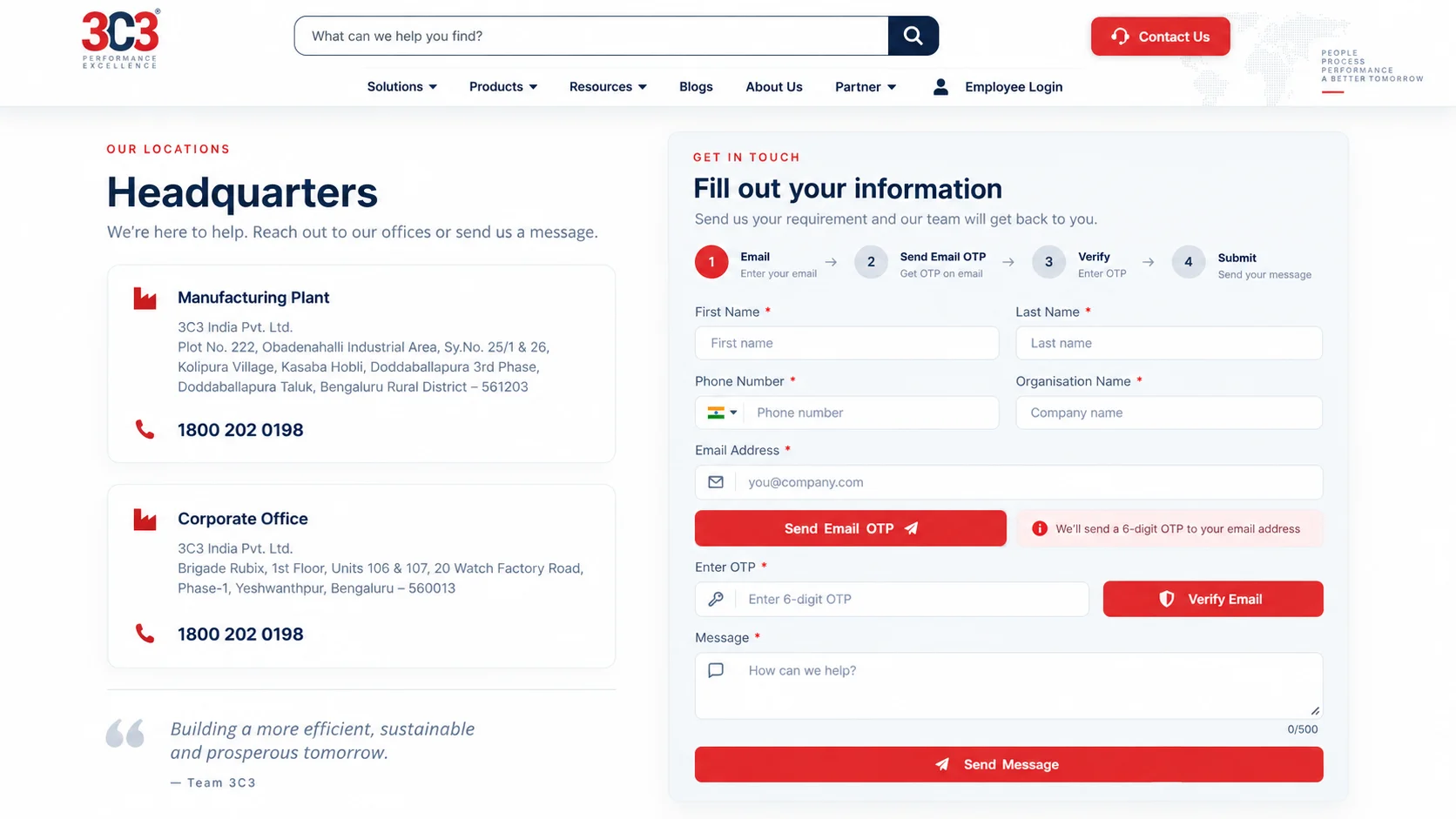
The website was designed not only to inform users, but also to move them toward meaningful business actions. Conversion opportunities were placed close to relevant content so users could act while evaluating a product, solution or service.
Product EnquiryGeneral ContactPartner EnquiryBrochure DownloadCareer Application
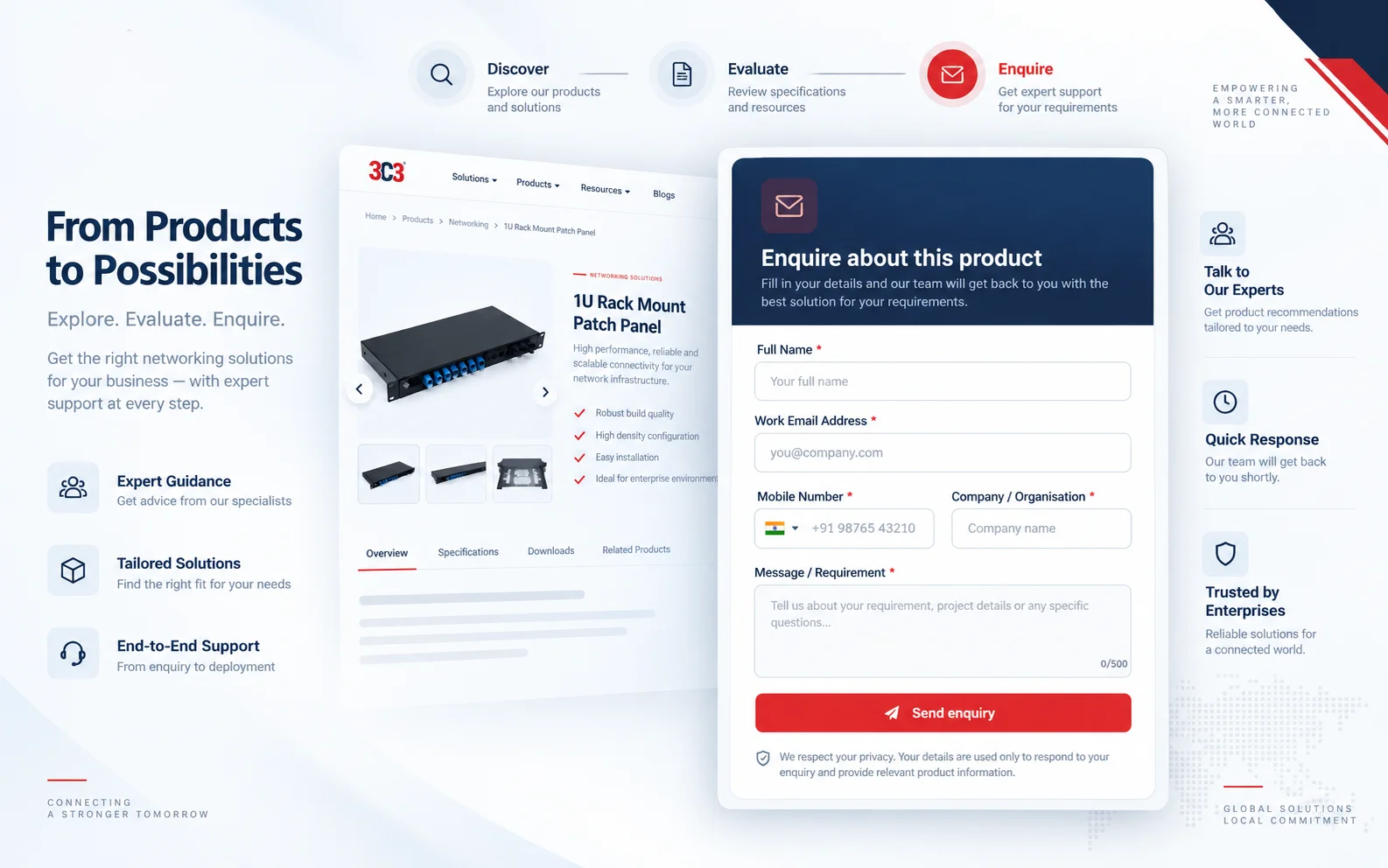
Verifying contact details before the enquiry lands
Email OTP verification was introduced in relevant journeys to validate submitted contact information before allowing users to proceed. This added an extra layer of data quality and control to important website workflows.
I built a plugin because the off-the-shelf option couldn't do it
Standard brochure-download functionality provided limited control over who accessed company resources and how downloads were monitored. I developed a custom WordPress plugin to solve this business requirement.
Rather than relying entirely on third-party functionality, I developed a custom WordPress solution around a specific business requirement – the 3C3 Secure E-Brochure Manager.
Secure brochure managementBrochure publishingEmail OTP verificationControlled downloadsDownload limitsDownload monitoringReportingCompany-email validationAdmin management interfaceFrontend user experience
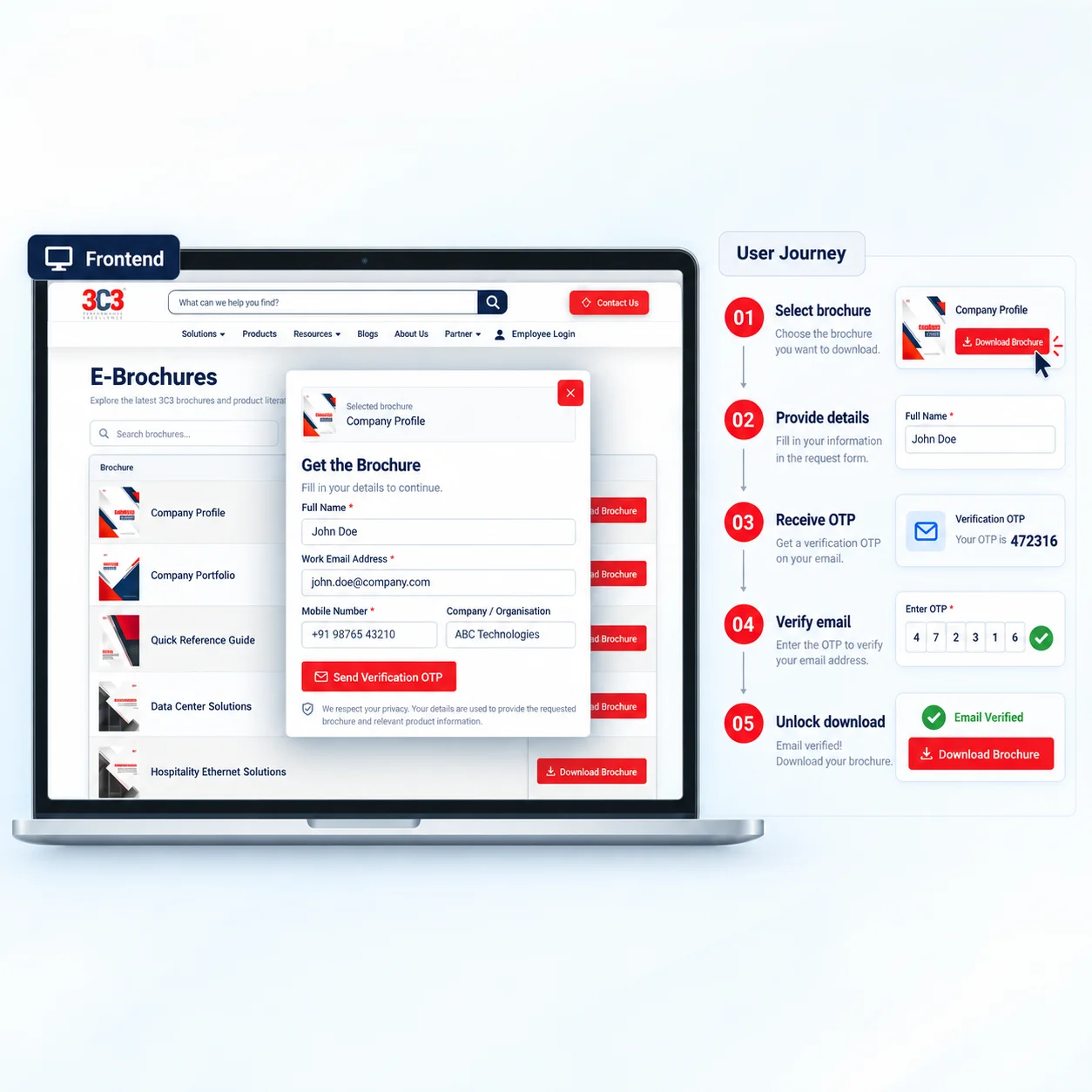
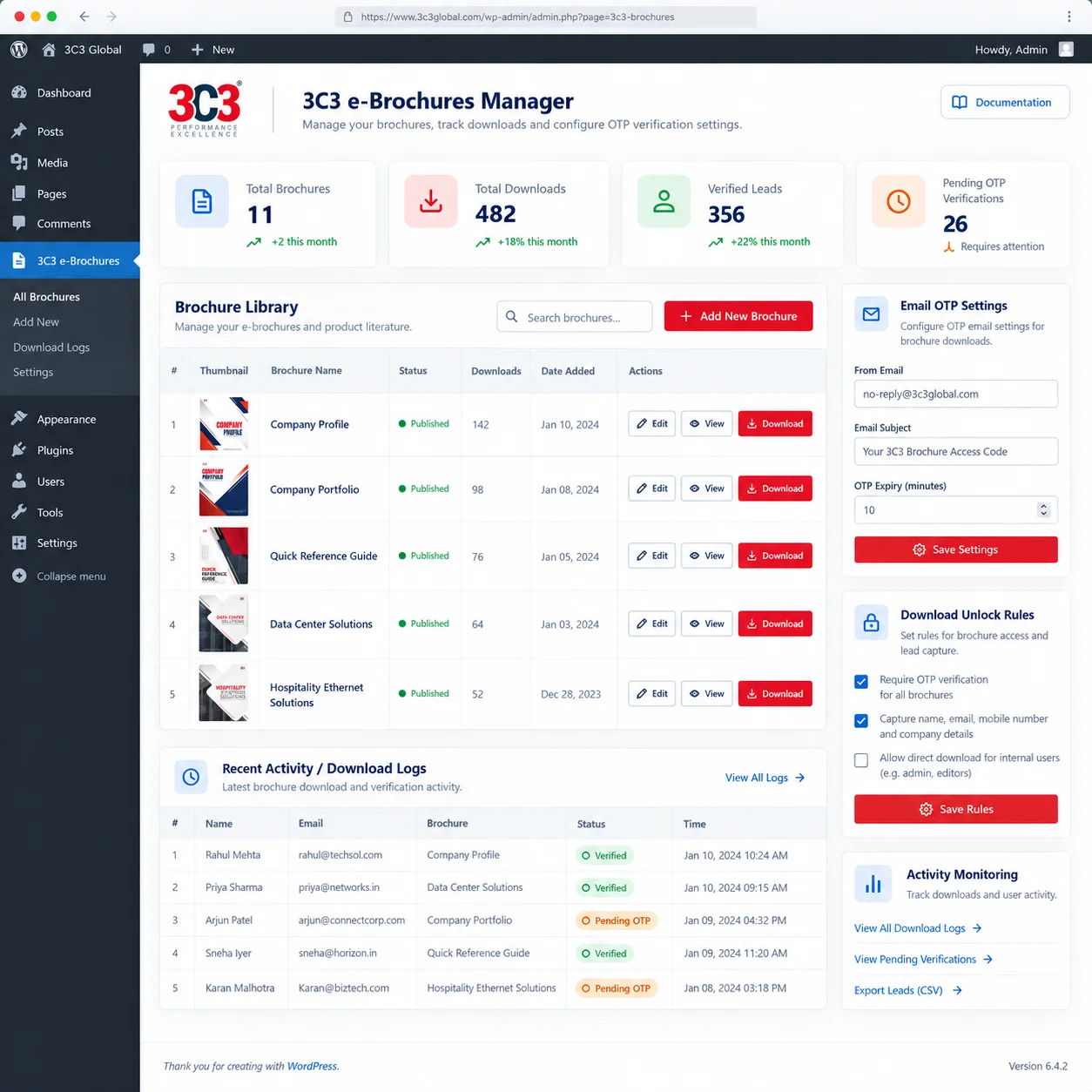
Fig. 04Frontend and admin. The flow: select brochure → provide details → receive OTP → verify email → unlock download → monitor activity.
Partner, content and corporate journeys
Partner experience
The Partner With Us journey combines company positioning, solution information, partnership benefits and enquiry capture within one dedicated experience for prospective business partners.
Content ecosystem
The website also supports ongoing corporate and marketing communication beyond products and solutions – Blogs for industry insights, Events for exhibitions and industry participation, Installation Videos for technical education, and Careers for employer branding and job applications.
Corporate experience
Alongside products and solutions, the website communicates 3C3’s identity, capabilities, leadership and corporate positioning through dedicated company content.
Company storyVision and missionBusiness scaleDistribution networkCertificationsMilestonesLeadership
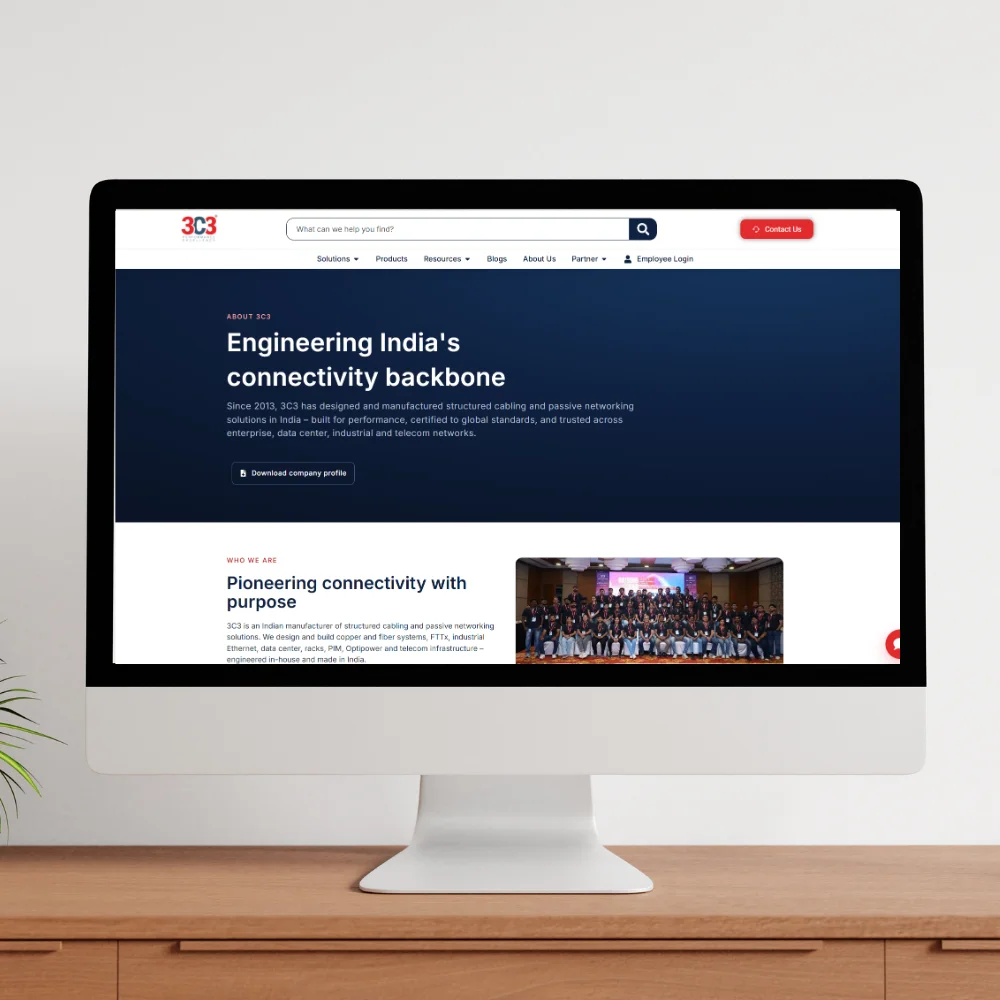
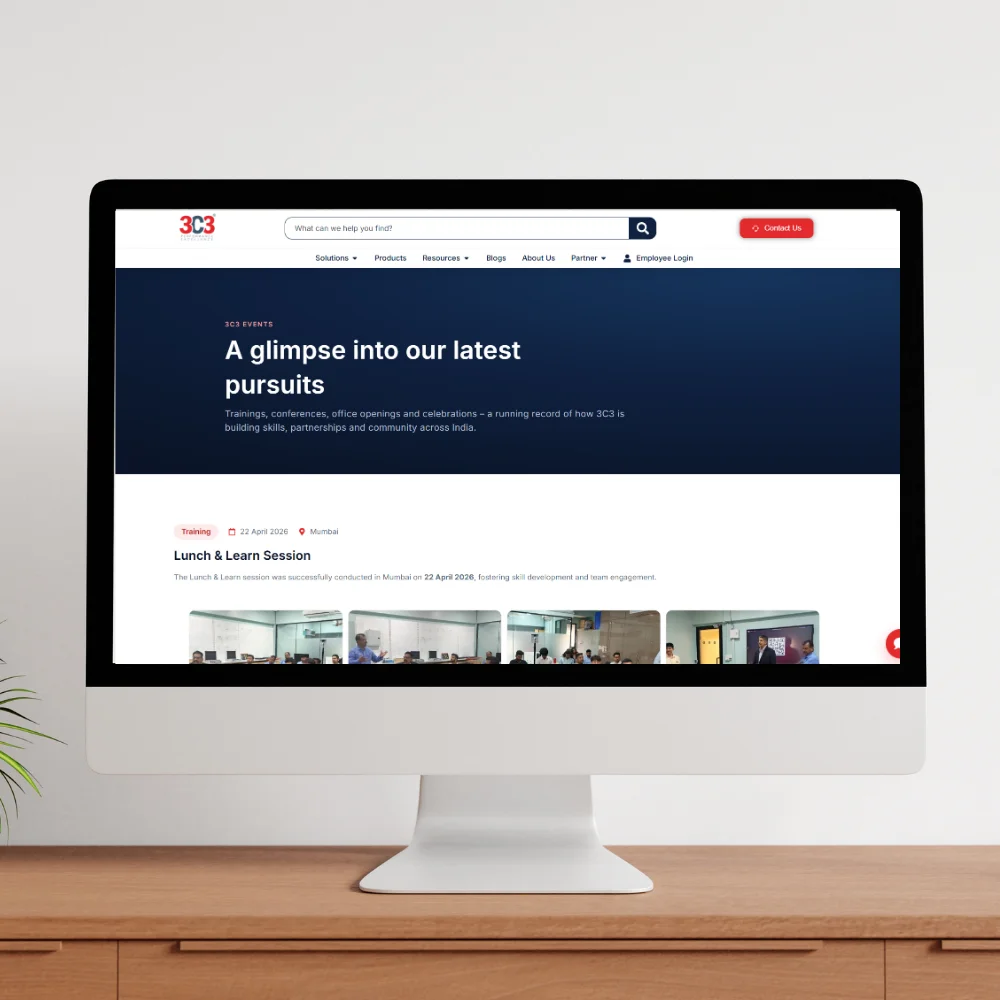
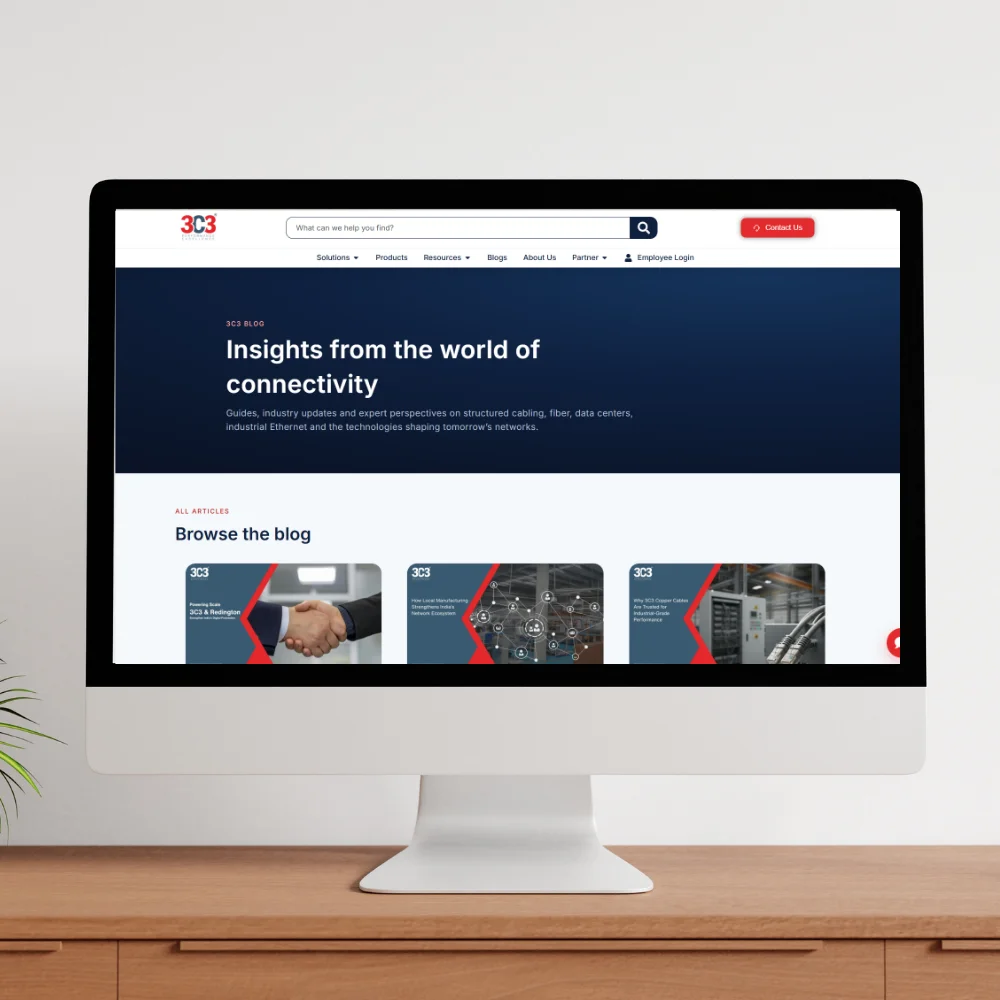
Technical content that still works on a phone
The website was designed to adapt across desktop, tablet and mobile while maintaining clear hierarchy, readable technical information and usable interactions. Animation and micro-interactions were used selectively to support hierarchy and modernise the experience without distracting from technical content.
NavigationProduct cardsProduct specificationsFormsCalls-to-actionContent gridsBrochure interfacesSearch
What it's built on
A real, used production platform
During the April–June 2026 measurement period, the website generated more than 5,000 sessions from over 4,000 users, with June recording the highest monthly session volume.
Measured in Google Analytics, April – June 2026
More than a redesign.
A complete digital platform.
The final result brings corporate communication, solution discovery, technical product information, resource distribution and lead-generation workflows into one consistent digital ecosystem.
Corporate communicationSolution discoveryTechnical product catalogueDatasheets and resourcesLead generationOTP verificationSecure brochure distributionBlogs and eventsRecruitment
What this project taught me
Design for information, not only appearance
Technical B2B websites require strong information hierarchy as much as visual design.
Build systems instead of isolated pages
Reusable components and layouts make it easier to scale as new products and content are introduced.
Understand the full user journey
Downloads, enquiries, verification and follow-up interactions are also part of UX.
Design and development work better together
Owning both interface and implementation helped balance user experience, technical feasibility and business requirements.
Custom solutions can solve business-specific problems
The Secure E-Brochure Manager demonstrated when custom development was more appropriate than relying completely on generic functionality.
I owned the complete 3C3 website experience
From UX/UI and WordPress development to product imagery, technical content, forms, authentication and custom plugin development – concept to implementation.