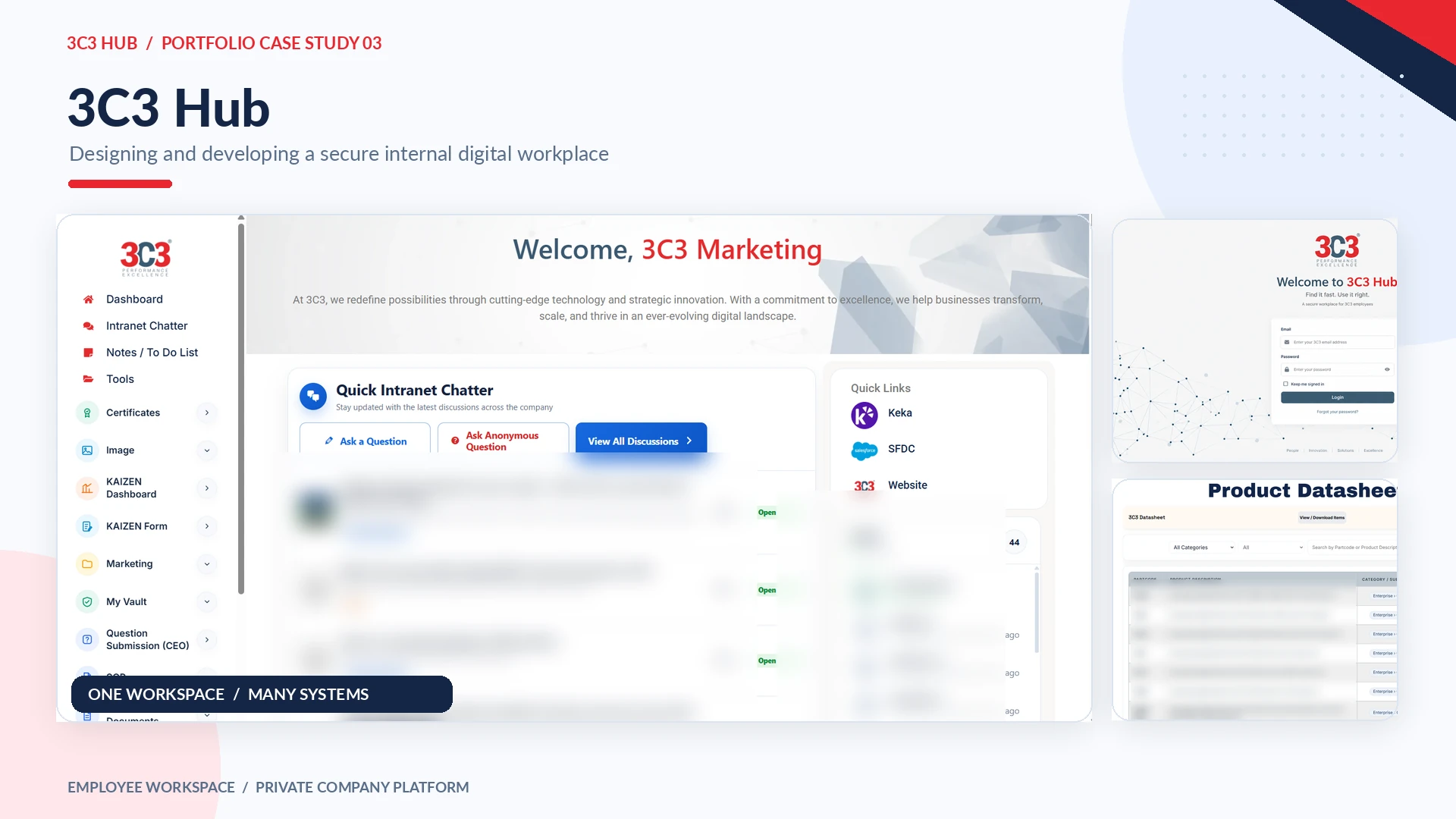
Building a secure digital workplace for 3C3 employees.
I designed and developed 3C3 Hub to replace fragmented file sharing and manual follow-ups with one employee platform for searching, collaborating and completing internal tasks.
Digital Product
WordPress
UX/UI
Custom Plugins
Internal Platform
Private employee platform — shown as a case study only
From scattered information to one employee workspace
Before 3C3 Hub, everyday company documents were distributed across email, Google Drive, Microsoft Teams, shared folders, local computers and individual employees. Finding the latest datasheet, SOP, drawing or marketing asset often depended on asking someone else where it was stored.
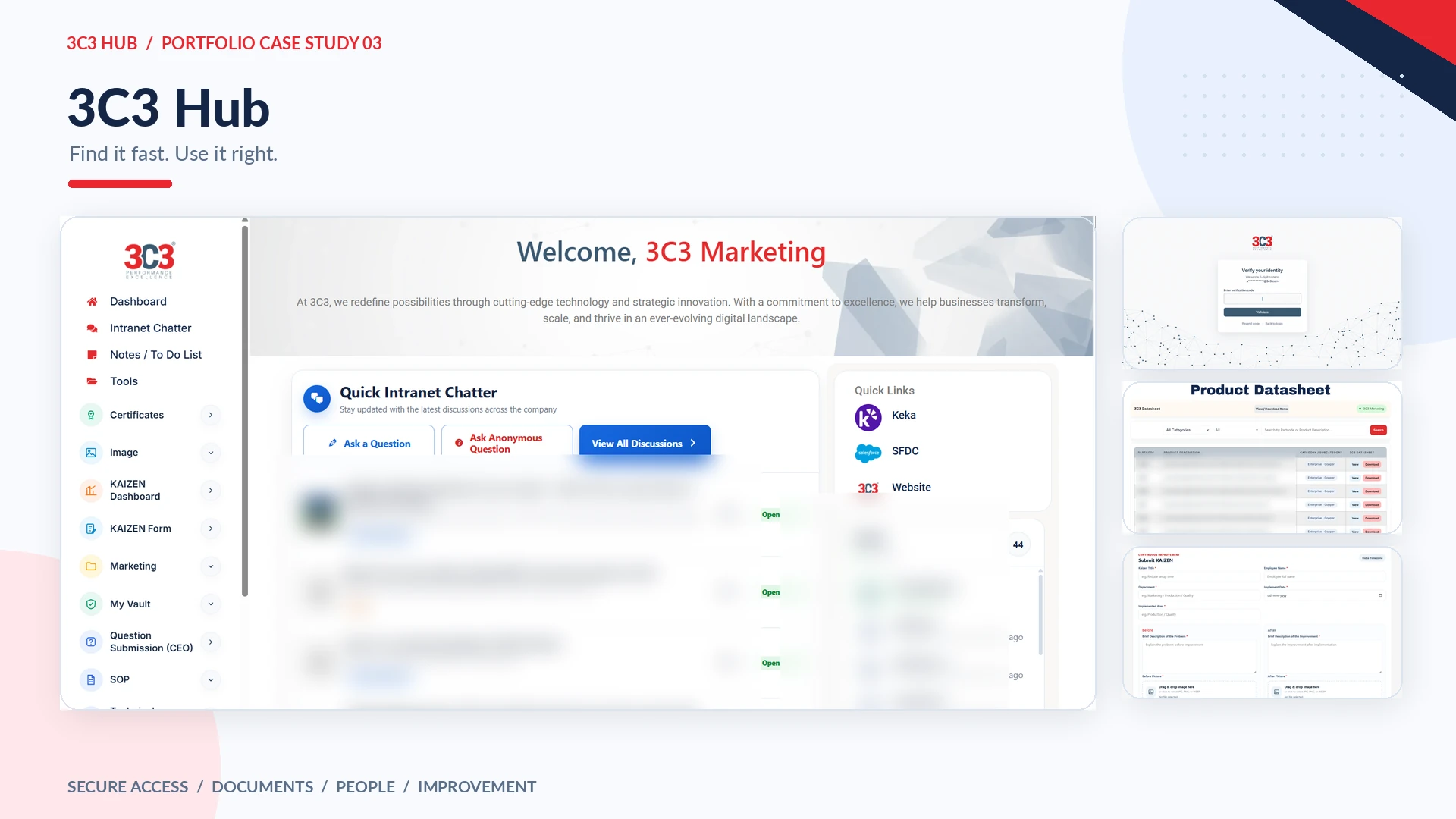
I designed and developed 3C3 Hub as a centralized digital workplace where employees can access approved documents, relevant tools, internal conversations and operational workflows through one authenticated interface. The project began in January 2026 and continues to evolve as real employee requirements emerge.
(02)
The Problem
Too much information. Too many locations.
The problem was not a shortage of company resources; it was that the same work depended on multiple disconnected channels. Employees could encounter outdated copies, repeat document requests, switch between systems or rely on another department for access. There was no single space designed around day-to-day employee discovery and collaboration.
(03)
Project Goal
Create one trusted source for employees
The goal was to simplify access to approved documents while making the system secure, personalized and adaptable. The platform needed to support document search, controlled viewing or downloading, useful notifications, internal conversations, productivity utilities and structured workflows such as KAIZEN.
Core ideaFind it fast. Use it right. A centralized employee platform for approved information, documents, discussions and internal workflows.
(04)
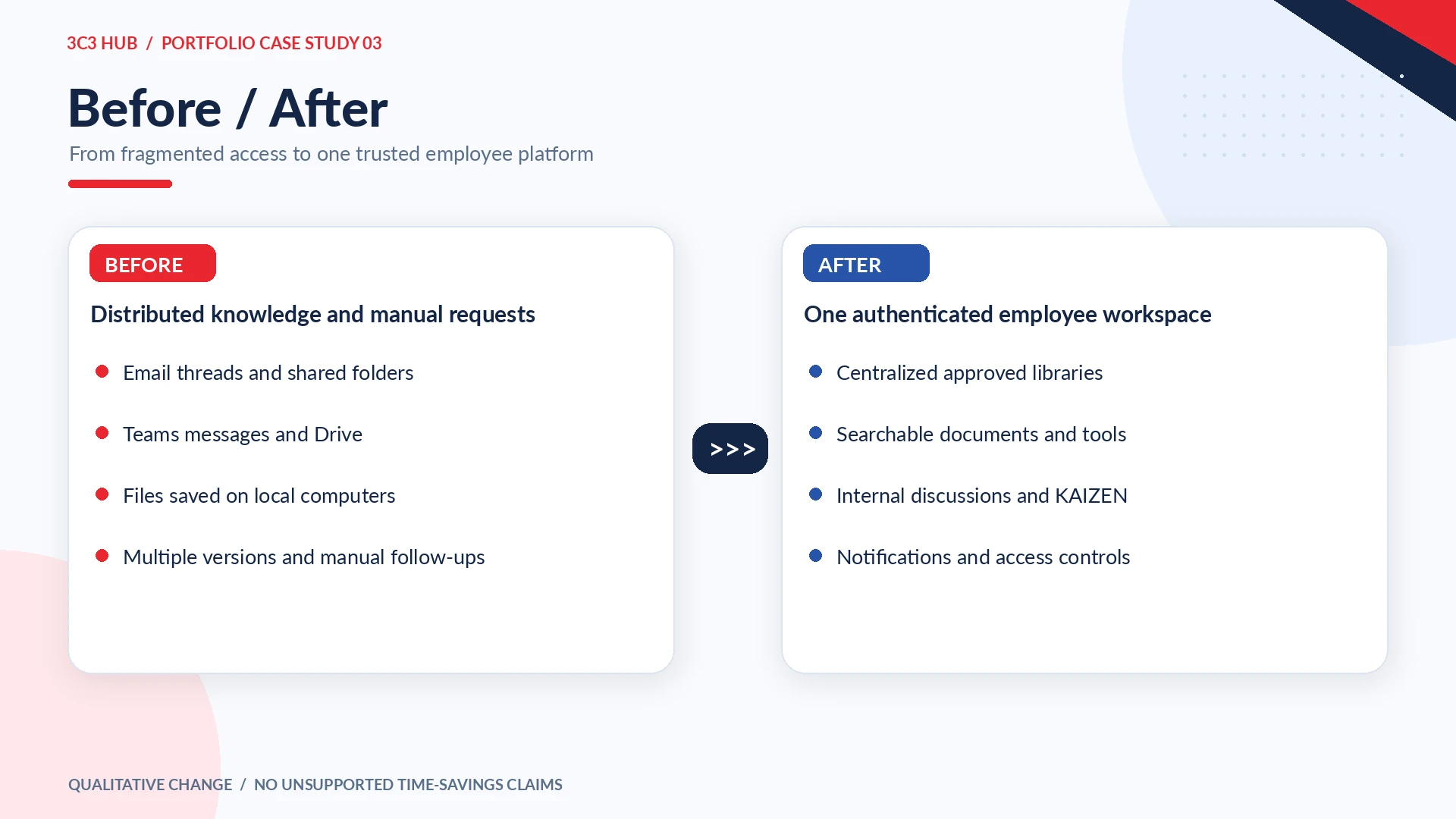
Before / After
From fragmented storage to intentional access
Previously, employees moved between email threads, folders, chats and local files to find information. In the new experience, document libraries, assigned tools, discussions and workflow pages are organized behind the same employee account, with common patterns for search, navigation and actions.
Before → After
(05)
My Role & Ownership
End-to-end product design and WordPress development
I owned the project direction, the UX architecture, UI layouts and the technical implementation. My responsibilities spanned employee requirements, module planning, WordPress and Elementor, PHP/HTML/CSS/JavaScript development, custom plugin architecture, authentication, access control, deployment, debugging and ongoing improvements.
A key part of this work was maintaining a consistent user experience even as individual systems grew into larger, more reusable plugin suites.
(06)
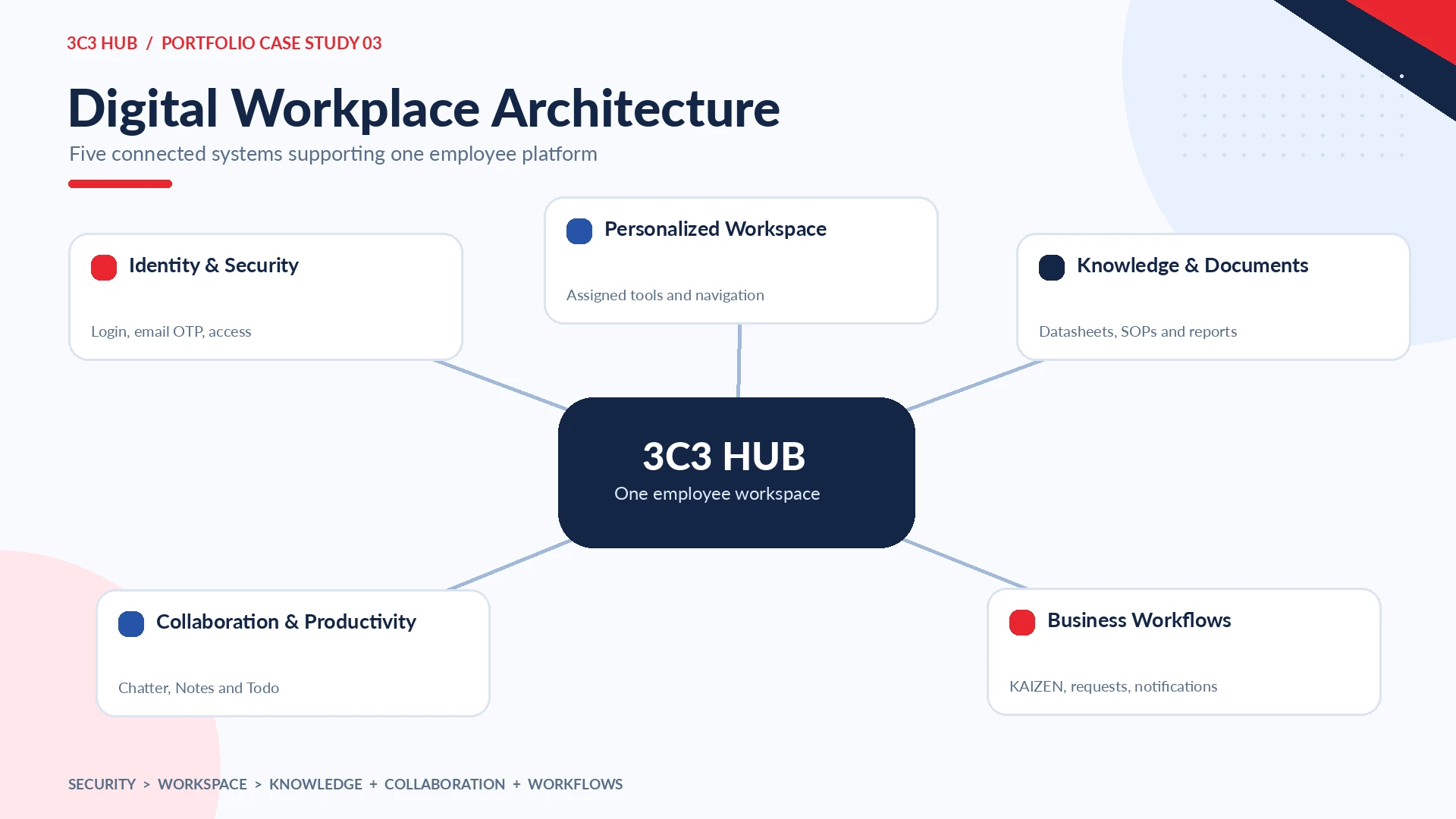
Digital Workplace Architecture
Five connected systems
The platform is organized around Identity & Security, Personalized Workspace, Knowledge & Documents, Collaboration & Productivity, and Business Workflows. Security protects access; the personalized workspace becomes the entry point; and the remaining systems support daily employee tasks.
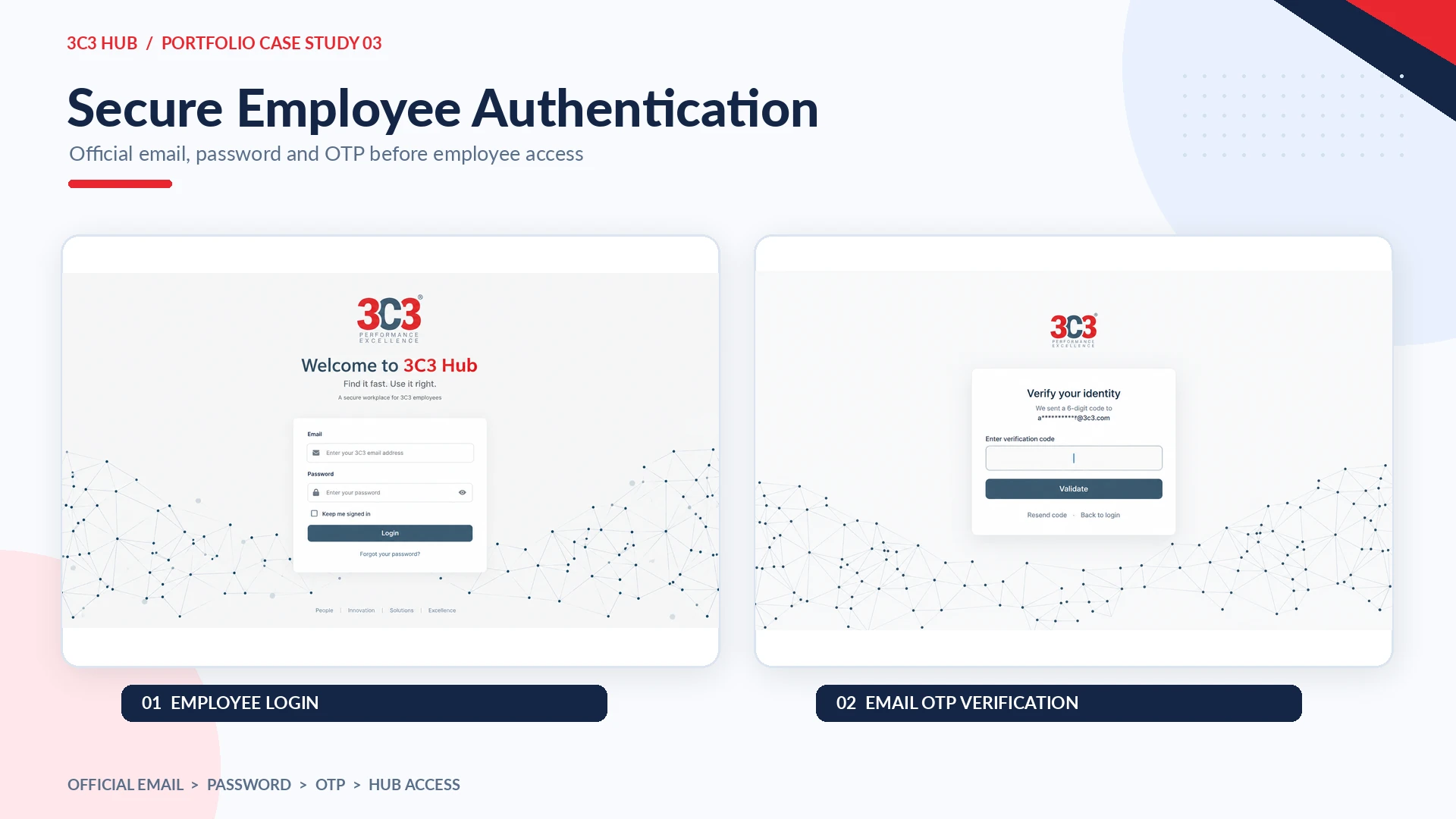
An employee-only platform with additional verification
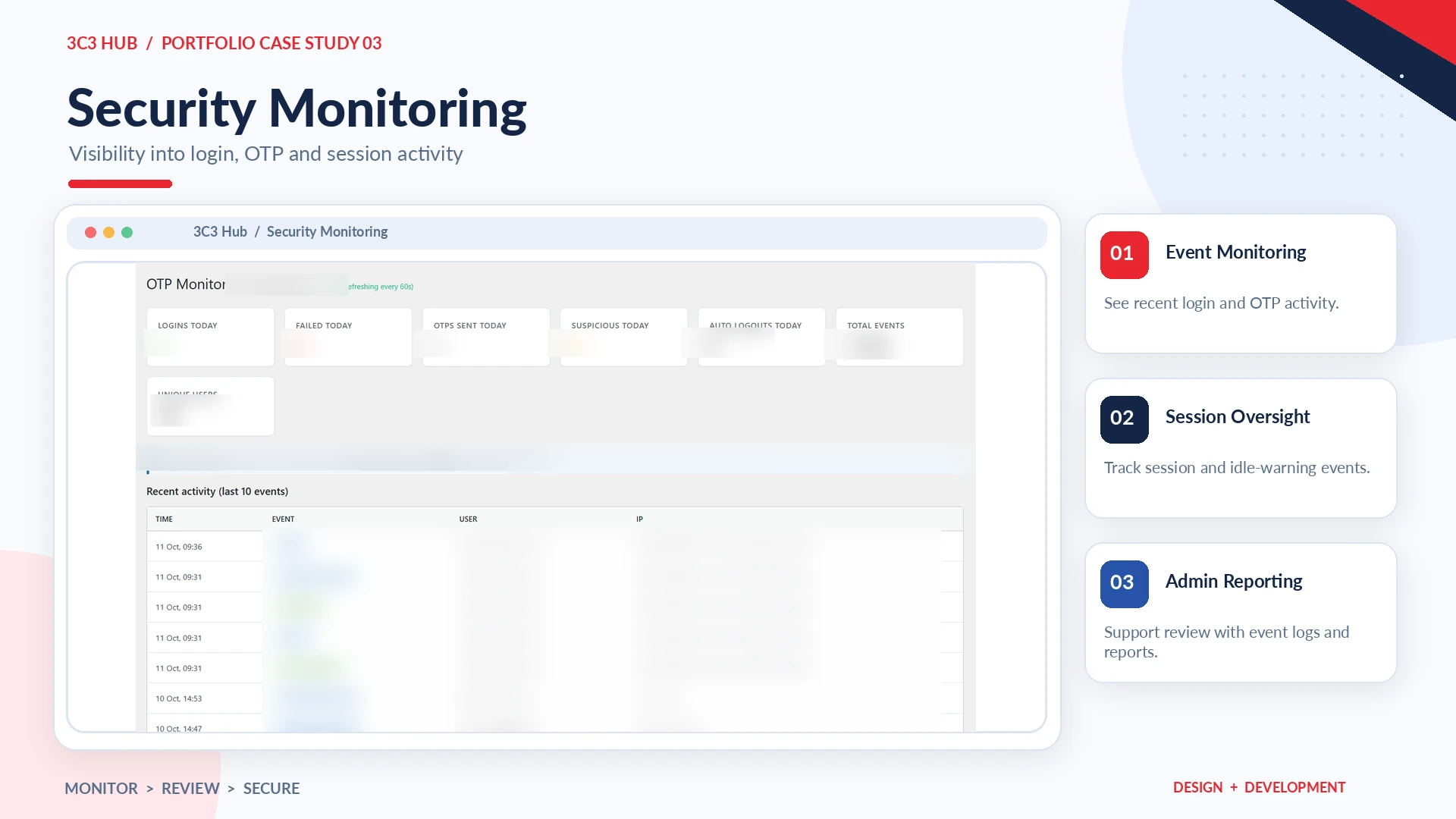
3C3 Hub is restricted to official company email accounts. Employees sign in with their credentials and complete an email OTP step before entering the workspace. The custom authentication component includes login activity monitoring, security-related events and session-management controls. In the public portfolio, this story is shown at a product level rather than exposing security rules or configuration.
(08)
Personalized Employee Workspace
Different employees need different tools
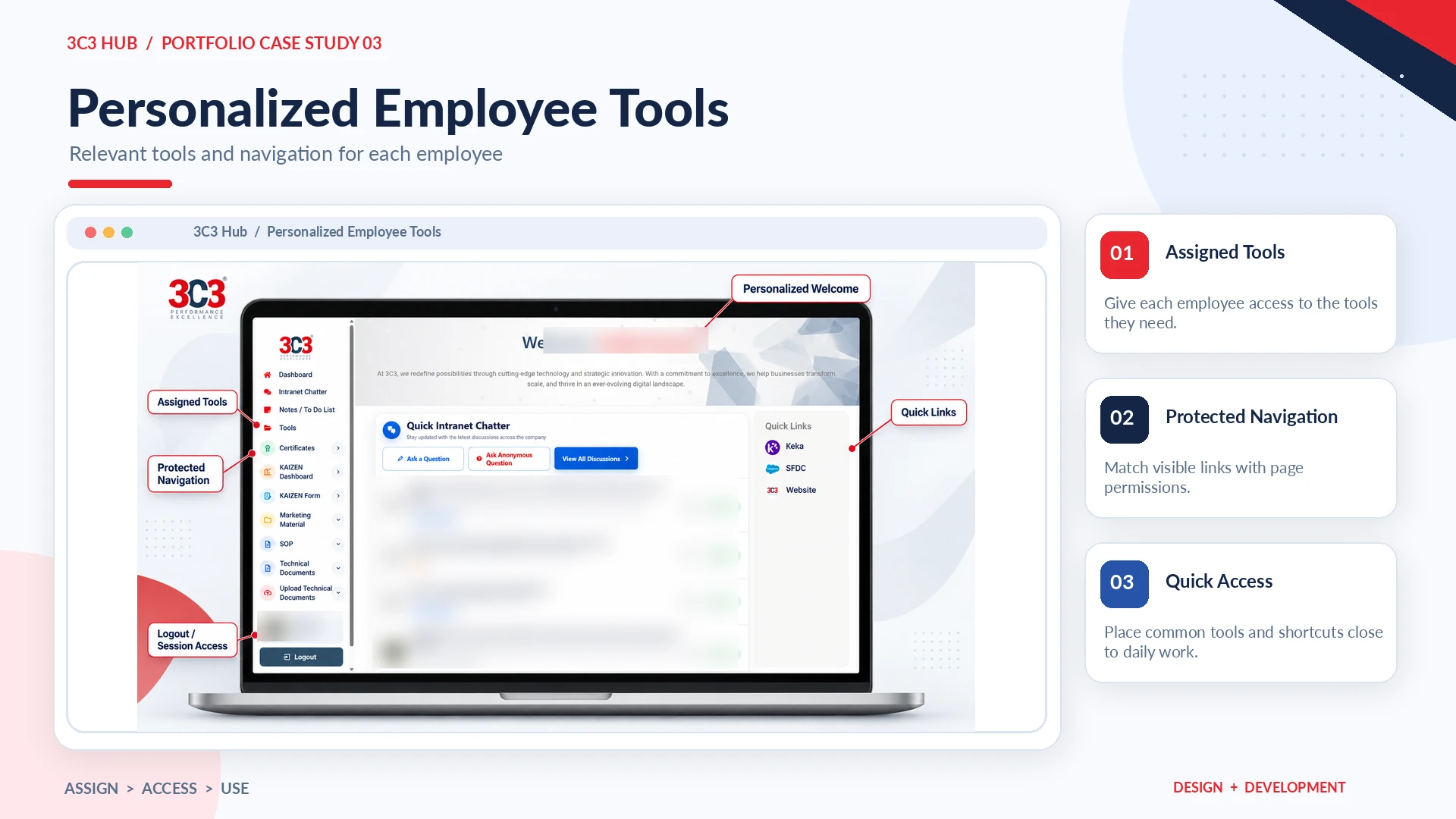
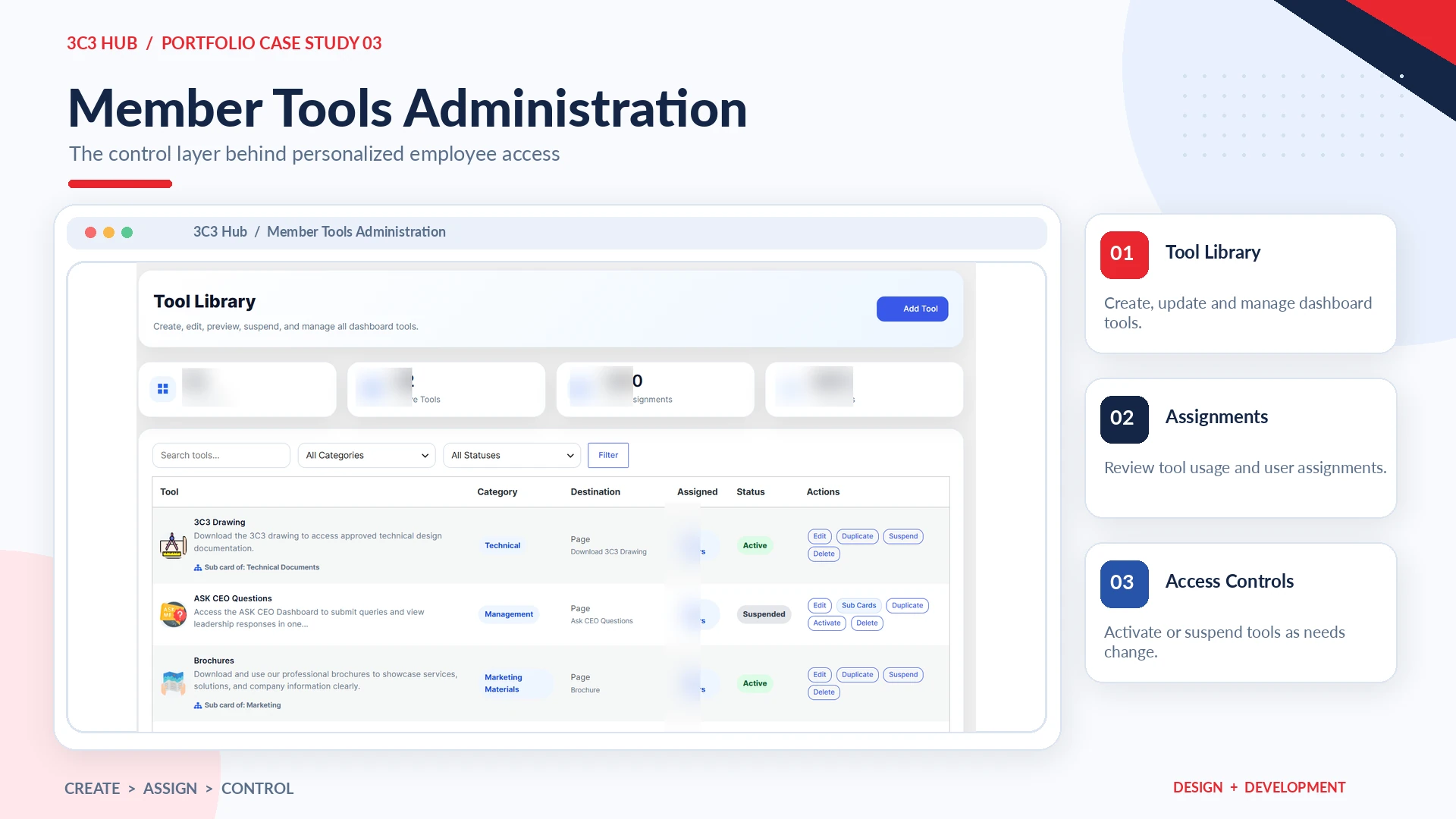
I developed a per-user tool-access system so administrators can assign relevant tools, while the portal protects their destination pages. The same assignments support dashboard cards and sidebar navigation, keeping the interface relevant to the current employee. This is more than simply hiding a button: the destination needs appropriate access protection as well.
(09)
Document Management Suite
A controlled library for technical information
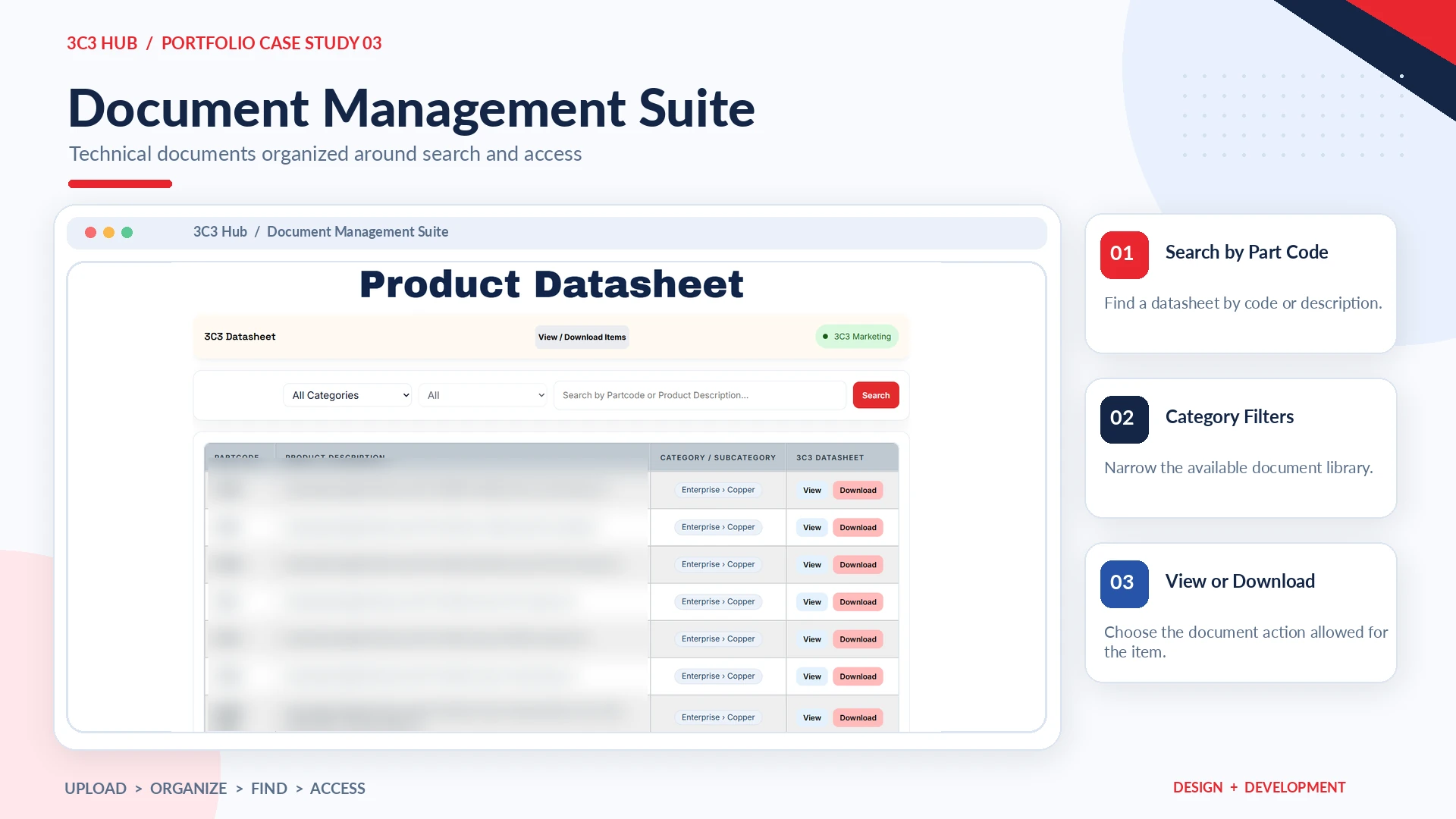
The custom 3C3 Document Management Suite brings together six areas: 3C3 Datasheet, VDS Datasheet, New Product Datasheet, 3C3 Drawing, Certificate and Technical Document. Employee interfaces focus on search, categories, subcategories and clear file actions. Authorized administrators can upload and manage documents, while monitoring and notifications help maintain visibility.
3C3 Datasheet
VDS Datasheet
New Product Datasheet
3C3 Drawing
Certificate
Technical Document
Some modules include download-request approval rather than immediate open downloads. The document system uses the access approach appropriate to each file type, rather than a one-size-fits-all viewer.
(10)
Designing for Different File Types
One portal, multiple document behaviors
The platform handles PDF, DOC/DOCX, XLS/XLSX, PPT/PPTX, images, certificates and drawings. For technical presentations and sensitive document types, previews can follow a protected read-oriented flow, including associated preview PDFs where needed, while original file access remains permission-dependent.
Approved operating procedures employees can actually find
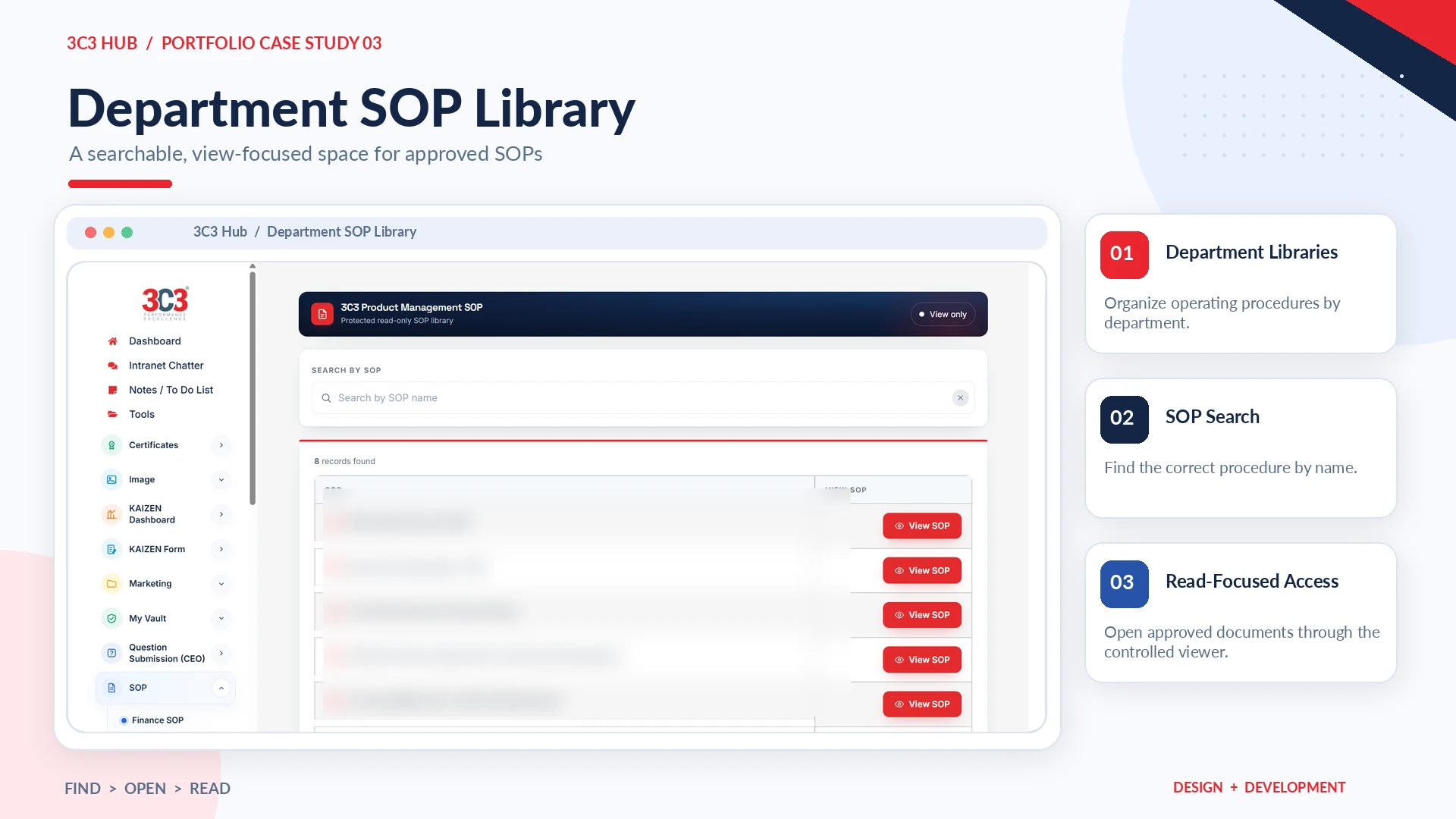
I built an SOP experience for 13 department areas, with a separate management interface and employee library. Users can locate a procedure with live search and browse a controlled, read-focused document view. Administrators can update the library, and email notifications support awareness when new or revised procedures become available.
(12)
Controlled SOP Viewing
Read-focused access instead of uncontrolled distribution
For the typical employee experience, SOP access prioritizes protected viewing rather than unrestricted redistribution. Uploaded PDFs can be converted into page-image previews and opened through a protected new-tab viewer.
(13)
Intranet Chatter
A space for internal discussion and knowledge exchange
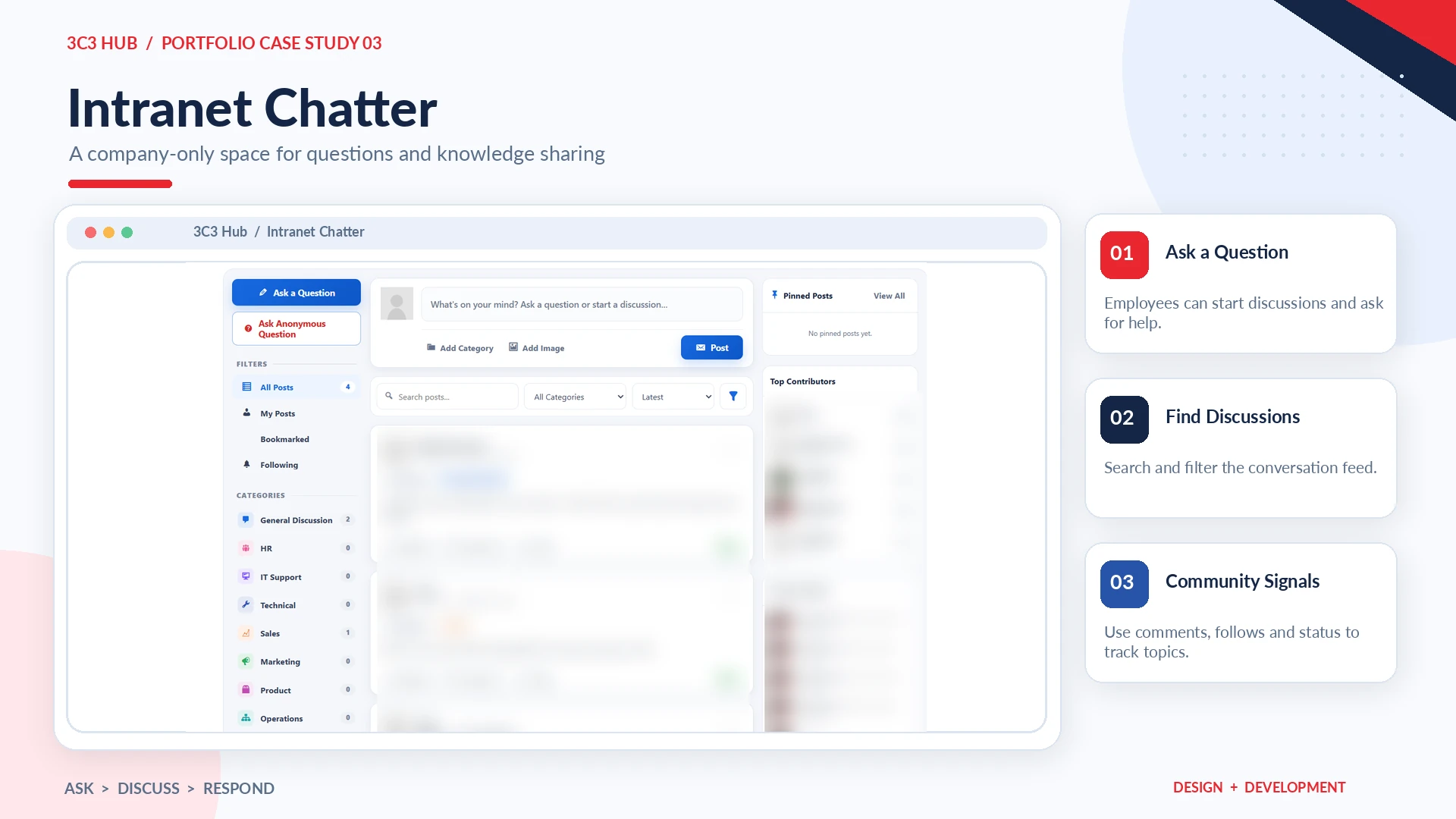
An employee platform needs more than documents. I developed Intranet Chatter so colleagues could ask questions, post discussions and respond within the company workspace. The interface includes category browsing, search, comments, helpful signals, following or bookmarking and discussion states such as Open, Answered and Closed. Permissions and moderation support appropriate internal participation.
(14)
Knowledge Where Employees Need It
Quick Chatter on the Home dashboard
I brought a compact Chatter experience onto the dashboard so employees can notice questions and start conversations without leaving the workspace. The goal was to put knowledge-sharing next to the resources and tasks employees already use daily.
(15)
KAIZEN Digital Workflow
Employee improvement ideas become trackable records
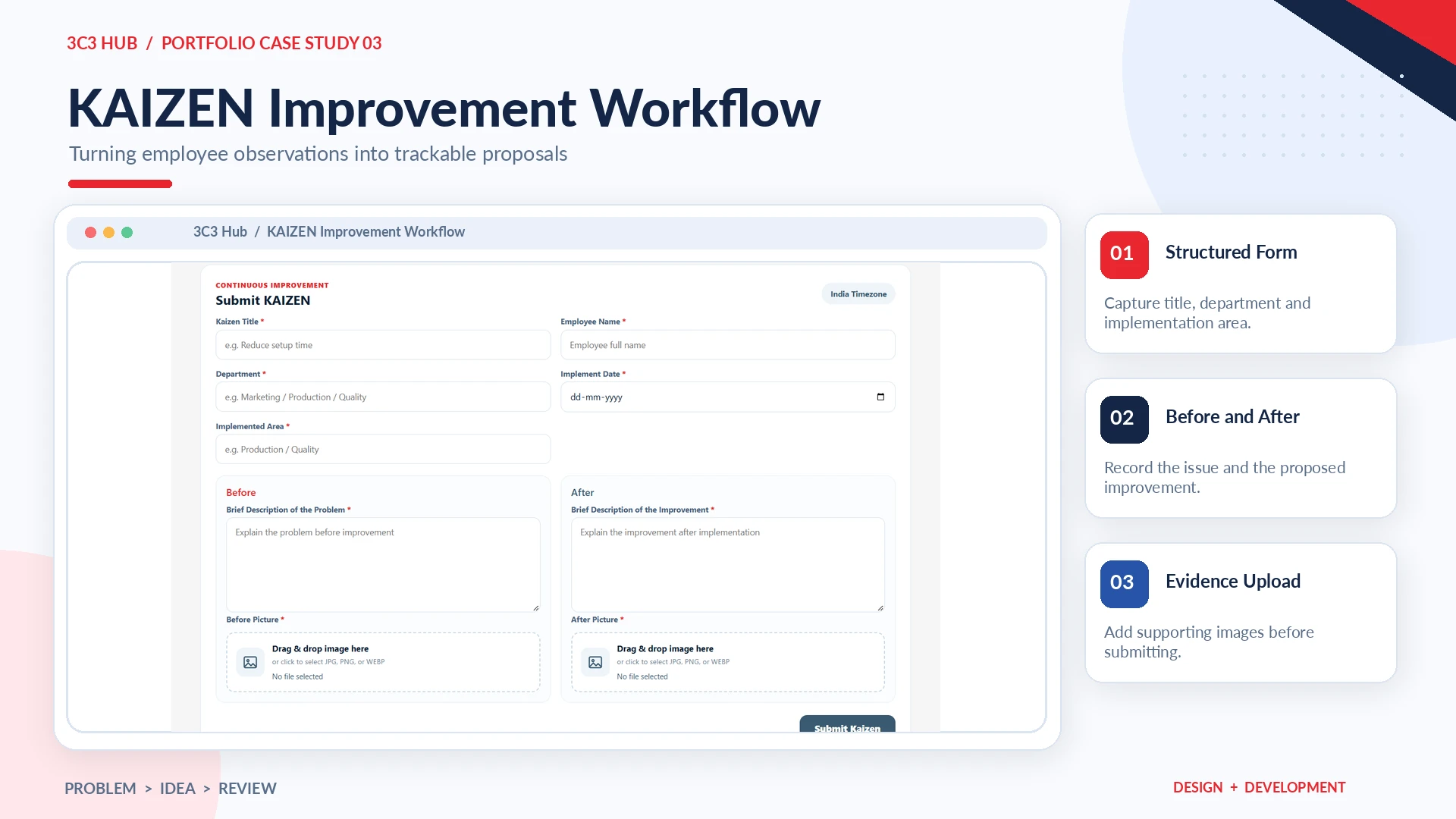
The KAIZEN workflow captures the improvement title, department, implementation date and area, along with descriptions and image evidence for the situation before and after the change. Administrators can review submissions, manage their status, send notifications and prepare reports in PDF, Word or Excel formats.
(16)
Marketing Asset Workspace
Approved resources in one employee library
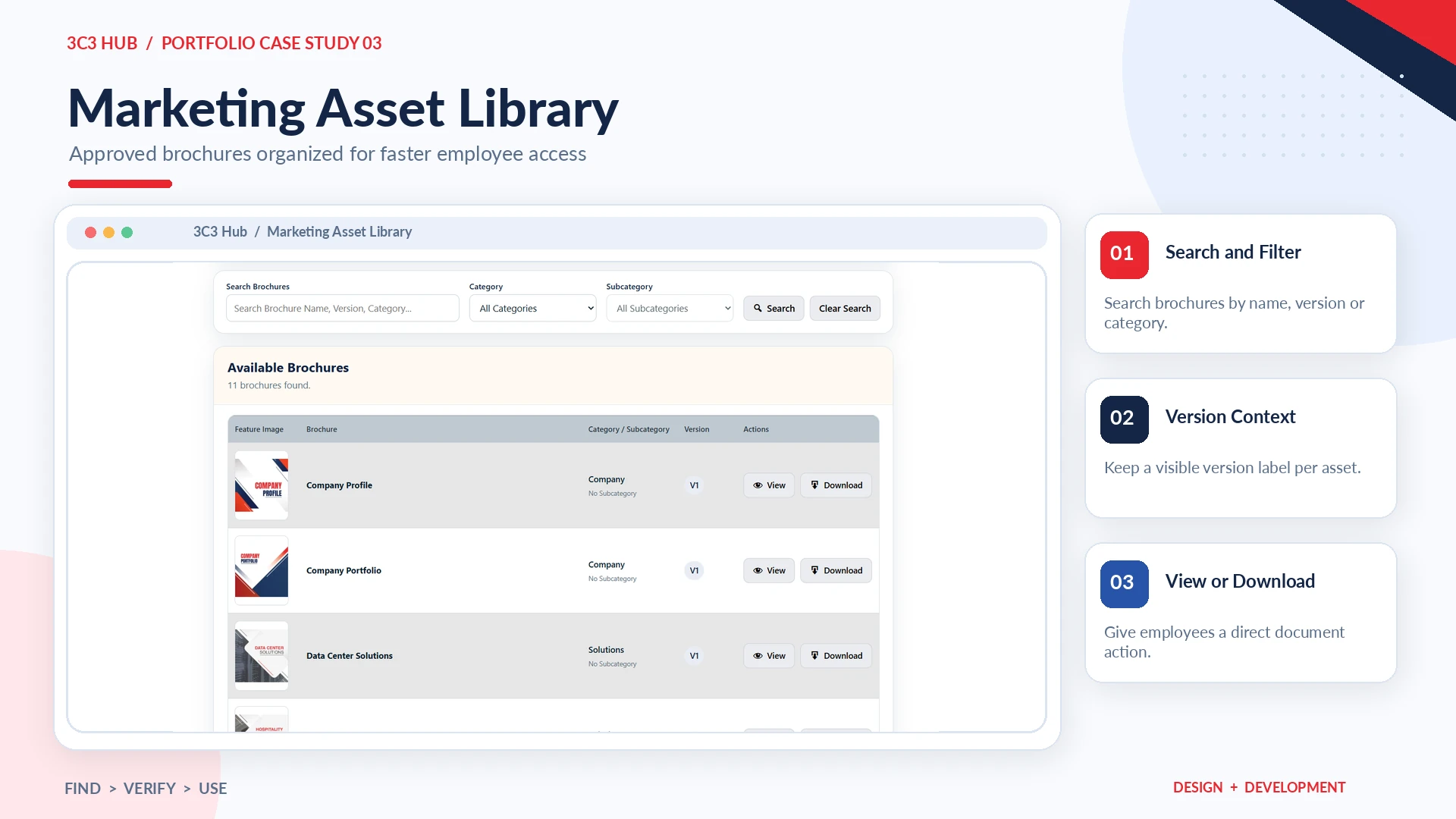
The Management Suite collects brochures and product images in searchable employee-facing interfaces. Categories, subcategories, versions and viewing or downloading options help employees work from centrally maintained materials rather than relying on attachments shared in chats or mail.
(17)
Personal Productivity
Simple tasks and notes inside the same workspace
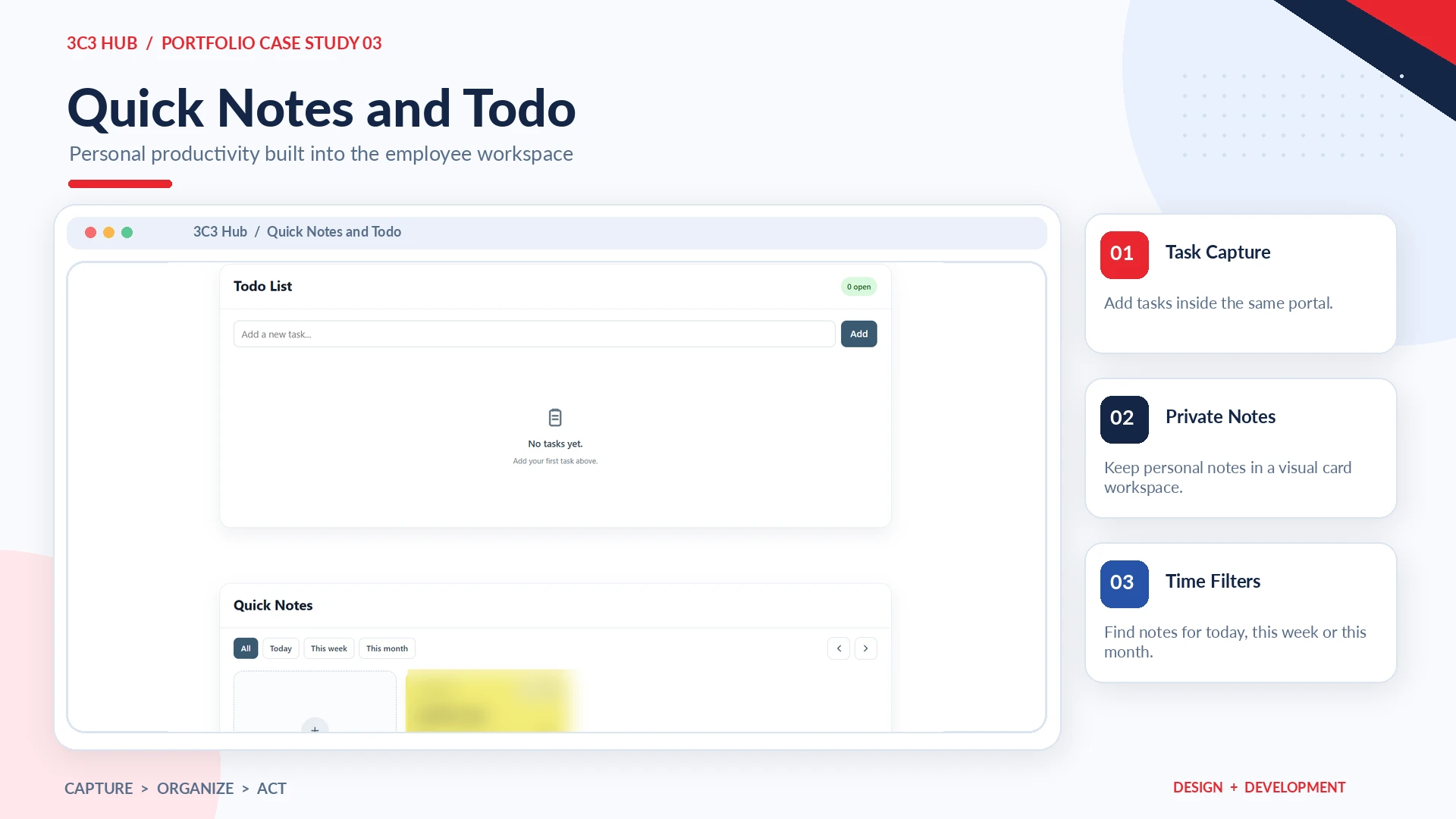
Quick Notes and Todo give each logged-in employee a private place for lightweight task capture and personal notes. Notes use editable cards and date-based filters; Todo focuses on adding tasks, tracking completion and keeping the open task count visible. These deliberately small tools reduce context-switching without turning the intranet into a complex project-management system.
(18)
Test Report Search
A direct batch-number lookup
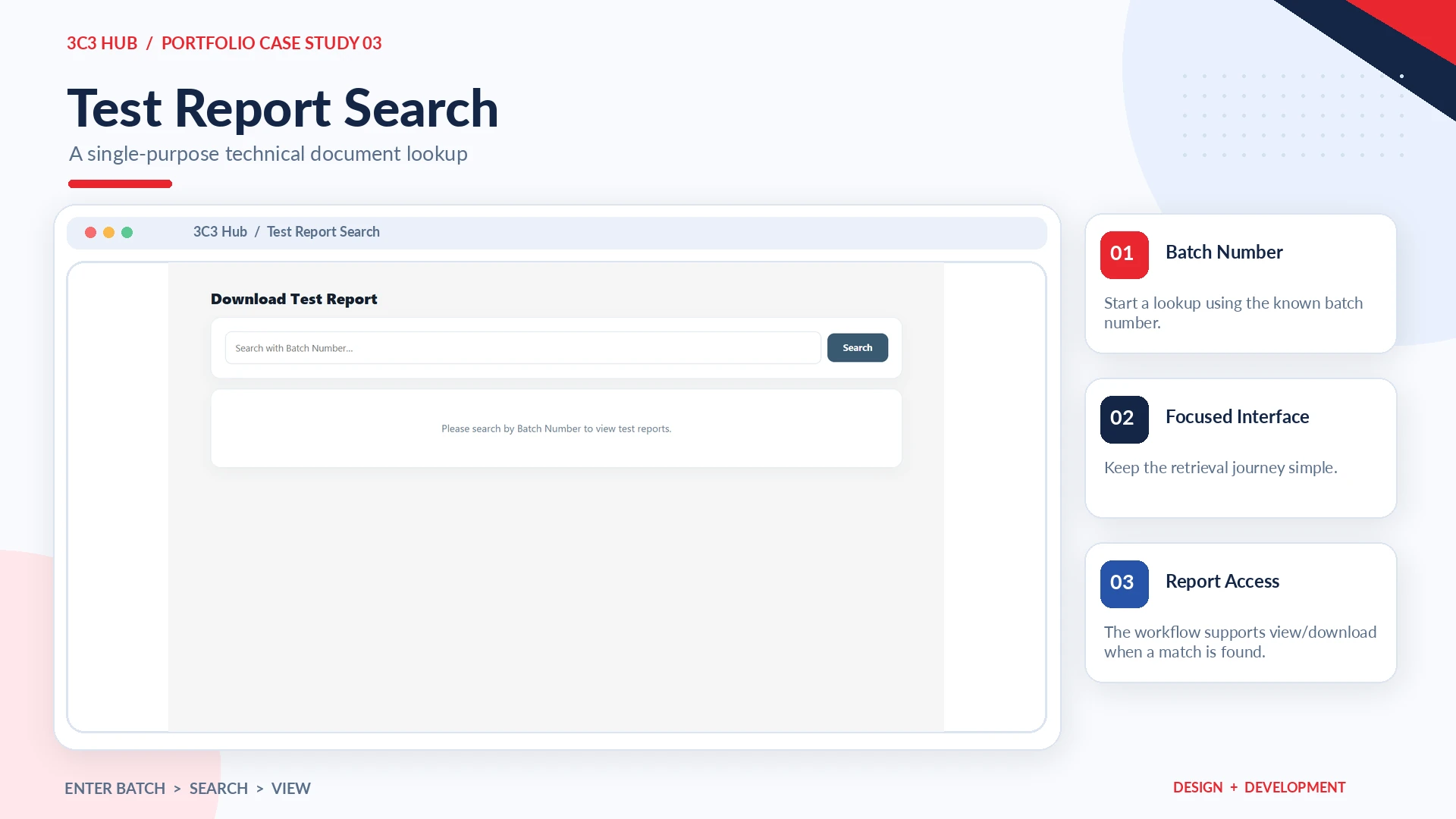
Instead of contacting another team to locate a technical test report, employees can enter a batch number and use a focused search interface to locate the associated report. Authorized upload users maintain the records and related traceability information.
Search-entry interface
(19)
Employee Notifications
Keeping current information visible
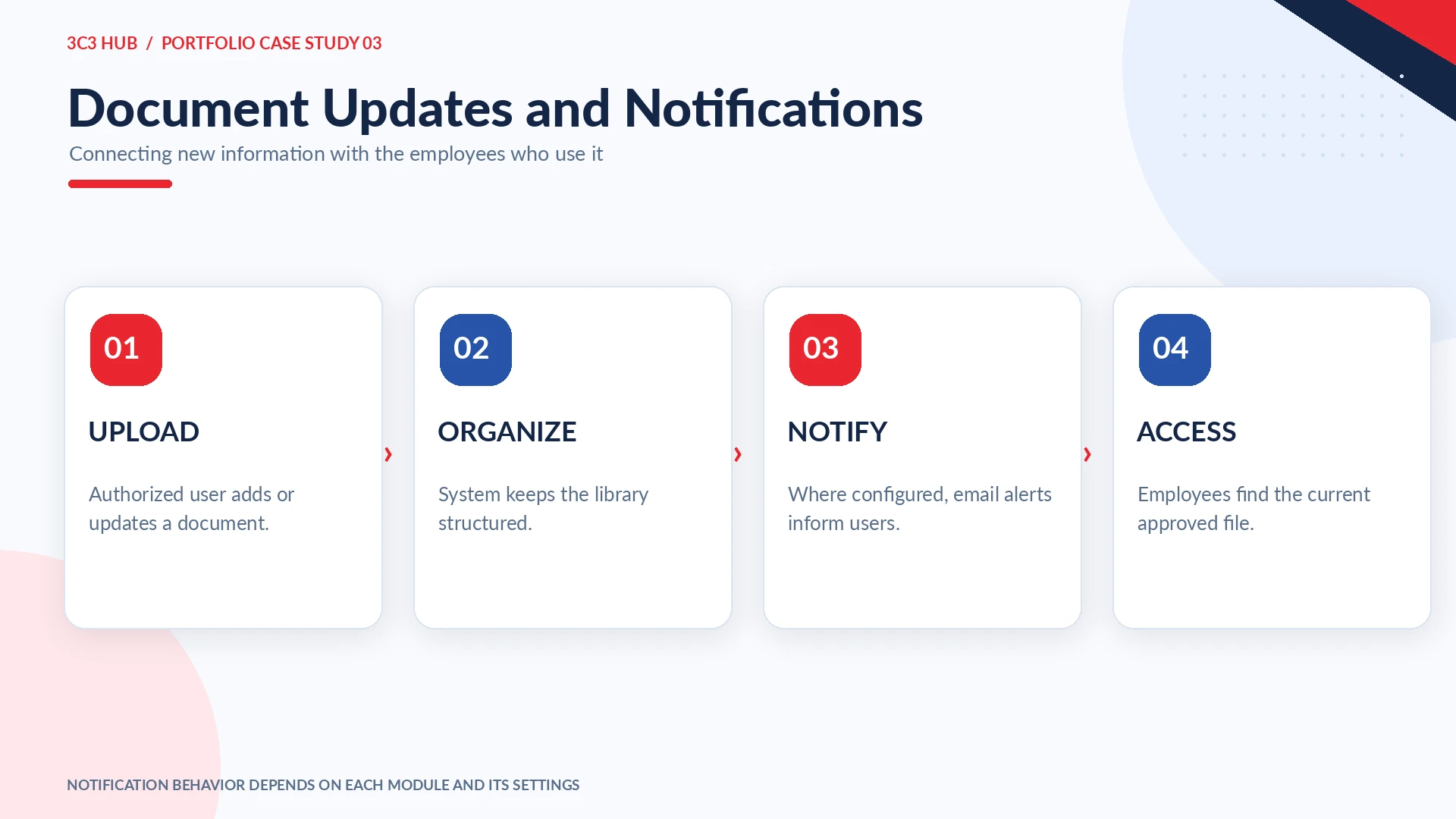
Where configured, custom modules send email notifications for updated documents, SOP releases, KAIZEN activity, tool access changes and other internal workflow events. This closes the information loop: an employee should not have to revisit several storage locations just to find out whether something important changed.
Illustrated workflow
(20)
Access, Monitoring & Traceability
Visibility behind the user interface
Depending on the module, administrators can review document views and downloads, user activity, resource access, upload or update history, Chatter activity, login and OTP events and KAIZEN records. Member Tools Viewpoint provides tool-library management, assignment context and access states; the OTP monitoring dashboard shows recent authentication events. Public portfolio visuals are redacted to protect staff identities, IP addresses and internal operational counts.
Member Tools administrationLogin / OTP monitoring (redacted)
(21)
Custom Plugin Ecosystem
Building reusable systems, not isolated pages
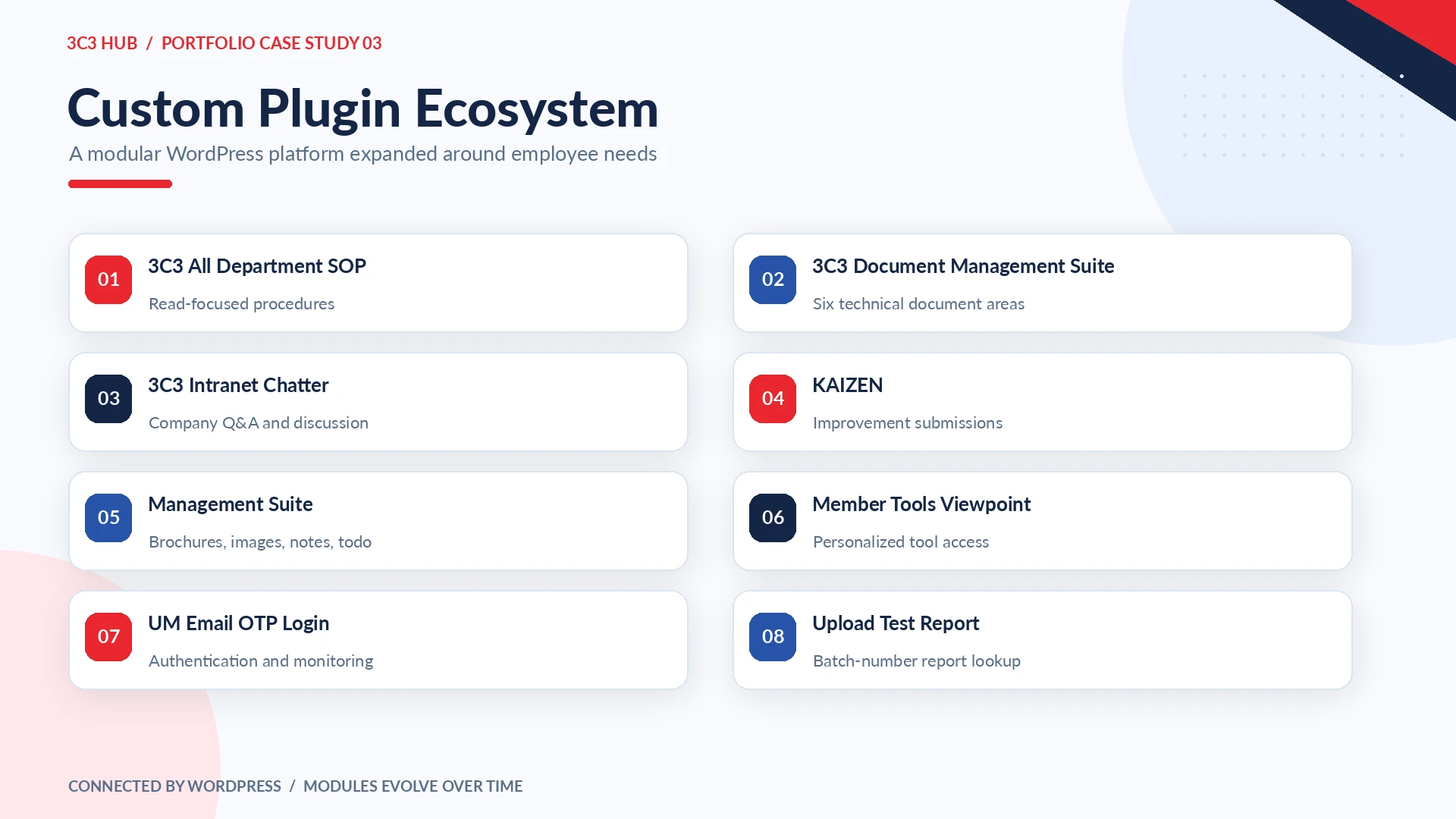
The platform includes 3C3 All Department SOP, 3C3 Document Management Suite, 3C3 Intranet Chatter, KAIZEN, Management Suite, Member Tools Viewpoint, UM Email OTP Login and Upload Test Report. Several modules evolved from smaller utilities into consolidated suites, supporting a clearer technical structure as the Hub expanded.
(22)
Technology Stack
Platform
WordPress · Elementor · Elementor Pro · Ultimate Member
Document Management Suite · SOP · Intranet Chatter · KAIZEN · Management Suite · Member Tools Viewpoint · OTP security · Test Reports
(23)
Design System
Consistency across independent tools
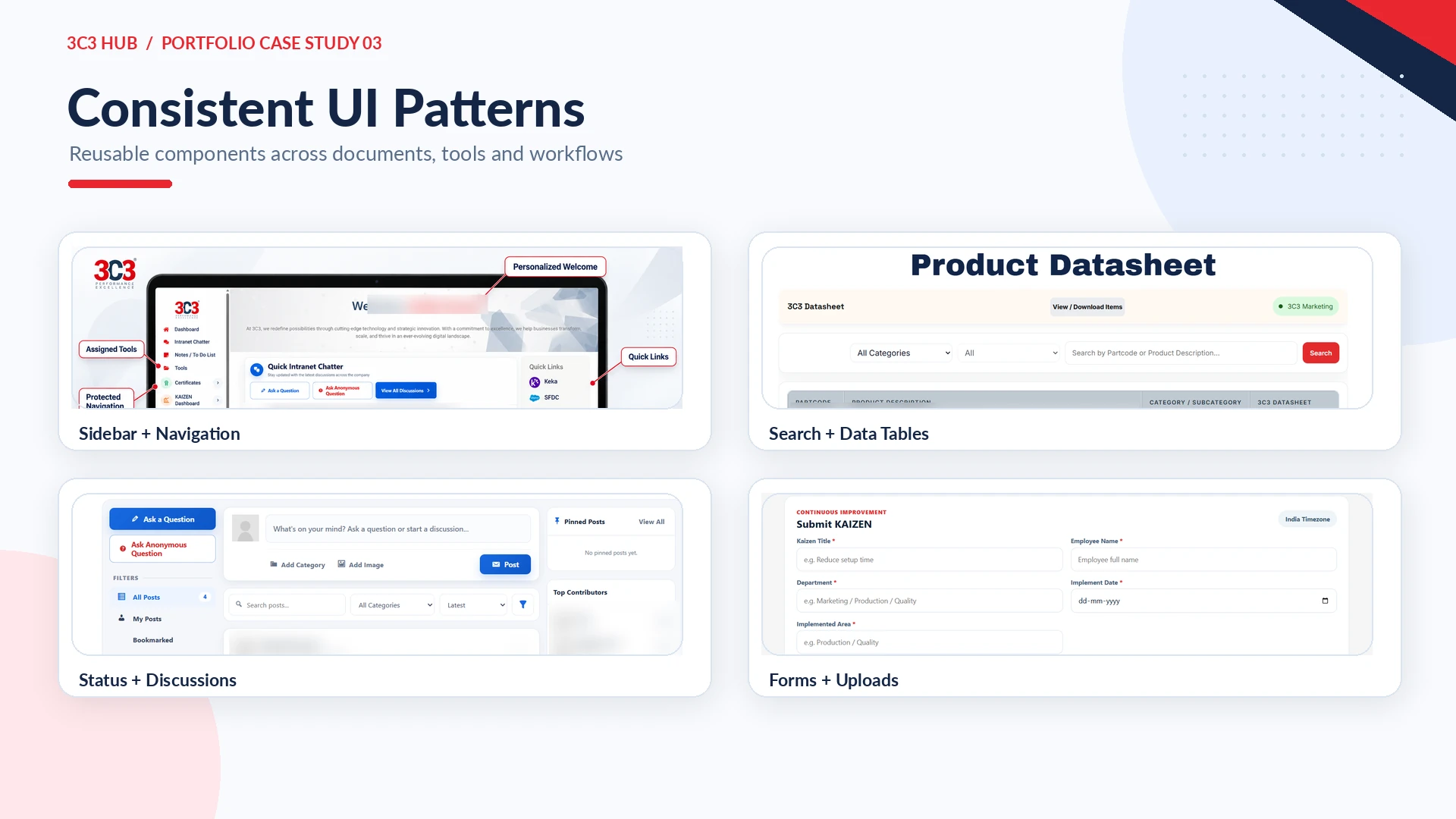
As the Hub grew, I applied consistent patterns across sidebars, cards, tables, search fields, filters, action buttons, status badges, modals and mobile layouts. The intention was to make new modules feel like parts of one coherent platform rather than disconnected WordPress pages.
(24)
Continuous Evolution
Launch, learn and expand
Development started in January 2026 with centralized employee access and grew through additions such as expanded document libraries, protected SOP viewing, Chatter, KAIZEN, personalized tools, OTP security, marketing resources and report lookup. It remains an evolving internal product shaped by employee and business needs.
(25)
Results & Impact
A simpler way to find and use company information
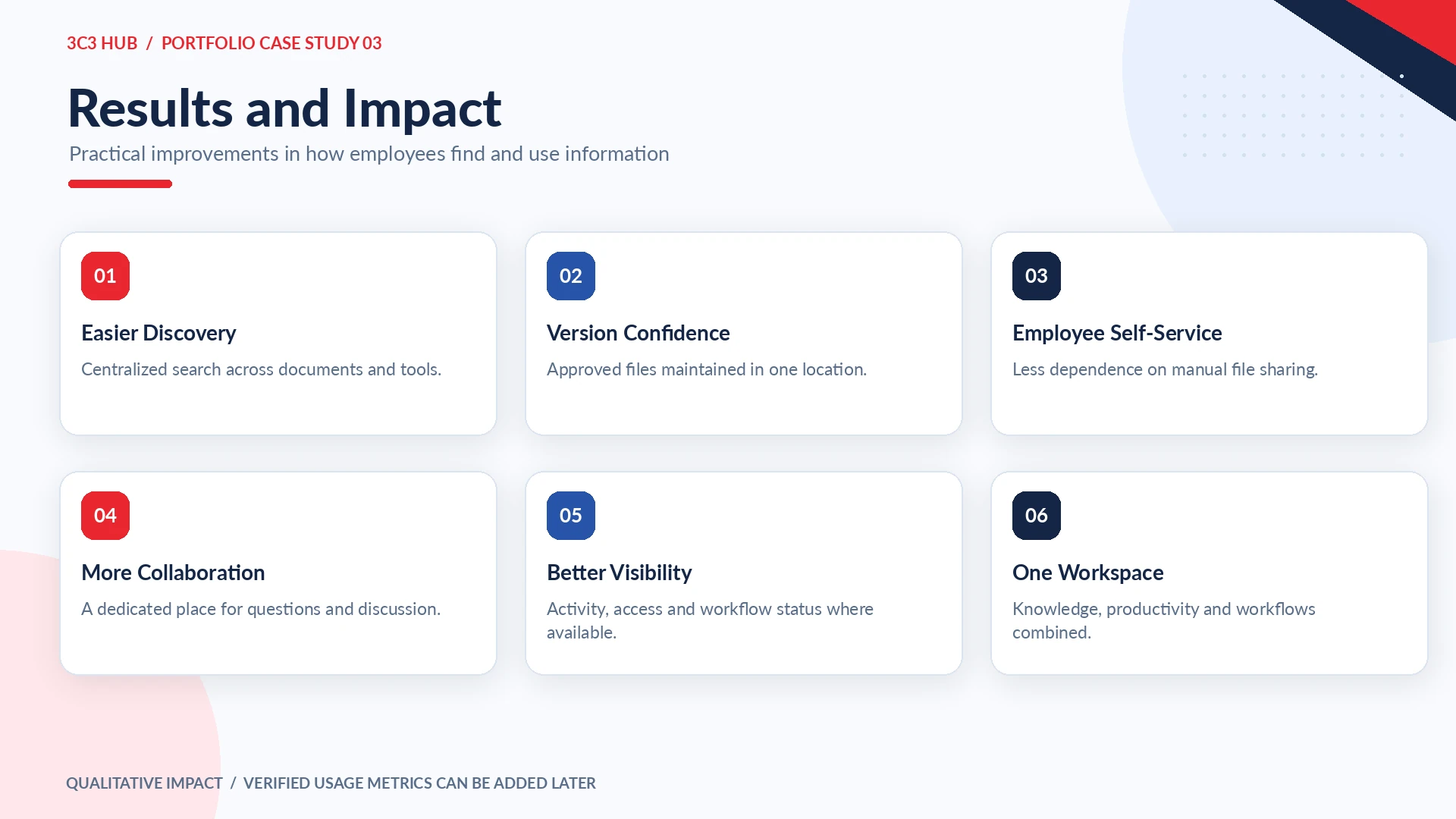
The design makes approved resources easier to discover and reduces the need to depend on scattered folders or repeated manual requests. Employees can search documents independently, see relevant tools in a personalized workspace and participate in internal conversations. Notifications and access/activity reporting also make content changes and workflows easier to follow.
(26)
Key Learnings
01
For frequently used employee products, speed, familiarity and consistency matter as much as visual polish.
02
Search and clear categories become critical when a platform contains many technical documents.
03
User access and permissions are core parts of UX architecture, not only backend configuration.
04
Notifications help users find out when information changes instead of repeatedly checking.
05
Consolidating related plugin modules makes the platform easier to extend as requirements evolve.
(27) Final Outcome
3C3 Hub — Find it fast. Use it right.
What began as a solution to scattered company documents evolved into a broader internal digital workplace. I designed and developed 3C3 Hub to combine secure employee access, personalized tools, approved knowledge, internal collaboration, productivity features and business workflows in one continuously improving platform.