
Table of Contents
SaaS PaaS and AaaS: Ultimate Cloud Service Models Explained
Cloud computing is no longer “just servers on the internet.” It’s an entire way of building, shipping, and running digital products without carrying the full weight of hardware, operations, and constant maintenance.
In this guide, you’ll learn SaaS PaaS and AaaS from the ground up what each model means, why it matters, how it works, and how to choose the best option for your business or project.
You’ll also get real AWS examples, including the top AWS SaaS-style services modern teams use to ship cloud applications faster.
What does “as a Service” mean in cloud?
When something is delivered as a service, you don’t buy and install it like traditional software. Instead, you access it over the internet and pay via subscription, usage, or a hybrid model.
The big idea behind SaaS PaaS and AaaS is responsibility sharing:
The provider manages more of the technology stack for you.
You focus more on business outcomes and less on infrastructure.
This shift reduces setup time, speeds releases, and supports rapid scaling especially for modern web apps, APIs, mobile apps, and data platforms.
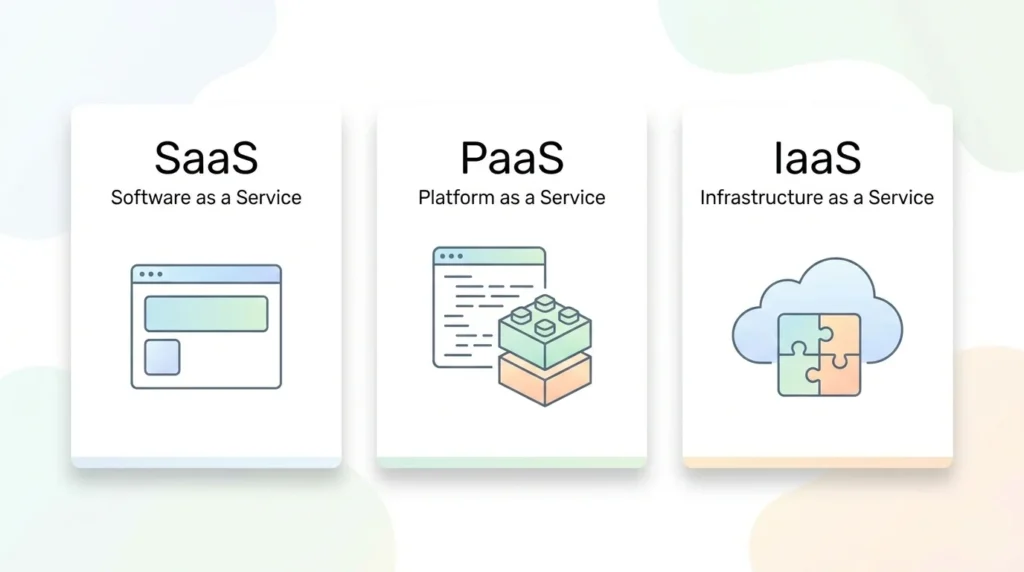
SaaS PaaS and AaaS: simple definitions
These service models are commonly described in cloud computing references such as NIST’s cloud definition and major cloud provider guides.
What is SaaS?
Software as a Service (SaaS) is ready-to-use software delivered over the web. You log in and use the product; you don’t manage servers, patches, or deployments.
Think: Gmail, Slack, Zoom, Salesforce.
For many teams, SaaS PaaS and AaaS begins here because SaaS feels as simple as opening a website and getting work done.
What is PaaS?
Platform as a Service (PaaS) provides a managed platform for building and deploying apps. You bring your code; the platform handles infrastructure, runtime, scaling, and many operations tasks.
Think: managed application hosting, databases, queues, and developer platforms.
When you’re coding a custom product, SaaS PaaS and AaaS usually points you to PaaS as the quickest path from idea to deployment.
What is AaaS?
In real-world cloud conversations, “AaaS” is commonly used as a shorthand idea similar to XaaS—Anything as a Service (sometimes “Everything as a Service”). It’s an umbrella term for delivering many kinds of IT capabilities as services.
If you remember one thing, remember this: SaaS PaaS and AaaS is about choosing how much you build vs. how much you consume.
So, SaaS PaaS and AaaS can be understood as:
SaaS: finished software
PaaS: a managed platform for building software
AaaS: the expanding menu of cloud services delivered on demand
Why SaaS PaaS and AaaS are important
If you’re building or running modern applications, SaaS PaaS and AaaS matter because they directly impact:
1) Speed to market
SaaS and PaaS remove huge chunks of setup work. That means faster MVPs, faster iterations, and faster customer feedback loops.
2) Cost structure
Instead of large upfront costs, you often pay per user, per month, or per usage. This can improve cash flow and align spend with growth.
3) Reliability and scalability
Cloud providers build for scale. Even small teams can run high-availability systems without building everything from scratch.
4) Security posture (when done right)
Major providers invest heavily in security controls. You still need good architecture and governance, but the baseline is stronger than many DIY setups.
5) Focus and specialization
SaaS = focus on outcomes.
PaaS = focus on code and product features.
AaaS = assemble best-of-breed building blocks.
That’s why understanding SaaS PaaS and AaaS is now a core skill for developers, founders, IT leaders, and product managers.
How SaaS PaaS and AaaS work
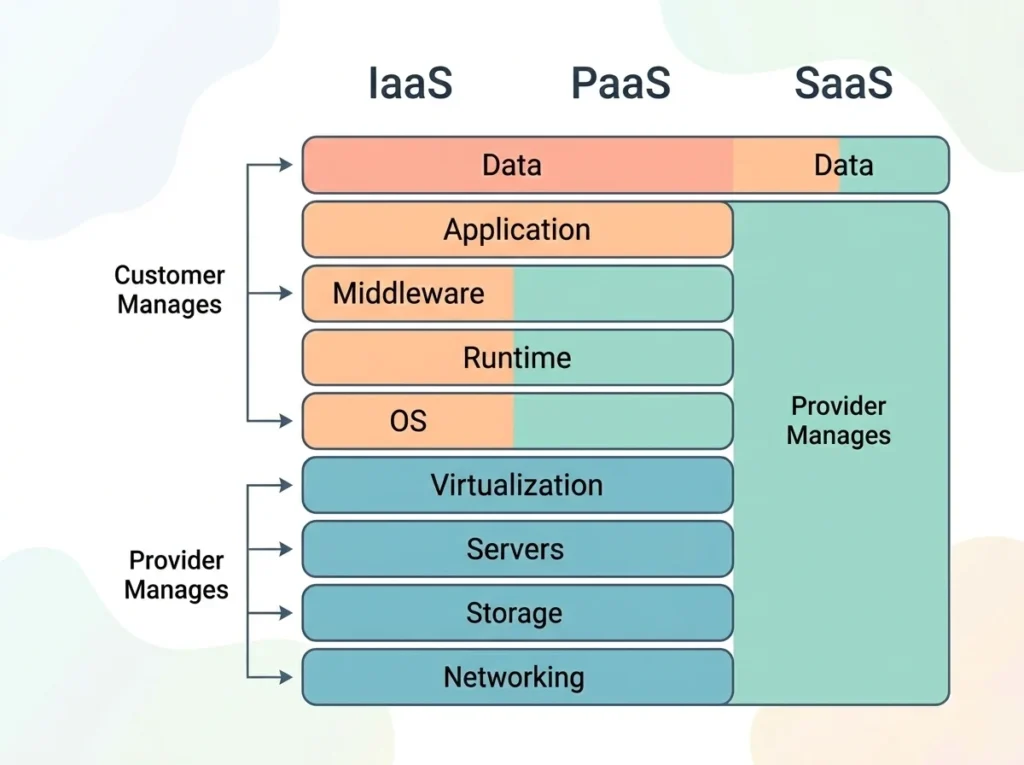
A helpful way to understand SaaS PaaS and AaaS is to map who manages what in the technology stack.
Once you see the responsibility split, SaaS PaaS and AaaS stops being confusing and starts becoming a decision tool.
The responsibility stack
Cloud service models are often explained as a spectrum of responsibility and control (from customer-managed to provider-managed).
On‑premises: you manage everything (network, servers, OS, runtime, data, app).
IaaS (within AaaS): provider manages hardware + virtualization; you manage OS to app.
PaaS: provider manages infra + OS + runtime; you manage app + data.
SaaS: provider manages almost everything; you manage configuration, users, and your data practices.
In practice, most organizations mix models: a few SaaS tools for productivity, PaaS for app delivery, and AaaS components for specialized needs.
How SaaS works
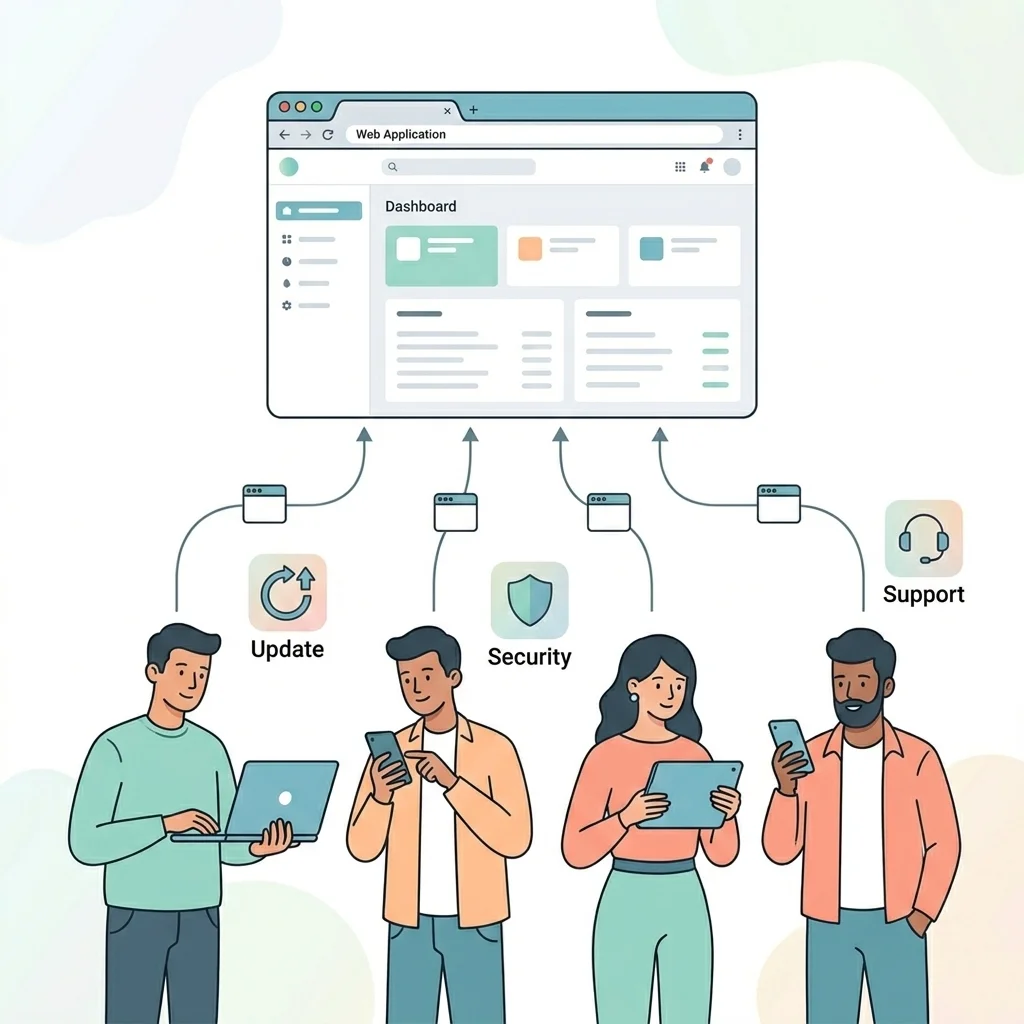
With SaaS, the vendor hosts and operates the application. Users access it through a browser or mobile app. Updates happen centrally, so everyone stays on the latest version.
In the world of SaaS PaaS and AaaS, SaaS is the “highest abstraction” level.
Key features of SaaS
Web-based access and centralized hosting
Subscription billing (often per user)
Multi-tenancy (many customers on shared infrastructure)
Built-in updates, monitoring, and support
APIs and integrations (increasingly standard)
Advantages of SaaS
Fast onboarding: minimal setup
Lower ops workload: vendor handles operations
Predictable pricing: easier budgeting
Anywhere access: supports remote work and mobility
Rapid feature releases: continuous improvements
Challenges and risks of SaaS
Vendor lock-in: migrations can be difficult
Data residency/compliance: you must confirm region, policies, and contracts
Limited customization: you work within vendor constraints
Shared responsibility confusion: you still own user access, configurations, and governance
Outage impact: if the vendor is down, you may be down too
When SaaS is the best fit
Choose SaaS when you want to solve a business problem quickly without building custom software—CRM, email, analytics dashboards, HR tools, customer support, and collaboration.
How PaaS works
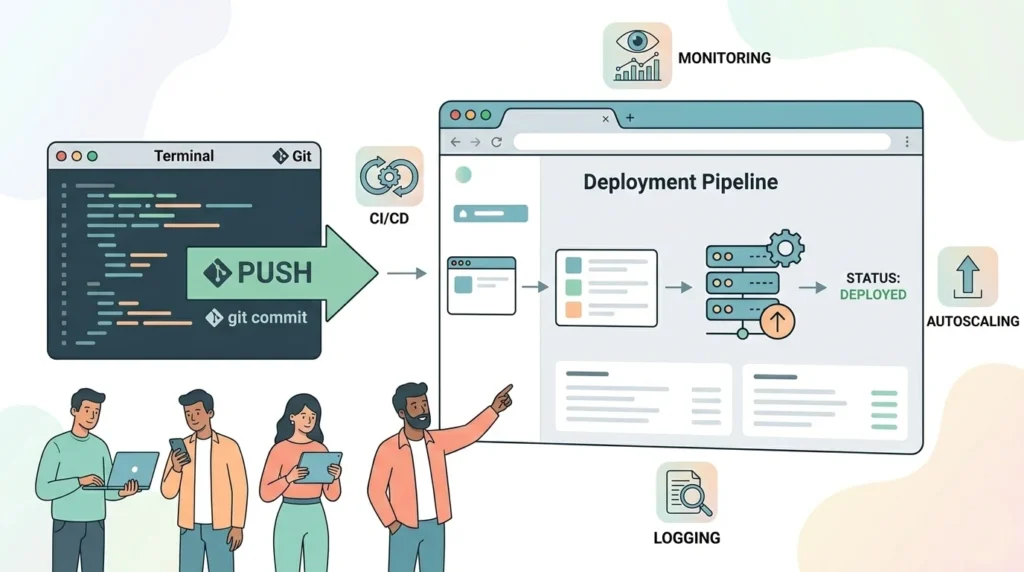
PaaS sits between raw infrastructure and finished software. You deploy code to a managed platform that handles provisioning, scaling, patching, and runtime management.
Within SaaS PaaS and AaaS, PaaS is the “developer acceleration layer.”
Key features of PaaS
Managed runtimes (containers, app services, serverless)
Automated scaling and load balancing
CI/CD integrations and deployment tooling
Observability (logs, metrics, tracing) integrations
Managed data services (databases, caches, search)
Advantages of PaaS
Developer productivity: spend time on features, not servers
Faster releases: standardized environments reduce deployment friction
Better reliability: mature platforms have guardrails and automation
Elastic scaling: handle spikes without overprovisioning
Consistent security updates: platform handles patching many layers
Challenges and risks of PaaS
Platform constraints: certain runtimes, versions, and architectures
Hidden costs: convenience can increase spend if not monitored
Operational blind spots: abstraction may hide performance bottlenecks
Lock-in at the platform level: moving off PaaS can require refactoring
When PaaS is the best fit
PaaS is ideal for web apps, APIs, microservices, event-driven systems, and internal tools that need rapid iteration and straightforward scaling.
How AaaS works
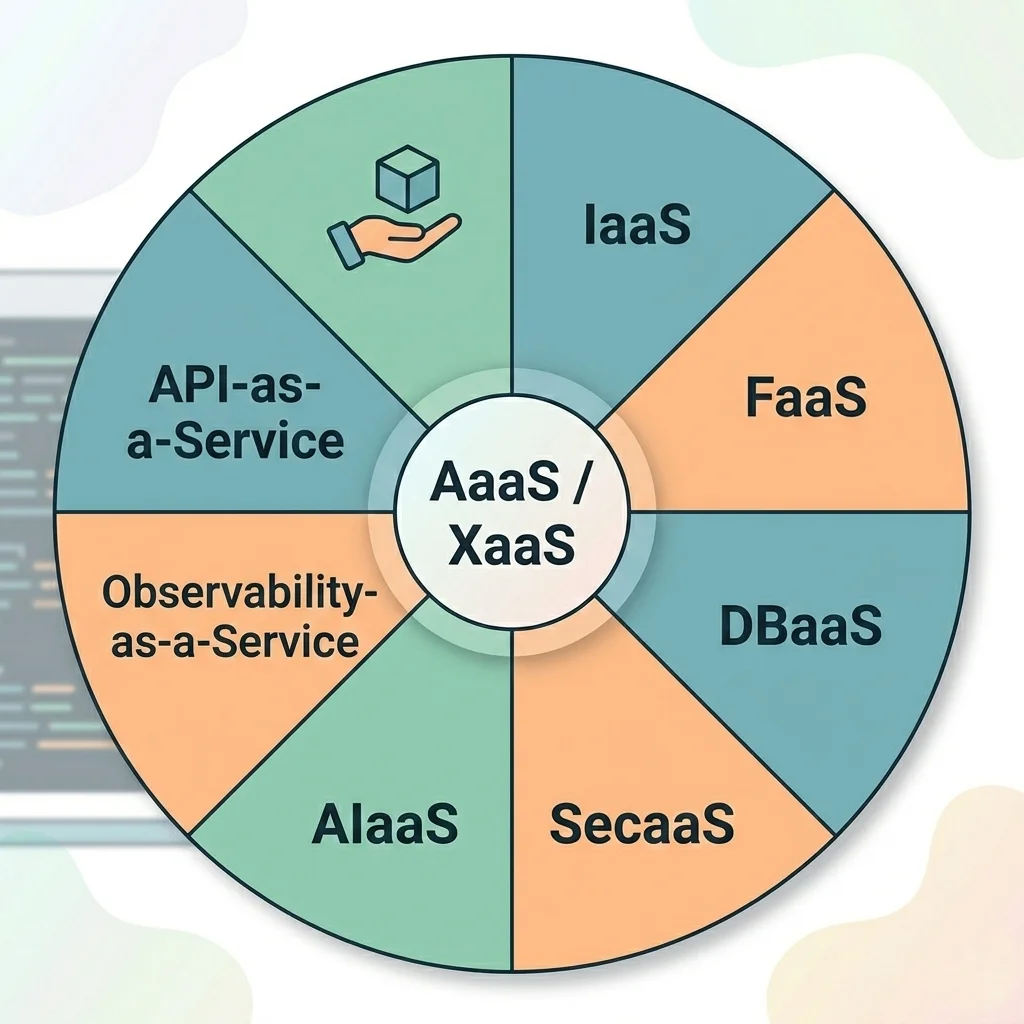
AaaS is the “choose-your-own building blocks” model. Instead of buying one big product, you assemble a modern system from specialized services.
That’s why SaaS PaaS and AaaS is a practical framework: SaaS for finished tools, PaaS for building, AaaS for everything else you can plug in.
Common AaaS categories
IaaS: compute, storage, networking
FaaS: functions/serverless compute
DBaaS: managed databases
SecaaS: security services
AIaaS: managed AI/ML services
Observability-as-a-Service: dashboards, logs, tracing
Key features of AaaS
Usage-based pricing (pay for what you consume)
API-first consumption model
Modular architecture and composability
Rapid experimentation and replacement
Shared responsibility with fine-grained controls
Advantages of AaaS
Flexibility: pick best service per need
Innovation speed: adopt new capabilities quickly
Scalability: most AaaS services scale automatically
Reduced undifferentiated work: no need to build commodity components
Better resilience options: multi-region, multi-provider patterns
Challenges and risks of AaaS
Complexity sprawl: too many services can overwhelm teams
Integration overhead: APIs, IAM, networking, and data flows need strong architecture
Security surface area: more services = more policies, keys, and permissions
Cost governance: pay-as-you-go requires monitoring and guardrails
Skill gaps: teams need cloud architecture, SRE, and security competency
SaaS PaaS and AaaS comparison: which one should you choose?
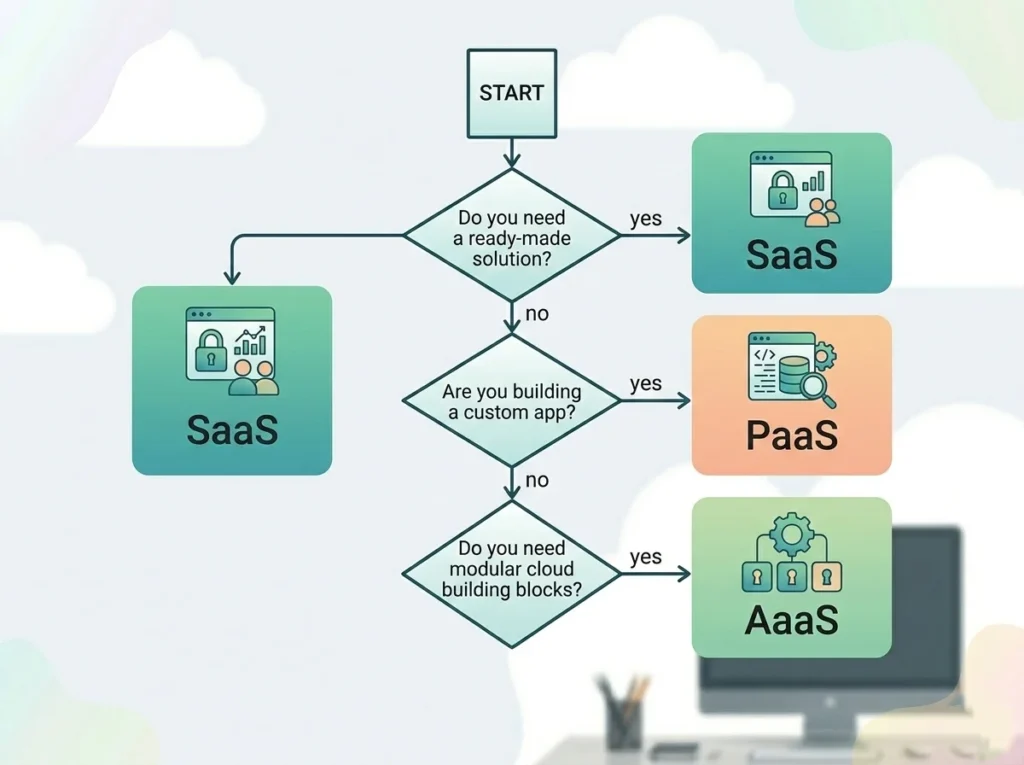
Here are quick decision rules for SaaS PaaS and AaaS:
Choose SaaS when…
You want a proven product for a standard business workflow
You can accept configuration over customization
Time-to-value is more important than deep control
Choose PaaS when…
You’re building a custom application or API
You want speed, autoscaling, and managed operations
Your team wants to focus on code and product logic
Choose AaaS when…
You need specific cloud capabilities (databases, AI, messaging, observability)
You’re building a modular architecture
You’re optimizing for flexibility and composability
Most modern organizations use a hybrid approach: SaaS PaaS and AaaS together.
Top AWS SaaS solutions for modern cloud applications
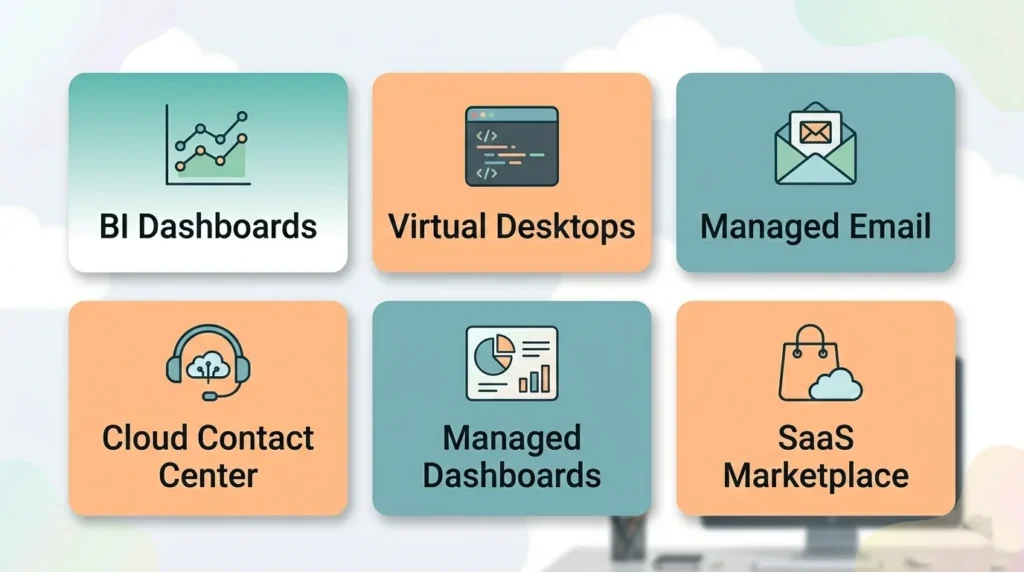
AWS is known for infrastructure and platform services, but it also offers SaaS-style managed services and “application services” that behave like SaaS.
In AWS terms, SaaS PaaS and AaaS shows up as end-user services, developer platforms, and modular managed building blocks.
Below are practical picks that pair well with modern cloud apps—especially if you want quick value without heavy operations.
1) Amazon QuickSight (BI dashboards)
QuickSight is AWS’s fully managed business intelligence service for dashboards, reporting, and data exploration.
2) Amazon WorkSpaces (Desktop as a Service)
WorkSpaces provides cloud desktops so teams can access secure desktops from anywhere, while AWS manages most of the heavy lifting.
3) Amazon WorkSpaces applications (stream SaaS and web apps)
WorkSpaces applications (formerly AppStream 2.0) helps you stream applications and even convert desktop apps into SaaS delivery without rewriting code.
4) Amazon WorkMail (managed business email and calendar)
WorkMail is a managed email and calendaring service that works with common clients like Outlook and mobile email apps.
5) Amazon Connect (cloud contact center)
Amazon Connect is a cloud contact center service for omnichannel customer support, routing, and self-service.
6) Amazon Managed Grafana (dashboards for observability)
Amazon Managed Grafana is a fully managed Grafana service that helps teams visualize metrics, logs, and traces at scale.
7) AWS Marketplace SaaS subscriptions
AWS Marketplace lets teams procure SaaS products with AWS billing, including usage-based subscriptions, which can simplify procurement and governance.
8) Amazon Chime (note about end of support)
Amazon Chime was a communications service, but AWS ended support for the Amazon Chime service effective February 20, 2026. For new builds, look at the Amazon Chime SDK instead.
9) Amazon Chime SDK (real-time communications building blocks)
The Amazon Chime SDK lets developers embed voice, video, and messaging capabilities into their own applications.
10) AWS SaaS Factory resources (for ISVs building SaaS on AWS)
AWS SaaS Factory provides best practices, reference architectures, and training resources for teams building SaaS products on AWS.
Tip: If you’re an ISV building a multi-tenant product, combining SaaS PaaS and AaaS patterns is usually the fastest and most scalable route.
Advantages of SaaS PaaS and AaaS for modern teams
When used strategically, SaaS PaaS and AaaS can help you:
Launch products faster
Reduce operational burden
Improve reliability and security baselines
Scale globally without massive infrastructure projects
Spend more time on differentiation (features, UX, customer value)
Challenges and risks of SaaS PaaS and AaaS
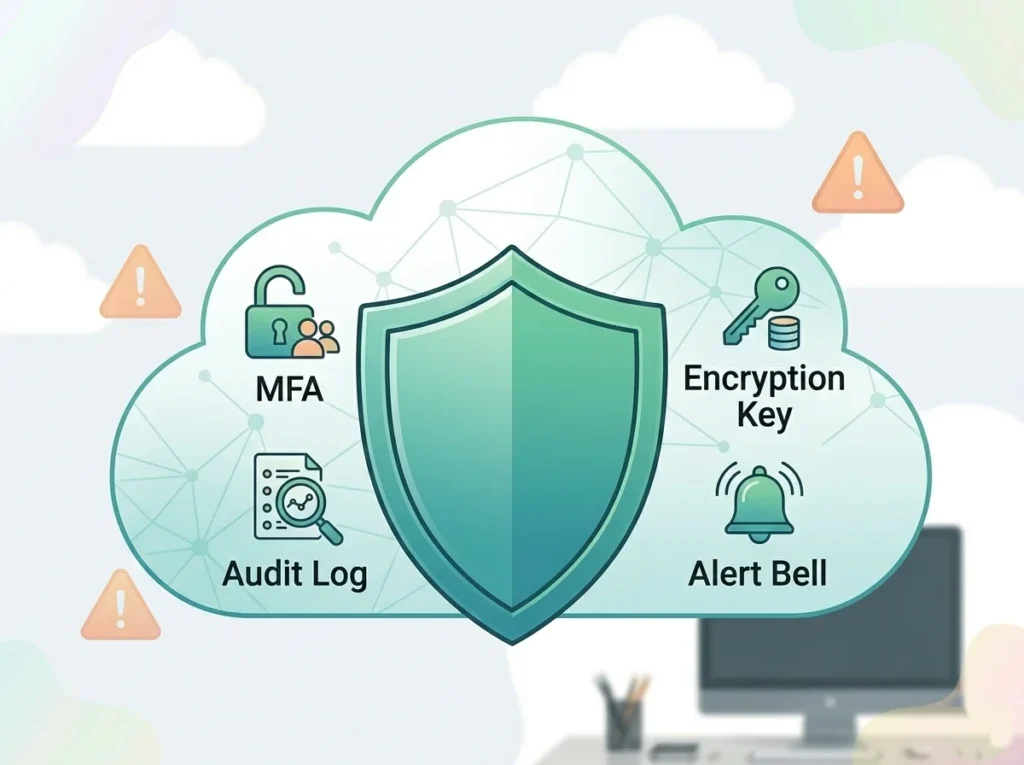
Every model has tradeoffs. The biggest risks across SaaS PaaS and AaaS usually come from:
1) Lock-in (product, platform, or provider)
Mitigation: design portable interfaces, keep data exports, document dependencies, and negotiate exit clauses.
2) Security and identity sprawl
Mitigation: centralized IAM, MFA, least privilege, secrets management, and continuous monitoring (see our Cloud Security Best Practices).
3) Cost overruns
Mitigation: tagging, budgets, alerts, unit economics, and architecture reviews (more in AWS Cost Optimization Tips).
4) Compliance gaps
Mitigation: map controls to frameworks (SOC 2, ISO 27001, PCI DSS), maintain evidence, and enforce policy-as-code.
5) Reliability assumptions
Mitigation: multi-AZ designs, backups, DR drills, and clear SLAs with vendors.
Key features checklist
Use this checklist to evaluate SaaS PaaS and AaaS options quickly.
SaaS checklist
SSO/MFA support
Role-based access control
Audit logs and reporting
Data export options
API integrations
SLA and support plan
PaaS checklist
Supported runtimes and languages
Autoscaling controls
CI/CD compatibility
Observability and tracing support
Rollback and deployment strategies
Compliance features (encryption, logging)
AaaS checklist
API maturity and SDK support
Regional availability and data residency options
Pricing transparency and cost controls
Security integrations (IAM, KMS, logging)
Limits, quotas, and throttling behavior
Vendor reliability history
A practical roadmap: adopt SaaS PaaS and AaaS without chaos
If you’re starting fresh (or modernizing), here’s a safe sequence:
Start with SaaS for non-core functions (email, CRM, BI, collaboration).
Use PaaS for core product apps and internal services.
Add AaaS components intentionally only when they reduce time, risk, or cost.
Establish governance early: identity, logging, tagging, budgets, and architecture review.
Revisit quarterly: remove unused services, renegotiate contracts, and optimize.
This keeps SaaS PaaS and AaaS adoption sustainable instead of overwhelming.
Conclusion
The cloud isn’t one thing it is a set of service models. Once you understand SaaS PaaS and AaaS, you can choose the right level of abstraction for every problem and explain your decisions clearly to your team.
Use SaaS when you want outcomes now.
Use PaaS when you want to build quickly and scale reliably.
Use AaaS when you want modular, API-driven capabilities without reinventing the wheel.
If you want to go deeper next, check out our internal guides on cloud security and AWS cost optimization:
FAQs about SaaS PaaS and AaaS
Not always. SaaS is often cheaper for standard workflows, but if you need deep customization, building on PaaS can be more cost-effective long-term.
No. IaaS is one category inside AaaS. AaaS is the umbrella term for many “as-a-service” offerings.
Yes. Many teams build multi-tenant SaaS products on AWS using managed services, marketplaces, and reference architectures.
Yes, but the focus shifts. You’ll spend less time on servers and more time on pipelines, observability, security, and reliability engineering.
Lock-in and data portability. Always check export options and exit plans.
Complexity sprawl. Without governance, service count, permissions, and costs can grow fast.
Most startups use SaaS PaaS and AaaS together: SaaS for business tools, PaaS for the product, and AaaS for specialized building blocks.
Absolutely. Enterprises often adopt SaaS for faster standardization, but they usually integrate it with existing identity, compliance, and data governance systems.
Important interview-style questions and answers
Explain SaaS in one line.
SaaS is ready-to-use software delivered over the internet, managed by the provider.Explain PaaS in one line.
PaaS is a managed platform where you deploy code while the provider manages infrastructure and runtime.Explain AaaS in one line.
AaaS is the umbrella of cloud services you consume on demand—anything delivered “as a service.”What’s the key difference between SaaS and PaaS?
SaaS is the finished product; PaaS is the environment to build your own product.What’s a real-world example of AaaS?
Using a managed database (DBaaS) plus serverless functions (FaaS) plus managed monitoring is AaaS in action.What does “shared responsibility” mean?
The provider secures the cloud infrastructure; you secure your configuration, identities, and data usage.How do you reduce lock-in?
Use portable architectures (containers, open standards), keep clean data exports, and isolate vendor-specific services behind interfaces.What’s multi-tenancy in SaaS?
A single application instance serves multiple customers while separating data and access through logical controls.Why is observability critical in PaaS/AaaS?
Abstraction hides infrastructure, so logs/metrics/tracing are essential for debugging and reliability.What’s the first governance control you should implement?
Identity and access management (least privilege + MFA) because everything depends on it.
AWS: SaaS vs PaaS vs IaaS (Cloud Service Models)
IBM: What is XaaS (Anything as a Service)?
Amazon QuickSight
Amazon WorkSpaces (Desktop as a Service)
Amazon WorkSpaces applications (formerly AppStream 2.0)
Amazon WorkMail
Amazon Connect
Amazon Managed Grafana
AWS Marketplace SaaS
About AWS SaaS Factory
AWS: Update on Support for Amazon Chime (ended Feb 20, 2026)
Amazon Chime SDK Documentation