
Which is the Best Image Format for Your Website?
If you’ve ever asked, “Which image format should I use on my website?” you’re already thinking like a performance-first SEO. Images can be the largest contributor to page weight, and that directly affects load time, user experience, conversions, and visibility in search. Google even calls out image optimization as a key step for speed and quality.
But here’s the truth: there is no single “best” image format for every image.
There is, however, a best strategy for most modern websites and once you understand it, you’ll stop guessing and start shipping faster pages.
What Most Websites Should Do
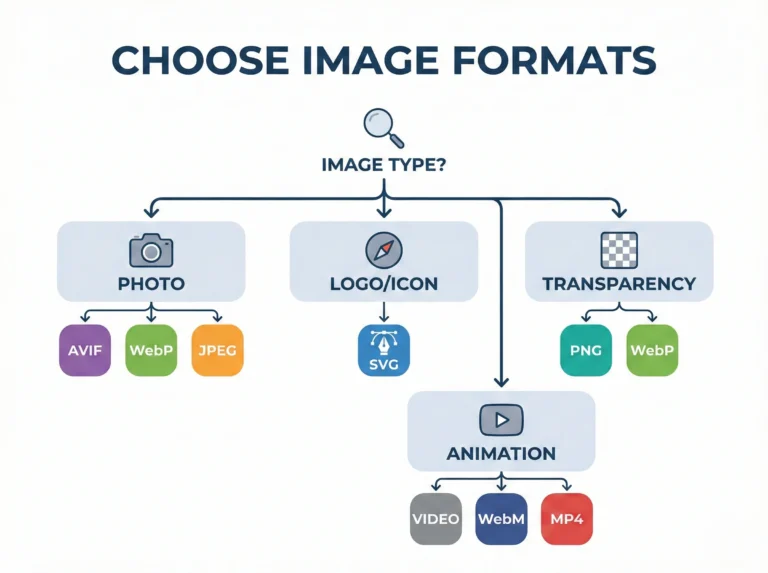
For most websites in 2026, the best setup is:
- Photos / hero banners / blog images: AVIF first, WebP fallback, then JPEG fallback
- Logos, icons, illustrations (vector): SVG
- Images requiring transparency (non-vector): PNG (or lossless WebP if you want)
- Simple animations: Prefer MP4/WebM (video) instead of GIF when possible (GIF is huge)
This layered approach works because modern formats like AVIF and WebP deliver better compression and quality characteristics than JPEG/PNG, which reduces download size and improves performance.
And it also aligns with Google’s image SEO guidance: Google Search supports AVIF, WebP, JPEG, PNG, GIF, SVG, BMP for images referenced in standard HTML image elements.
Why Image Format Choice Matters (Speed + SEO + UX)
Choosing the right image format impacts:
Load time & Core Web Vitals
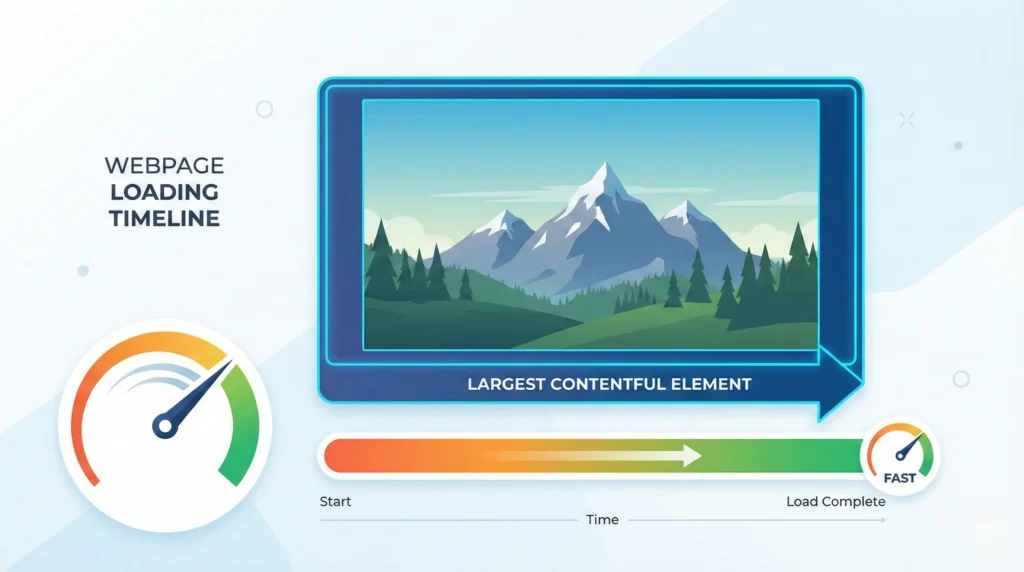
Big images slow down pages. Large hero images often affect Largest Contentful Paint (LCP), a key user experience metric.
SEO visibility (including Google Images)
Google’s guidance emphasizes discoverability via standard HTML image elements, responsive images, supported formats, and optimization for speed/quality.
Bandwidth costs
Smaller files save mobile data and reduce CDN/server load.
Visual quality
The format affects sharpness, color depth, gradients, and artifacts.
Browser compatibility
You want modern compression without breaking images for visitors on unsupported browsers.
How to Choose the Best Image Format (6 Key Factors)
When deciding between AVIF, WebP, PNG, JPEG, SVG, etc., evaluate each image by:
- Content type: photo vs illustration vs icon vs UI screenshot
- Need transparency? (alpha channel)
- Need animation?
- Quality sensitivity: gradients, skin tones, fine textures, sharp edges
- File size target: what’s “good enough” at the smallest weight?
- Support & fallbacks: can you serve multiple formats intelligently?
Format-by-Format Breakdown (With Pros, Cons, and Use Cases)
1. AVIF (Best for maximum compression on photos)
Best for: hero images, photography, large blog visuals, product photos.
Not ideal for: situations where encoding speed/pipeline is limited (older tooling), or if you can’t provide fallbacks.
Advantages
- Excellent compression and strong quality at small sizes.
- Supported by major search and indexing systems (Google supports AVIF).
- Broad modern browser support (but not literally everywhere see compatibility below).
Disadvantages
- Encoding can be slower than WebP/JPEG depending on your toolchain.
- Still needs a fallback strategy for edge browsers (e.g., Opera Mini shows “not supported”).
When to use AVIF:
If the image is big and important (hero, featured image, product gallery), AVIF is usually your best “performance champion” format as long as you provide WebP/JPEG fallback.
2. WebP (Best all-around “safe modern” format)
Best for: general site images, blog thumbnails, product images, banners, images requiring transparency.
Why it’s popular: wide support and good compression.
Advantages
- Strong compression vs JPEG/PNG.
- Supports transparency and animation.
- Very broad browser support (including iOS Safari 14+).
- Google’s ecosystem supports it well; servers can even use the browser “Accept” header to send WebP when supported.
Disadvantages
- For some images, AVIF can be smaller at similar quality (depends on content).
- Older legacy environments may still need JPEG/PNG fallback.
When to use WebP:
If you want one format that “just works” for most modern browsers, WebP is a fantastic default especially as a fallback behind AVIF.
3. JPEG/JPG (Best legacy photo fallback)
Best for: compatibility-first photography.
Worst for: transparency, crisp UI graphics, icons.
Advantages
- Universally supported.
- Great for photos when optimized well.
- Easy tooling everywhere.
Disadvantages
- No transparency
- Often larger than AVIF/WebP at similar visual quality.
- Can show compression artifacts around text/edges.
When to use JPEG:
As the final fallback for photos when AVIF/WebP isn’t supported, and for legacy systems.
4. PNG (Best for transparency + sharp edges, but heavy)
Best for: UI screenshots, diagrams with sharp lines, images requiring transparency.
Worst for: large photos.
Advantages
- Lossless (great for crisp edges and readable text).
- Supports transparency reliably.
Disadvantages
- Can be very large compared to modern formats.
- Not ideal for performance if you overuse it.
When to use PNG:
When you truly need pixel-perfect sharpness + transparency and the file size isn’t insane or when SVG isn’t an option.
5. SVG (Best for logos, icons, vector illustrations)
Best for: logos, icons, line illustrations, simple UI graphics.
Advantages
- Resolution-independent (looks sharp at any size).
- Often tiny file size for simple artwork.
- Editable (CSS styling, animations, theming).
Disadvantages
- Not for photos.
- Complex SVGs can become large or slow to render.
- Security: don’t allow untrusted SVG uploads (sanitization required).
When to use SVG:
Whenever your image is vector-based. For most websites, SVG is “the best format” for branding assets.
6. GIF (Usually not the best in 2026)
Best for: very simple looping animations (but there are better options).
Advantages
- Works everywhere.
- Simple loops without special players.
Disadvantages
- Huge file sizes compared to video alternatives.
- Limited quality and color.
Better alternative:
MP4/WebM for animations (smaller and smoother). Keep GIF only when you absolutely need it.
7. JPEG XL (Promising, but not mainstream yet)
JPEG XL is designed to compete with AVIF/WebP and can offer excellent compression and features but web adoption is still uneven.
- “Can I use” shows limited global usage and support that’s disabled by default in Chrome ranges listed there.
- Meanwhile, recent reporting notes Chrome 145 reintroduced JPEG XL support (details and defaults may vary).
Practical takeaway:
JPEG XL is exciting, but for most production sites today, AVIF + WebP + JPEG/PNG is the safer play until support is consistently enabled across browsers.
Comparison Table
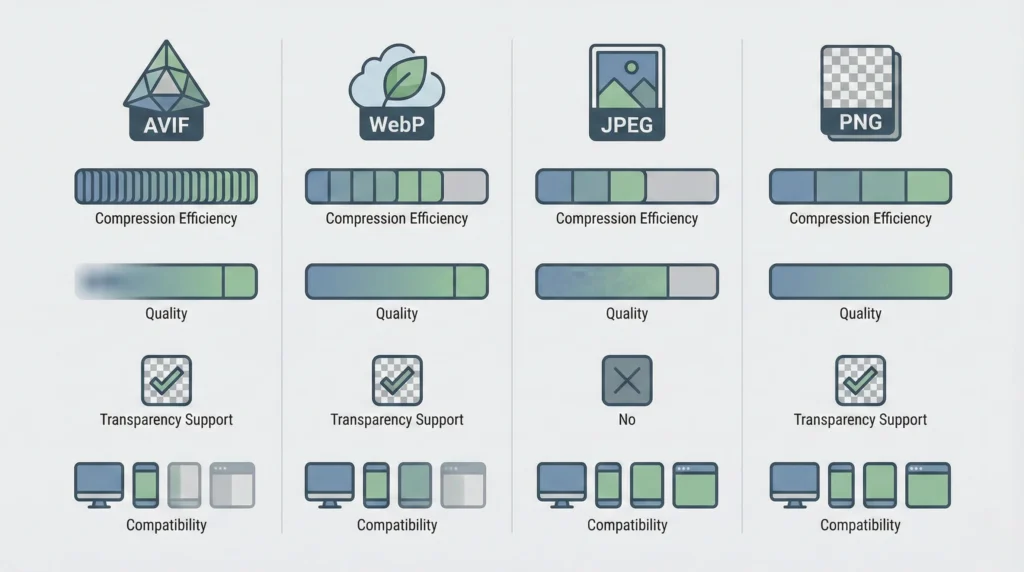
| Format | Best For | Transparency | Animation | Compression Efficiency | Typical Role |
|---|---|---|---|---|---|
| AVIF | Photos, hero images | ✅ | ✅ (limited use) | ⭐⭐⭐⭐⭐ | Primary for photos |
| WebP | General images | ✅ | ✅ | ⭐⭐⭐⭐ | Fallback / default modern |
| JPEG | Photos (legacy) | ❌ | ❌ | ⭐⭐ | Last-resort photo fallback |
| PNG | UI, sharp graphics | ✅ | ❌ | ⭐⭐ (large files) | When sharpness/transparency matters |
| SVG | Logos/icons | N/A (vector) | ✅ (via CSS/SMIL) | ⭐⭐⭐⭐ (for vector) | Best for icons/logos |
| GIF | Simple loops | ✅ (1-bit) | ✅ | ⭐ (huge) | Avoid; use video instead |
| JPEG XL | Modern photo/graphics | ✅ | ✅ | ⭐⭐⭐⭐–⭐⭐⭐⭐⭐ | Emerging/experimental |
Browser Support Snapshot
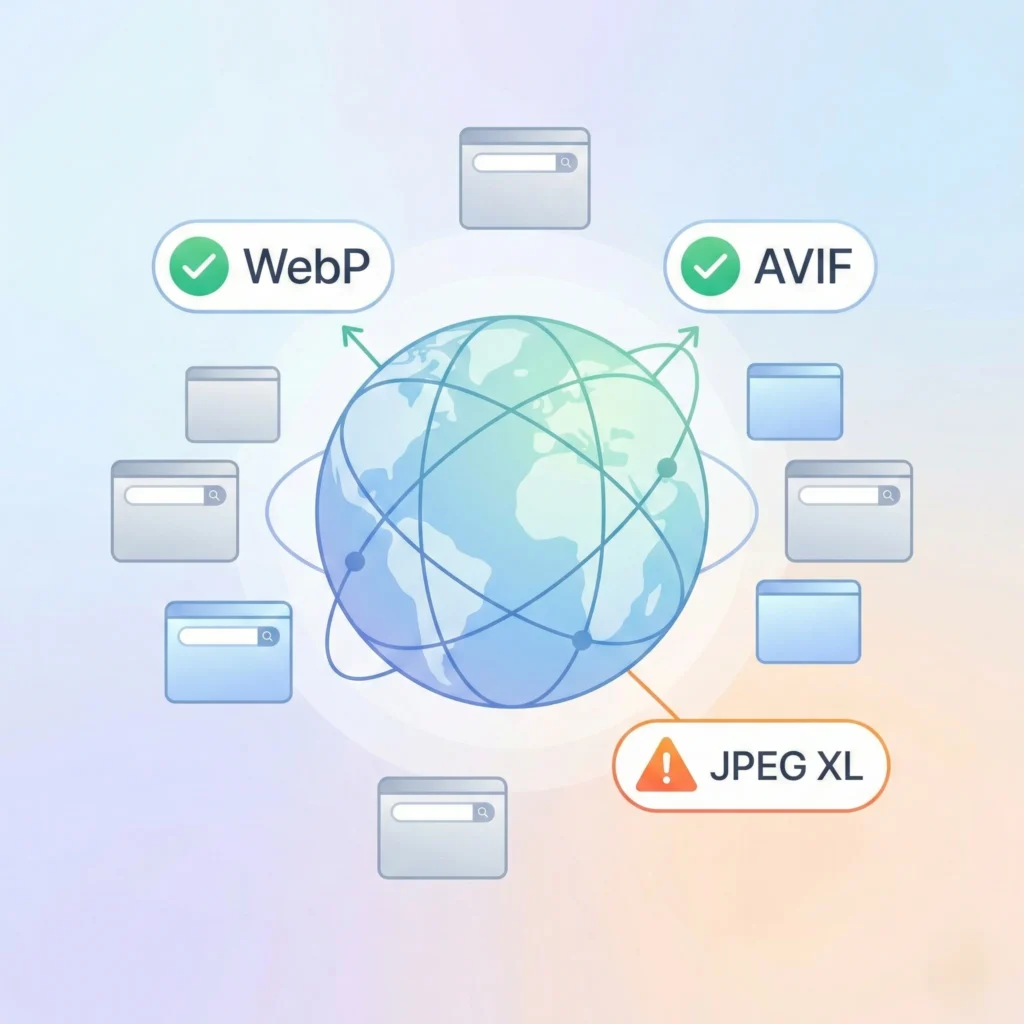
- WebP: broadly supported, including iOS Safari 14+
- AVIF: supported across modern browsers; iOS Safari support appears from 16+ ranges shown by “Can I use”
- JPEG XL: partial/disabled-by-default support in several major browsers per “Can I use”
So: AVIF is great-but always ship WebP/JPEG fallback.
Best Practice Implementation (AVIF + WebP + JPEG Fallback)
Google explicitly recommends using responsive techniques like <picture>/srcset and always specifying a fallback src.
MDN also explains that <picture> lets the browser choose the best source and falls back to <img> when needed.
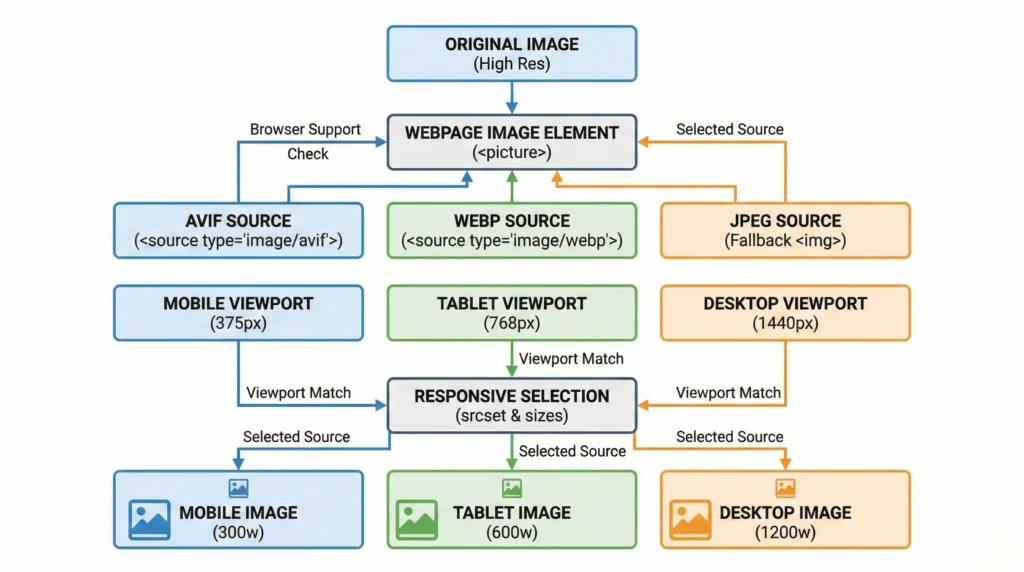
Example: Modern formats with graceful fallback
					<picture><sourcetype="image/avif"srcset="/images/hero.avif"><sourcetype="image/webp"srcset="/images/hero.webp"><imgsrc="/images/hero.jpg"alt="Team collaborating on a website performance dashboard"width="1200"height="630"loading="lazy"decoding="async"
  ></picture>
Responsive images (reduce bytes on mobile)
					<imgsrc="/images/blog-1200.jpg"srcset="/images/blog-480.jpg 480w,
          /images/blog-800.jpg 800w,
          /images/blog-1200.jpg 1200w"sizes="(max-width: 600px) 480px,
         (max-width: 1000px) 800px,
         1200px"alt="Comparison of AVIF, WebP, and PNG image formats for websites"width="1200"height="675"loading="lazy"decoding="async"
/>
Image SEO Essentials
Google’s image SEO documentation is clear on what matters:
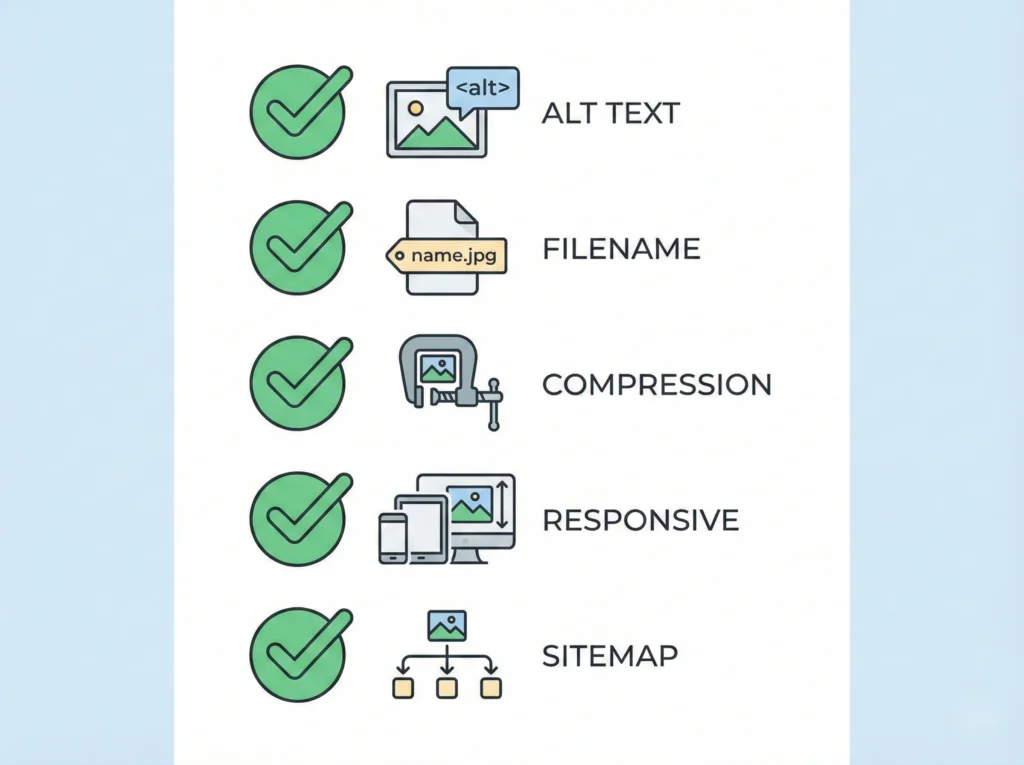
- Use HTML image elements (Google can discover images in
<img src>; CSS background images aren’t indexed the same way) - Use supported formats (includes WebP and AVIF)
- Use descriptive filenames and alt text; avoid keyword stuffing
- Optimize for speed and quality
Alt text best practice (simple rule)
Write alt text for humans first. Google notes alt text helps them understand the image along with page context, and it improves accessibility.
Good alt text example:
“Black running shoes on a white background with side profile view”
Bad alt text example:
“best running shoes buy running shoes cheap running shoes online…” (keyword stuffing)
Advantages and Disadvantages
Overall advantages of modern formats (AVIF/WebP)
- Smaller images → faster load → better UX and often better performance metrics
- Google/Lighthouse tooling explicitly encourages serving modern formats due to savings potential
- Supported by Google Search (WebP/AVIF supported formats list)
Overall disadvantages / tradeoffs
- Needs a fallback strategy for full compatibility
- Requires a build pipeline or CDN transformations
- Quality settings require testing (no single “perfect” number)
Tips & Tricks

Serve AVIF first, then WebP, then JPEG/PNG fallback
This gives the best performance while staying compatible.
Resize before you compress
Don’t ship a 3000px-wide image into a 800px container.
Use
widthandheightattributesPrevent layout shifts (good for UX and metrics).
Prefer SVG for logos/icons
Crisp at every size; avoids multiple raster variants.
Use lazy loading for below-the-fold images
Keep hero images prioritized; lazy-load the rest.
Strip unnecessary metadata
Remove bulky EXIF unless needed (photography sites may keep selective metadata).
Name files descriptively
Google states filenames give “light clues” about subject matter.
Avoid text-heavy images
Text in images is less accessible and harder to localize; use HTML text overlays.
Simple Decision Guide (Cheat Sheet)
- Is it a logo/icon/illustration? → SVG
- Is it a photograph or large banner? → AVIF (+ WebP + JPEG fallback)
- Is it a UI screenshot with tiny text? → PNG (or lossless WebP if tested)
- Needs transparency? → SVG (vector) or PNG/WebP (raster)
- Needs animation? → Prefer MP4/WebM, fallback to GIF if needed

FAQs
1) Is AVIF better than WebP?
Often yes for file size at similar quality, but the best practice is AVIF + WebP fallback for broad support.
2) Does image format affect SEO directly?
Format affects speed and user experience, which can indirectly help performance. Google also recommends supported formats and image optimization for speed/quality.
3) What formats does Google support for indexing?
Google Search supports BMP, GIF, JPEG, PNG, WebP, SVG, and AVIF when referenced in standard HTML image elements.
4) Should I still use PNG?
Yes-mainly for sharp UI images and transparency when SVG isn’t possible.
5) Is SVG always better than PNG?
For icons/logos and vector art: usually yes. For photos: no.
6) Are GIFs bad for performance?
They’re usually heavy. Use video formats for animations when possible.
7) What’s the safest single image format to use?
If you must pick one modern format: WebP (very broad support).
8) How do I serve different formats automatically?
Use the HTML <picture> element or server/CDN content negotiation. Google recommends having a fallback src.
9) What’s the best format for WordPress images?
WebP is commonly easiest; AVIF is great if your stack supports it and you keep fallbacks.
10) Is JPEG XL the future?
It’s promising, and recent news suggests Chrome is reintroducing support, but browser enablement is still inconsistent.
Conclusion
If you want the best blend of speed, compatibility, and SEO, don’t pick one format pick a delivery strategy:
✅ AVIF for best compression on photos
✅ WebP as the reliable modern fallback
✅ JPEG/PNG for legacy support and special cases
✅ SVG for logos/icons (almost always the best choice)
That combination hits performance goals while staying compatible and it matches what Google recommends: use supported formats, responsive images, fallbacks, and optimize for speed and quality.