
Clawdbot (Now “Moltbot”): The Self-Hosted AI Assistant That Actually Does Things (2026 Guide)
Table of Contents
What is Clawdbot (Moltbot)?
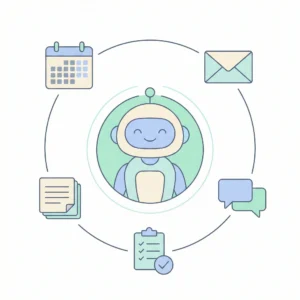
Clawdbot is a personal AI assistant you run on your own devices. You talk to it through chat channels you already use-like WhatsApp, Telegram, Slack, Discord, Signal, iMessage, Teams, and more-and it responds there like a real assistant.
The important part: it’s not “just a chatbot UI.”
Clawdbot is designed to become a control layer for your workflows:
- It can connect to tools and services (email, calendars, tasks, scripts, APIs).
- It can maintain long-term memory and context over time.
- It can automate multi-step actions (not just answer questions).
Quick note on naming (Clawdbot vs Moltbot)
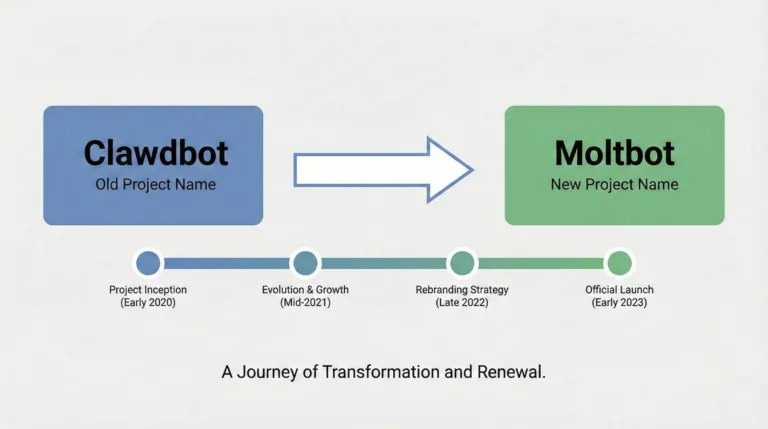
Most people still search “Clawdbot,” but the project has been rebranded as “Moltbot” following trademark pressure related to Anthropic’s Claude/Clawd naming overlap.
So in practice, you’ll see:
- Clawdbot = the name people know (and still Google)
- Moltbot = the current project name in many official places
Why Clawdbot went viral
Clawdbot hit the cultural sweet spot for 2026 AI:
A) It lives where you already communicate
Instead of forcing you into yet another app, it answers inside familiar channels (WhatsApp/Telegram/Slack/etc.).
B) It “actually does things”
It’s positioned as the assistant that can:
- schedule
- message
- fetch
- organize
- trigger automations
- run tools
That’s a meaningful leap from “ask a question → get text.”
C) It’s local-first and open-source
A lot of people are tired of black-box assistants. A self-hosted model feels like “my assistant, my rules.”
D) It sparked debate about security (and that fueled attention)
Any tool with access to your files, accounts, and messaging has a huge power—and a huge risk. Coverage emphasized both the promise and the danger.
What Clawdbot can do (real-world examples)
Here are practical things people build with Clawdbot-style assistants:
Personal productivity
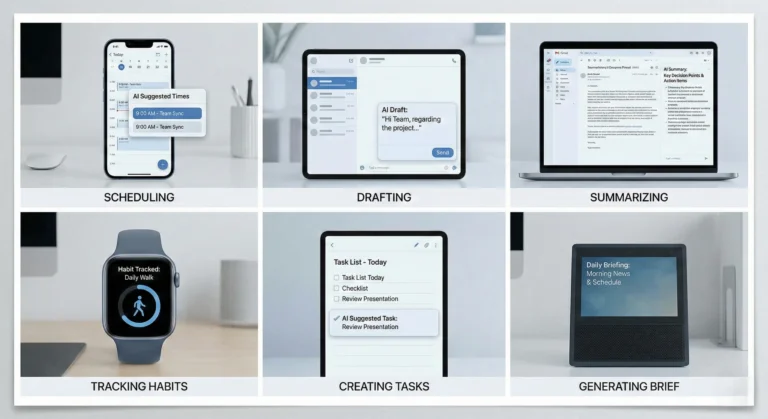
- Turn “remind me tomorrow” into actual reminders across your preferred channel
- Summarize your day and send a daily recap
- Track habits and nudge you (water, workouts, meds, journaling)
Communication automation
- Draft replies to emails or DMs in your tone
- Summarize long threads and propose responses
- Send follow-ups when you say “if they don’t reply in 3 days, ping them”
Admin + life ops
- Book appointments (when integrated with the right tools)
- Maintain shared family lists (groceries, chores, travel packing)
- Manage subscriptions and “digital clutter”
Developer workflows
- Turn bug reports into reproduction steps
- Generate release notes from commits
- Create small scripts/tools on demand (then reuse them)
The Verge described it as an open-source agent that automates tasks like reminders, health tracking, and client communications-controlled through common chat apps.
How Clawdbot works (simple architecture)
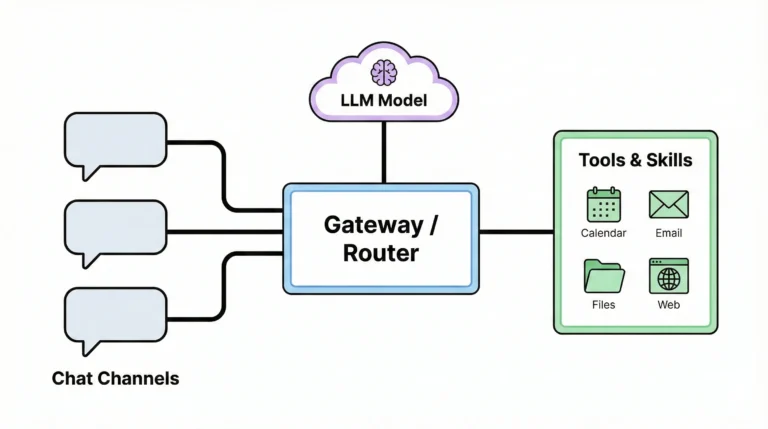
You can think of Clawdbot as four layers:
Chat channels (your interface)
WhatsApp / Telegram / Slack / Discord / Signal / iMessage / Teams etc.
Gateway / control plane
Routes messages, handles identity/authorization, and manages interactions.
Skills / tools layer
Connectors to services (calendar, email, files, web, scripts). This is where “doing” happens.
Models (brains)
It can interact with AI providers (OpenAI, Google, Anthropic, etc.), and depending on configuration, potentially local models.
The key shift is philosophical: tools > text.
A normal chatbot answers. An agent uses tools to produce outcomes.
Key features you should know
Multi-channel support
The project description highlights support for many messaging channels plus extensions (the exact list evolves), which is a big reason it feels “always available.”
Persistent “memory”
A personal assistant becomes more valuable when it remembers preferences, ongoing projects, and constraints (e.g., “only schedule meetings after 11am”).
Automation + skills
Instead of prompting from scratch every time, you can set up repeatable routines:
- daily briefings
- recurring checks
- structured workflows (“when I say ‘inbox zero’, do X/Y/Z”)
Runs locally (you control the machine)
This is a major selling point: local execution means more control, but also means you must treat it like powerful software-not a toy.
Setup overview
Clawdbot/Moltbot setup varies by platform, but the general path looks like this:
- Choose where it runs
- A spare laptop/desktop
- A small home server
- A VPS (careful: security + exposed surface area)
- Connect a model provider
- Add API keys and set budgets/limits
- Connect your chat channel(s)
- Start with one channel (don’t connect everything on day one)
- Start small with safe skills
- Read-only tasks first (summaries, drafts)
- Then graduate to actions (sending, editing, executing)
If you want safety and sanity, the best “first week” goal is not “full automation.”
It’s: make it reliably helpful in one narrow workflow.
Costs & pricing reality check
Clawdbot itself is open-source, but running it isn’t “free” in practice. Your costs typically come from:
A) Model usage (the big one)
If you use hosted LLMs, heavy automation can burn tokens fast—especially if your assistant reads lots of context, logs, pages, or threads.
B) Hardware or hosting
You can run on your own machine (often cheapest long-term) or a VPS.
C) Optional managed hosting
There are third-party “BYOS hosting” style offerings advertising plans starting around $29/month.
If you go this route, vet the provider carefully because you’re effectively trusting them with the keys to your assistant.
Security, privacy, and risk management
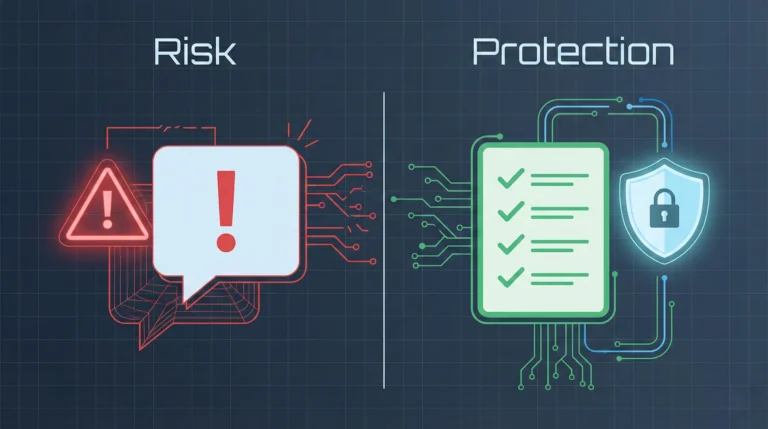
This deserves a whole section because it’s the difference between:
- “I built a super assistant”
- and “I accidentally gave a stranger a remote control to my life”
The core threat: prompt injection + untrusted input
Moltbot’s own security docs spell it out: attackers can craft messages to manipulate a model into unsafe behavior (“ignore instructions,” “dump files,” “run commands,” etc.).
And here’s the brutal truth:
Most failures are not elite hacking. They’re the assistant doing something it shouldn’t because it was asked in a tricky way.
Practical guardrails that matter
Based on the project’s security posture (and common agent-security best practices):
- Identity first: restrict who can talk to the bot (pairing, allowlists).
- Scope next: restrict what the bot can do (tool permissions, channel restrictions, sandboxing).
- Model last: assume the model can be manipulated; design for minimal blast radius.
Watch out for scams and fake downloads
Because the project went viral, scammers moved fast. Security reporting highlighted malicious fake versions (including a trojanized VSCode extension) exploiting the hype-so only download from official sources.
Rule of thumb: if you’re not 100% sure it’s official, treat it as hostile.
Advantages and Disadvantages
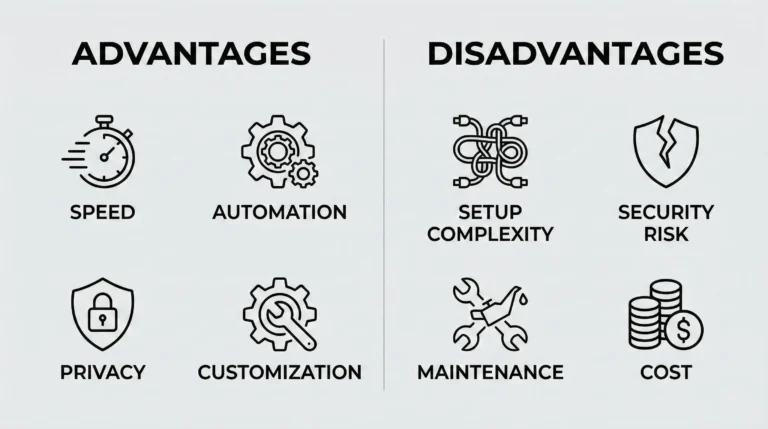
Advantages (why people love it)
- Automation that feels personal: it lives in your chat apps and can act on your behalf.
- Local-first control: you decide where it runs and what it can access.
- Flexible integrations: channels + tools + model providers.
- Open-source momentum: fast iteration, lots of experimentation.
Disadvantages (be honest)
- Not beginner software: setup + maintenance can be technical.
- Security risk is real: an agent with tools is inherently dangerous if misconfigured.
- Costs can spike: automation can create token burn you don’t notice until the bill lands.
- Scam ecosystem: virality attracts fake clones and “download traps.”
Tips & tricks
Here are practical moves that make Clawdbot useful and safer:
Start with one channel only (ideally a private DM), not a group.
Enable allowlists/pairing immediately – identity is your first wall.
Begin in “read-only mode”: summarizing, drafting, planning.
Create tool tiers:
- Tier 1: read data (calendar view, inbox list)
- Tier 2: write low-risk (drafts saved, not sent)
- Tier 3: high-risk actions (sending, purchases, shell commands)
Keep secrets out of reach
Don’t let the agent browse folders with SSH keys,
.envfiles, password exports, etc.Use separate accounts
Run it under a separate OS user with limited permissions.
Sandbox anything that executes
If it can run commands, containerize or restrict the environment.
Set token budgets
Hard caps beat regrets.
Log everything
You want an audit trail when something weird happens.
Prefer “confirm before action”
Make the assistant propose actions and ask “Proceed?” before executing.
Treat group chats as hostile by default
One malicious message can be enough in a weak setup.
Never install “random extensions” claiming to be official
This is how trojans slip in during hype cycles.
Best use-cases (personal + business)
Best for individuals
- Busy professionals who live in messaging apps
- People who want a personal “ops layer” for tasks and reminders
- Privacy-conscious users who prefer local execution (with careful config)
Best for small businesses
- Client follow-up automation
- Internal ops assistant (scheduling, summaries, task routing)
- Knowledge base Q&A (if integrated with your docs)
But: business use should include serious governance: access control, logging, permission scoping, and secure hosting practices.
Alternatives (and when they’re better)
Clawdbot isn’t the answer for everyone. Consider alternatives when:
- You want zero maintenance → hosted assistants and automation platforms may be simpler.
- You only need workflow automation → tools like Zapier/n8n can be safer because they’re more constrained.
- You want home automation → dedicated platforms (e.g., smart home hubs) are often better than a general agent.
Clawdbot shines when you want: one assistant across many channels + deep customization + tool execution-and you’re willing to manage it responsibly.
FAQ
1) Is Clawdbot the same as Moltbot?
Yes, the project was rebranded. People still use “Clawdbot” as the search term, but “Moltbot” is the newer name.
2) Why was it renamed?
Reporting indicates a trademark-related request tied to Anthropic’s Claude/Clawd branding led to the change.
3) Is Clawdbot free?
The software is open-source, but you may pay for model usage, hosting/hardware, and optional third-party services.
4) What messaging apps does it support?
It supports many channels (WhatsApp, Telegram, Slack, Discord, Signal, iMessage, Teams, and others) depending on setup and extensions.
5) Can it really “do things,” not just chat?
Yes, when configured with tools/skills, it can automate tasks across services. That “action layer” is the main point.
6) Is Clawdbot safe?
It can be safe-ish with strong access control and restricted permissions, but it’s powerful software with real risk if misconfigured.
7) What is prompt injection and why does it matter here?
Prompt injection is when an attacker crafts content that manipulates the model into unsafe behavior-especially dangerous when the assistant has tools and file access.
8) Should I connect it to my main email account?
Only after you trust your configuration. Start with read-only access or a secondary account.
9) Can I run it on a VPS?
Yes, but your attack surface increases. If you do, lock it down hard and avoid exposing ports unnecessarily.
10) Are there scams related to Clawdbot/Moltbot?
Yes, malicious fakes have been reported (including trojanized “extensions”). Only download from verified official sources.
11) Do I need to be a developer?
Not strictly, but you’ll be much happier if you’re comfortable with setup steps, keys, and basic security practices.
12) What’s the best first use-case?
A private chat channel + read-only tasks (daily summary, drafting replies, planning) before enabling automation actions.
Final thoughts
Clawdbot (Moltbot) is one of the clearest signals that “AI assistants” are shifting from chat to agency. It’s exciting-because it can genuinely offload work. It’s also risky-because a tool that can message people, access files, and execute actions needs adult supervision.
If you want the best outcome:
- start small
- lock down access
- limit permissions
- treat it like infrastructure – not a toy